I followed the OIC tutorial video https://mediaspace.esri.com/media/t/1_r75vr1r7/244548102 , and successfully built a campus OIC using Insta360 X3's 360 images.
And it works pretty well in ArcGIS Pro.
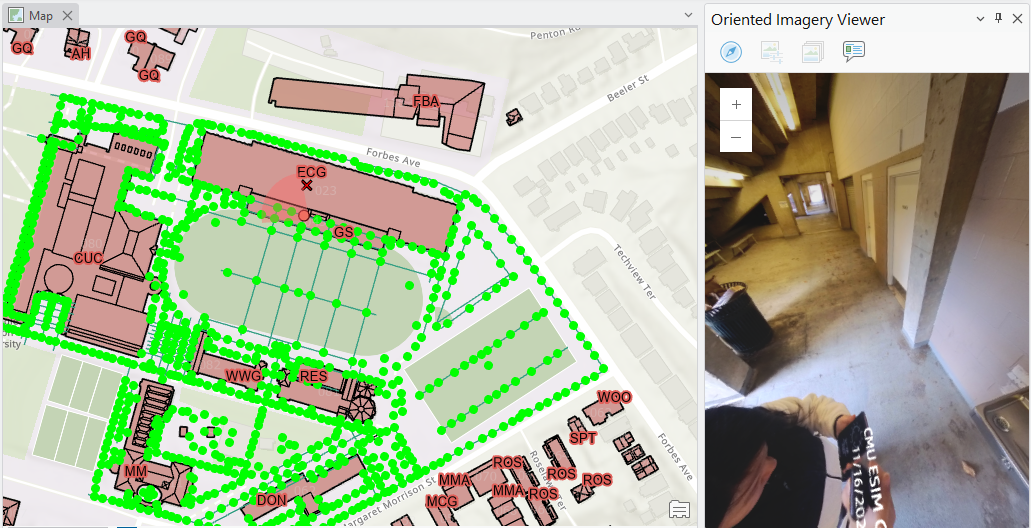
Then I upload OIC to ArcGIS Online. In the ArcGIS Online map viewer, neither the red cross that represent the selected location nor the footprint show in the map. It only appeared for like 2 times and then the footprint disappeared.
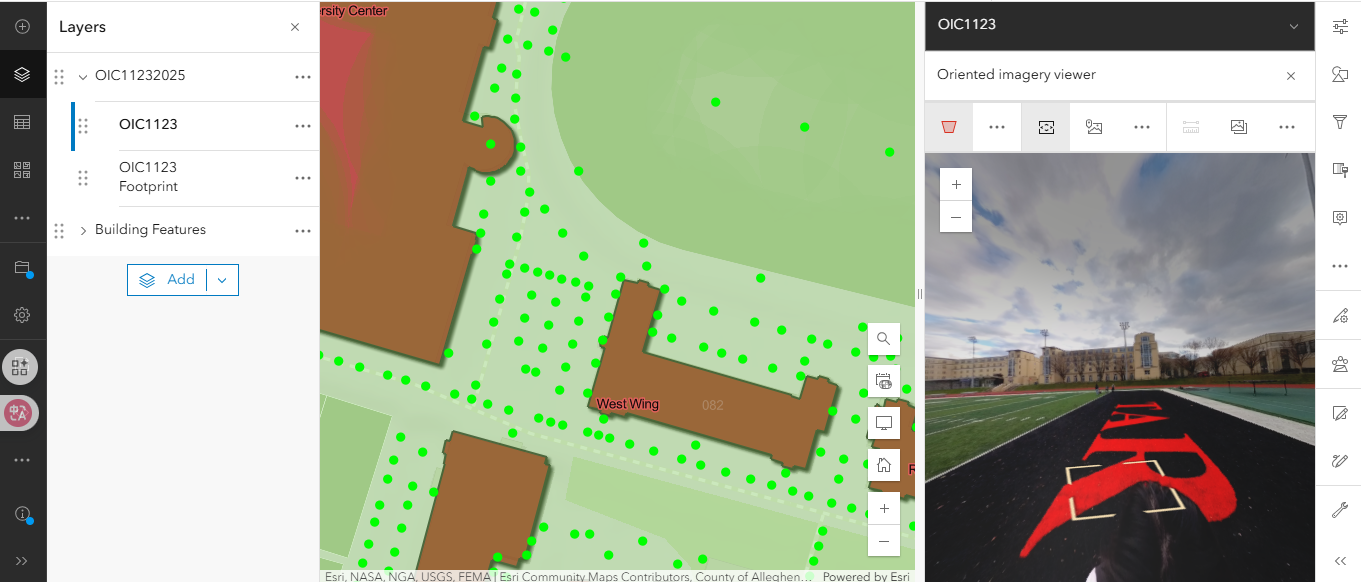
All the image files are in my local laptop.
At first, I thought it was the network loading issue, and I have waited for 30 min but the footprint didn't appear.
What is the reason for this problem and how to solve it?

