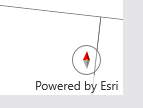
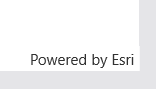
We are running a Xamarin Forms application targeting UWP and on one of the map screens we display the Compass from ESRI Toolkit. The compass appears on the map but is not displayed when we launch the application in Release mode.
Debug mode:
Release mode:
Apologies for the late response, it took me longer than expected to narrow down the issue.
If you open App.xaml.cs in your UWP project (not the shared project) you should see a line like the following in the OnLaunched method:
Xamarin.Forms.Forms.Init(e, new Assembly[] { typeof(global::Esri.ArcGISRuntime.Xamarin.Forms.MapView).GetTypeInfo().Assembly });
Replacing that line with the following should solve the problem.
Xamarin.Forms.Forms.Init(e, new Assembly[] { typeof(global::Esri.ArcGISRuntime.Xamarin.Forms.MapView).GetTypeInfo().Assembly, typeof(global::Esri.ArcGISRuntime.Toolkit.Xamarin.Forms.Compass).GetTypeInfo().Assembly });
Let me know if that works for you.
Hi @NathanCastle1
Thanks for replying.
Sorry I should have included them when I created the post.Following are details
XAML code: AutoHide property is set to false
<esriTK:Compass Margin="20"
                GeoView="{x:Reference MyMapView}"
                WidthRequest="30"
                HeightRequest="30"
                AutoHide="False"
                x:Name="compass" />
I'm sorry you're experiencing this problem.
Can you please share some more details about your project?
Those details will help me reproduce and hopefully fix the issue.
Signed in members can post, follow updates, and more. New here? Register a free account.
Find useful guides, FAQs, and documents to help you navigate and make the most of Esri Community.