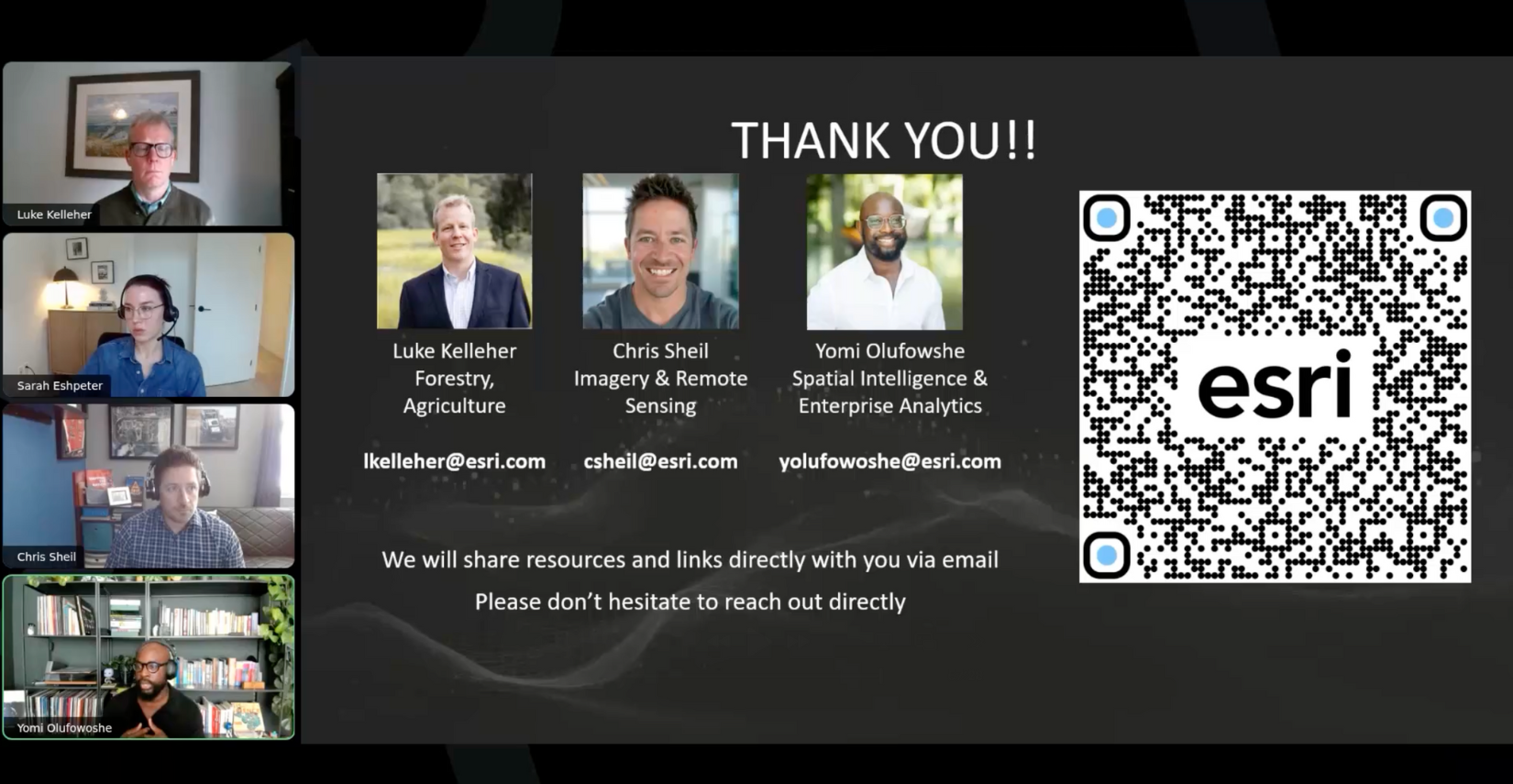
On Thursday, November 13, forestry professionals joined us for an interactive webinar exploring advanced analytics, GeoAI, imagery, and operational workflows. To better understand where organizations are today and what challenges they are navigating, we invited attendees to participate in live polls throughout the session.
Their responses helped shape the conversation and offered a clear look at how innovation is advancing within the forestry community.
What We Discovered Through Polls
The polls surfaced important themes across data maturity, imagery adoption, AI readiness, and how teams define advanced analytics.
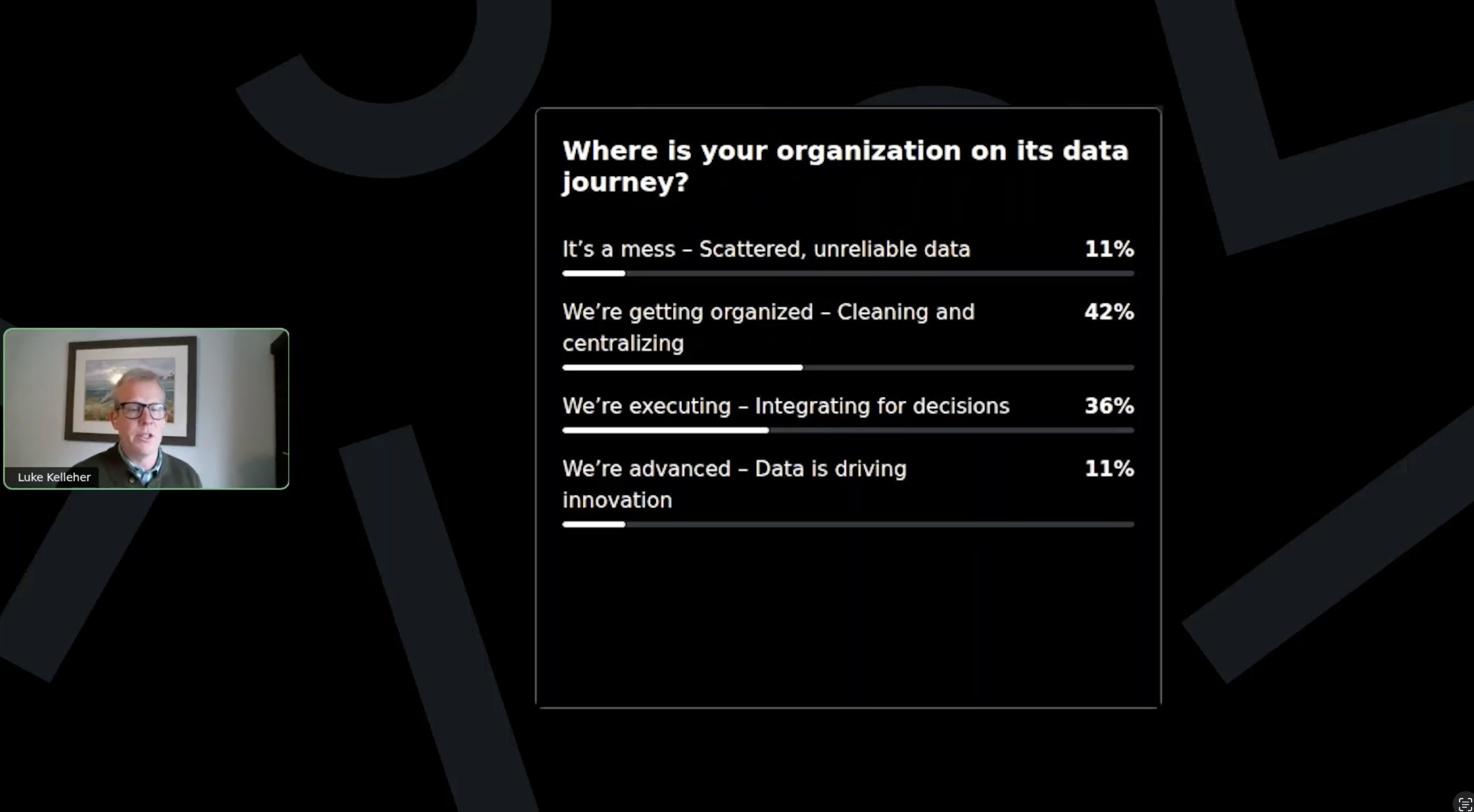
Data Readiness
Most attendees indicated that their organizations are either getting organized or actively executing their data strategy. This reflects a strong foundation for scaling analytics.
Understanding Advanced Analytics
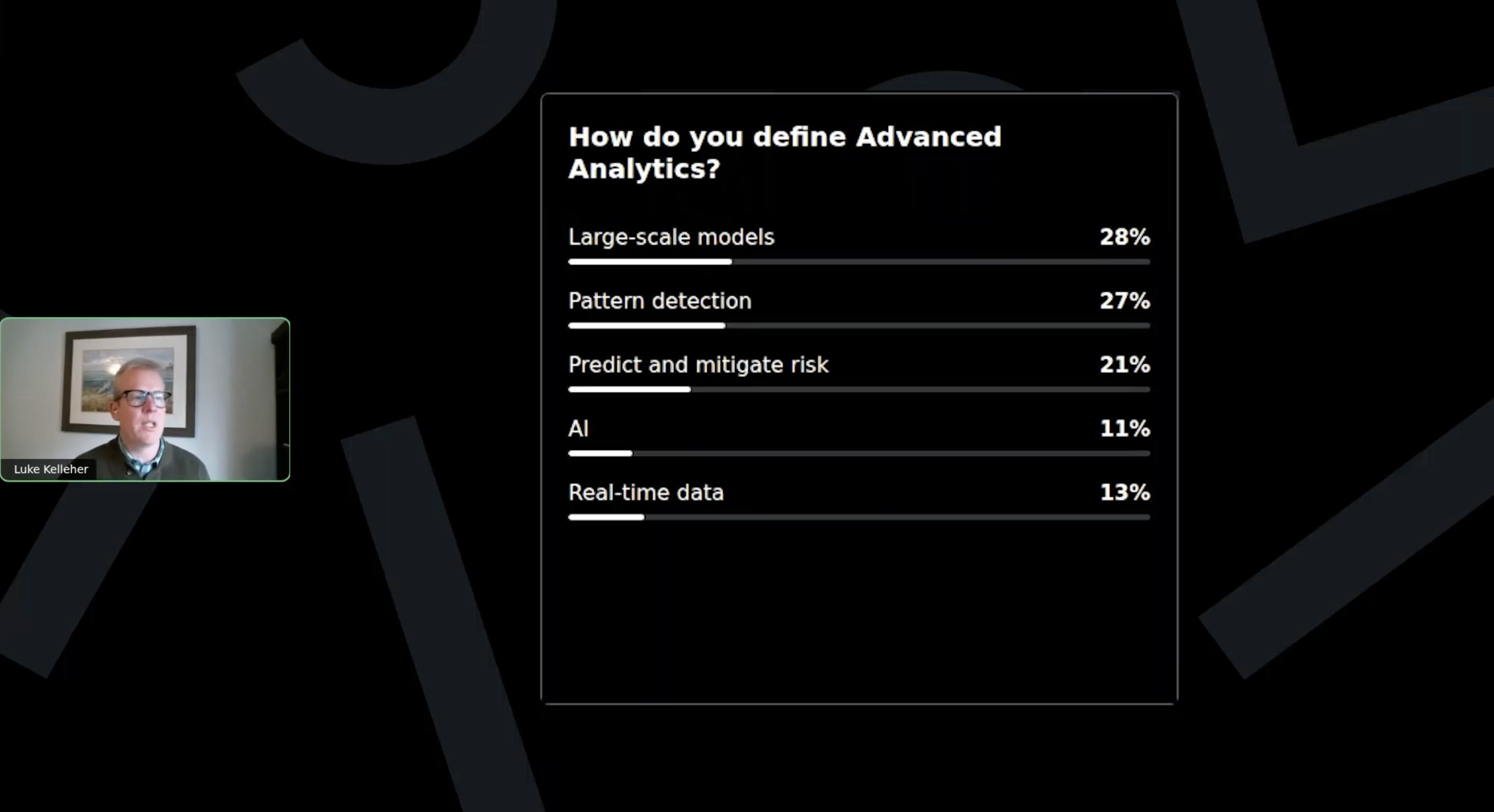
Responses were evenly distributed across spatial models, AI tools, and real time data, highlighting the diverse needs and priorities in the sector.
Feelings Toward AI
Most respondents described themselves as cautiously optimistic. There is enthusiasm for AI, paired with a desire for transparency and responsible adoption.
 Luke and Yomi discuss the poll results
Imagery Adoption
A large share of attendees use drones or commercial satellite imagery. Notably, no one selected that they are NOT using imagery at all, underscoring its essential role in modern forestry operations.
 Chris reviews the responses
These insights reinforced how ready the forestry community is to integrate deeper analytics and move toward proactive, data driven decision-making.
Presenter Highlights
Luke Kelleher
Strategic Planning and Operational Analytics
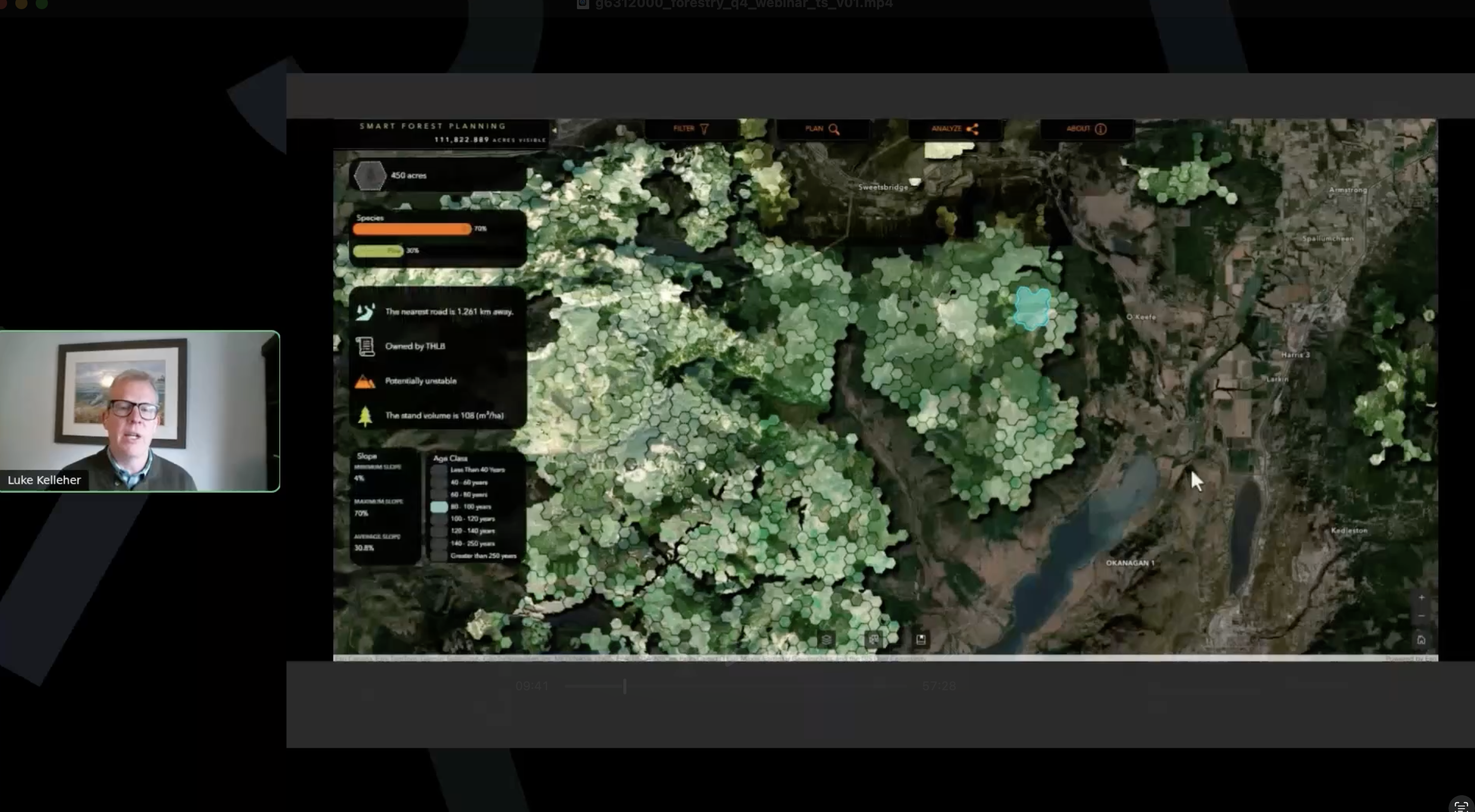
• Smart forest planning across millions of acres
• Scenario building for timber availability, biodiversity value, and nature-based solutions
• Real-time weather feeds, geofencing, and log truck monitoring
• Empowering decision-makers with direct access to insight
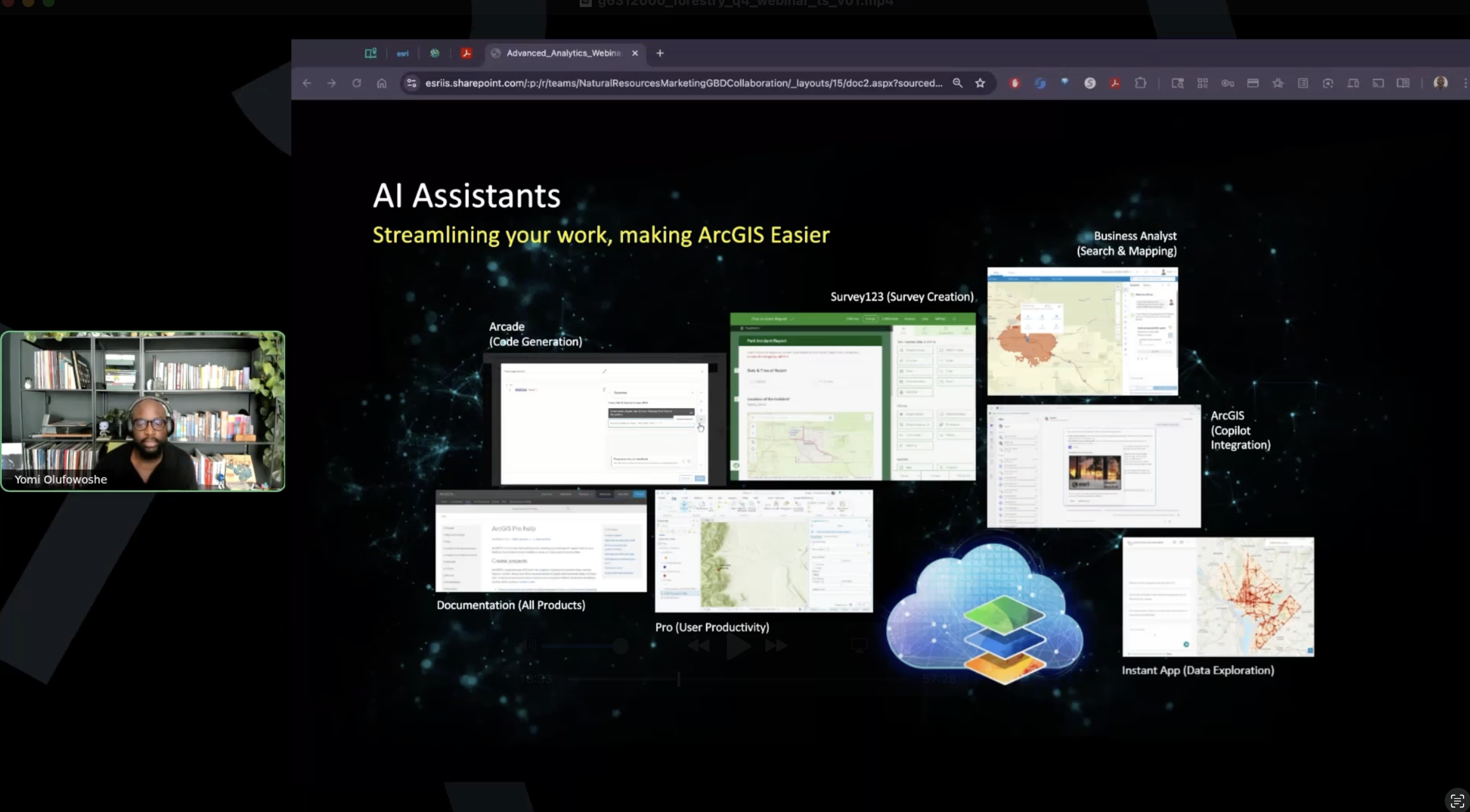
Yomi Olufowoshe
AI and the Geospatial AI Framework
• GeoAI models for classification, feature extraction, and prediction
• AI assistants that streamline mapping, coding, documentation, and analysis
• A secure and transparent, enterprise ready AI framework
• Automated monitoring through agent-driven workflows
Chris Sheil
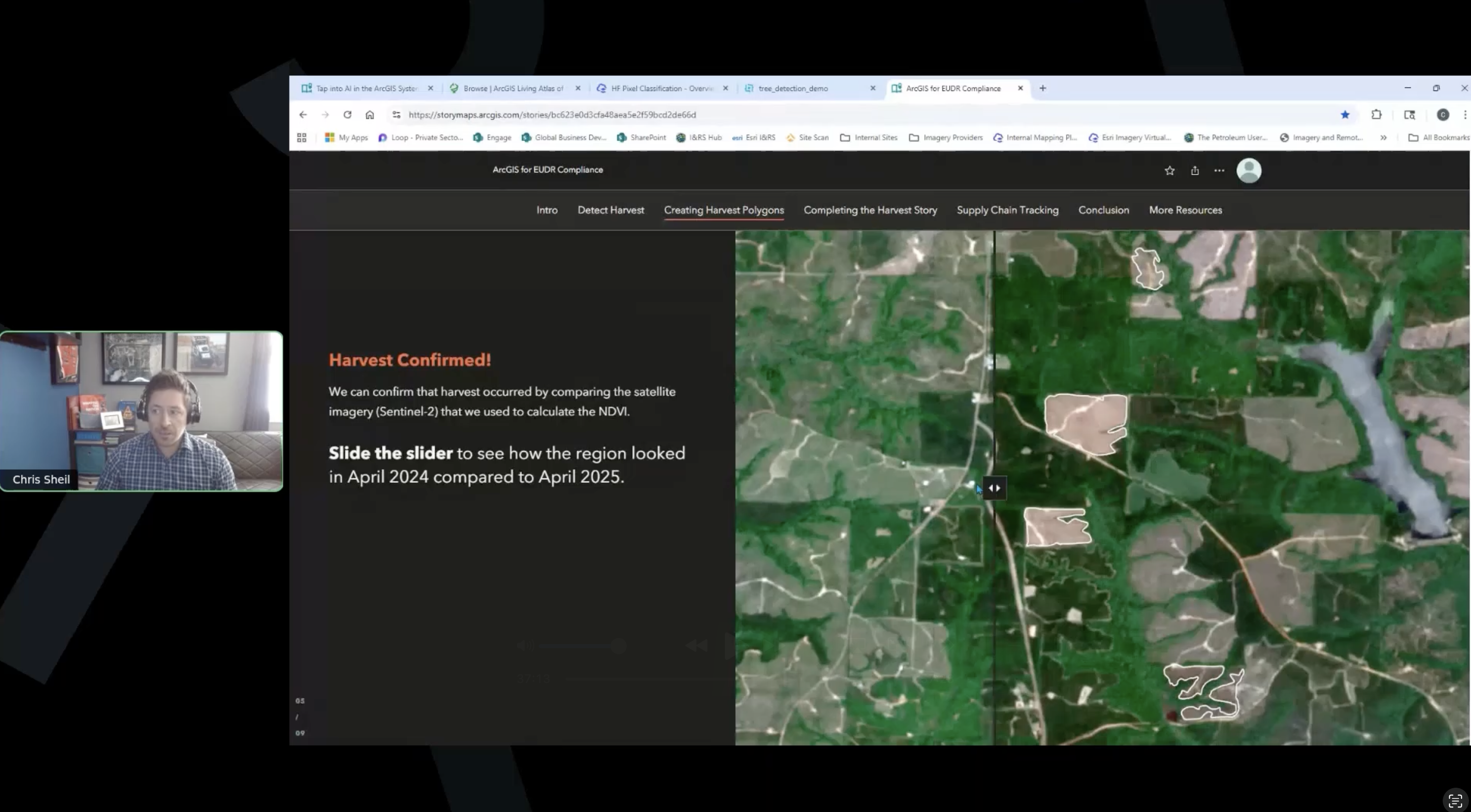
Imagery, Remote Sensing, and Deep Learning
• Drone, satellite, lidar, multispectral, and oriented imagery
• More than 100 deep learning models in the Living Atlas
• Seedling detection using drone imagery
• NDVI change detection and automated harvest boundary mapping
Top Audience Questions and Full Answers
During the webinar, we received a high volume of thoughtful questions. Our Forestry experts Sarah Eshpeter and Aidan Thurling were standing by, ready to answer these questions in real-time. They also asked our presenters specific inquiries they saw in the chat. Below are a few of the most common ones, along with full answers shared by the presenters.
Q1: How do I build trust in AI assisted workflows?
A: Start by pairing AI outputs with ground-truthing and human review. ArcGIS AI assistants provide transparent information about the models behind the scenes, and the ArcGIS Trust Center outlines how data is used, stored, and protected. Begin with small, low-risk workflows and expand as confidence builds.
Q2: When should I retrain a deep learning model?
A: Retraining is only needed when you are targeting highly specific features or working with imagery that differs significantly from the data used to train the original model. Many pre-trained models in the Living Atlas work effectively out of the box. When retraining is needed, the workflow is straightforward and can often be completed in a single day.
Q3: Which imagery type should I prioritize?
A: Start with Sentinel or Landsat imagery from the Living Atlas. These are freely available and offer consistent coverage for monitoring change over time. From there, add drone imagery for high resolution operational workflows, or commercial satellite imagery for detailed regional analysis.
Q4: How can I scale analytics without overwhelming my GIS team?
A: Focus on repeatable workflows that can be automated. Tools like Experience Builder, ModelBuilder, and Python scripting help reduce manual work. Establishing clear data governance early prevents rework and supports sustainable scaling.
Q5: What is the simplest way to get started with advanced analytics?
A: Use Luke’s Five-Step Playbook: Start with one focused use case, connect your data, run a single workflow, document insights, and scale from there. Built-in AI assistants in ArcGIS Pro, Online, Survey123, and Business Analyst make it easy to begin without additional licensing.
These answers are also available in the Q&A section of the webinar recording.
Luke’s Five-Step Playbook
- Pick a use case
- Connect your data
- Run the workflow
- Document and share
- Review and scale
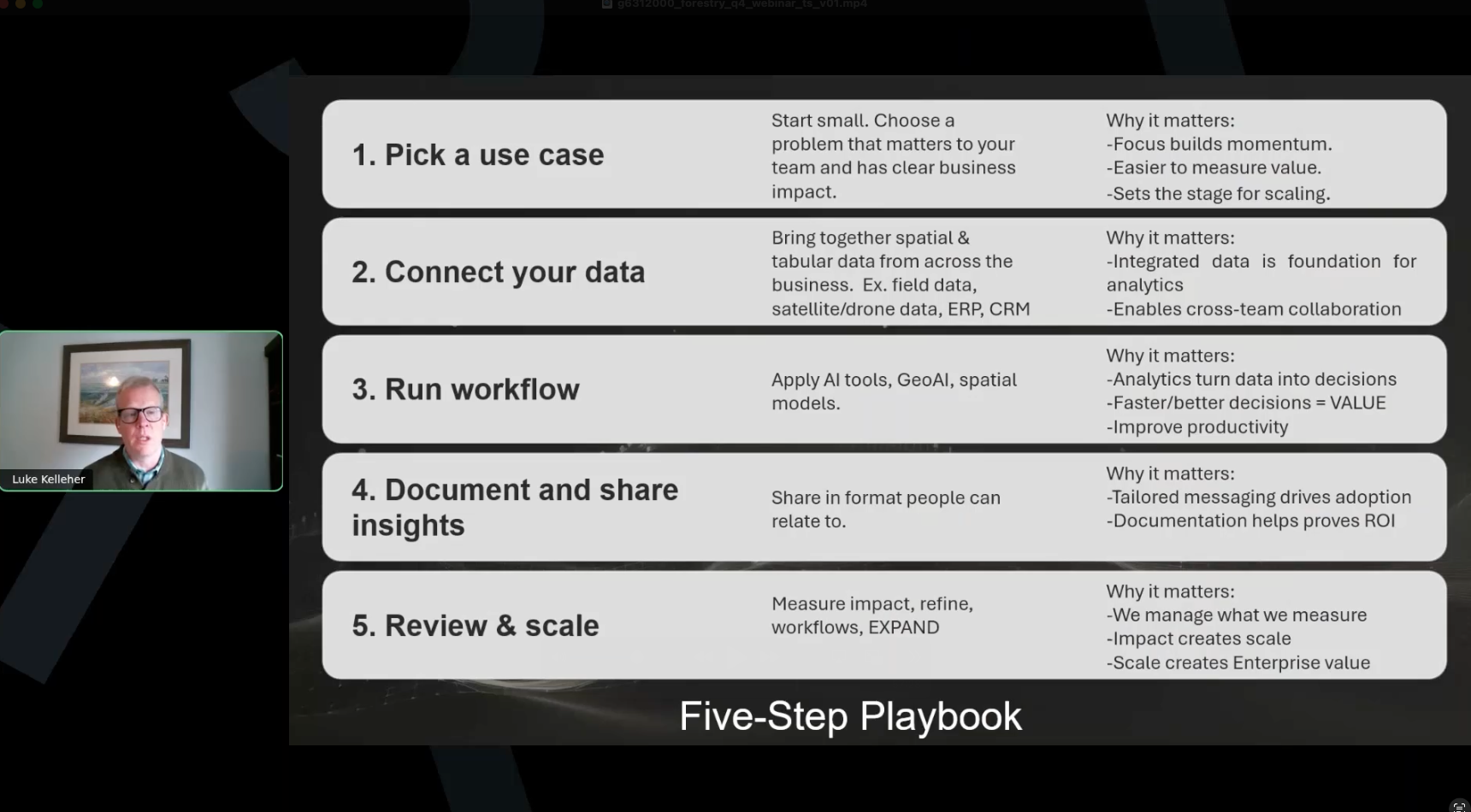
This framework is designed to help teams start small, demonstrate impact, and expand with confidence.
References and Resources:
GeoAI, AI Framework, Assistants, and Trust Center
• ArcGIS GeoAI StoryMap
https://link.esri.com/unlocking_strategic_efficiency/storymap_ai
• ArcGIS Trust Center Transparency Cards
https://link.esri.com/unlocking_strategic_efficiency/ai_transparency_card
• What’s New with ArcGIS AI Assistants Blog
https://link.esri.com/unlocking_strategic_efficiency/arcgisblog_ai
Webinar recording
https://link.esri.com/unlocking_strategic_efficiency/recording
Contact the Presenters
Luke Kelleher: lkelleher@esri.com
Yomi Olufowoshe: yolufowoshe@esri.com
Chris Sheil: csheil@esri.com