If you have purchased an Esri Press e-book on VitalSource that has an "eBook + Access Code" tag, you have the opportunity to license ArcGIS software. The access code is the Promo code. Follow these steps to find the code and sign-up.

1.) Start by going to vitalsource.com and signing in.
2.) Click on your Bookshelf tab.

3.) In My Library, find the book that you want to redeem the Promo code for.
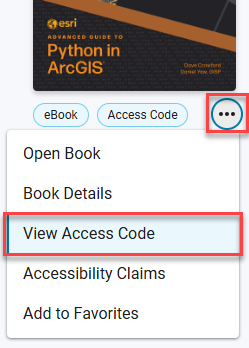
4.) Click the More Options button (three dots). Then, click View Access Code.
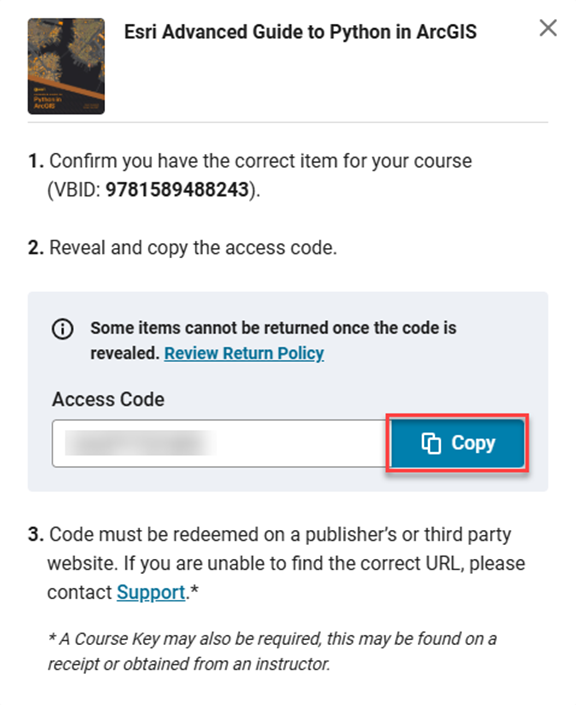
5.) Reveal and copy your access code.
6.) Refer to the instructions at the beginning of the book to activate your license with the Promo code.
