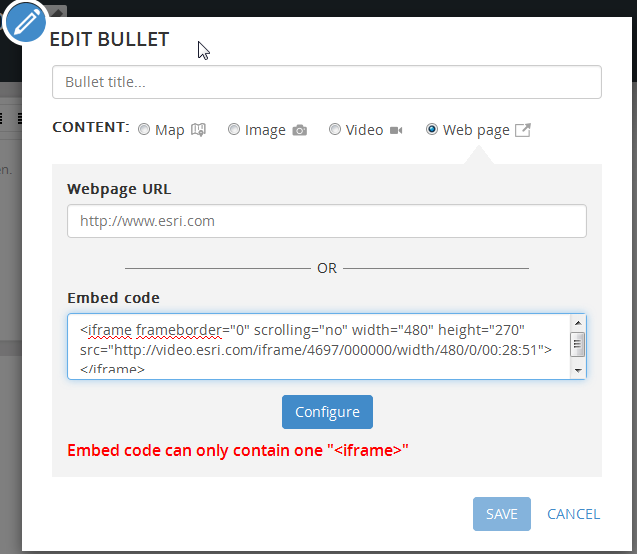
Hi, I am trying to embed a video from esri videos into my Story map series template. I am using the embed code option under the webpage feature and I am copying the embed code I get from esri, for example:
<iframe frameborder="0" scrolling="no" width="480" height="270" src="http://video.esri.com/iframe/4736/000000/width/480/0/00:00:00"></iframe>
I get the following error: Embed code can only contain one "<iframe>". When I remove the text "iframe" from the URL, the error is removed. However the video does not show up.
Any ideas what I could be doing wrong?
Solved! Go to Solution.
Hi Allison,
Sorry you are having this problem. We do know about this issue and plan to fix it in the November release.
As a workaround for now you can paste the URL for the page into the "webpage URL" field (instead of using the iframe/embed).
Owen
Hi Allison,
Sorry you are having this problem. We do know about this issue and plan to fix it in the November release.
As a workaround for now you can paste the URL for the page into the "webpage URL" field (instead of using the iframe/embed).
Owen
Thanks Owen!
Has this been fixed yet
Hello Rhianna - I'm sorry but this fix got pushed from our last release. It is on the list of issues to fix for the November release.