Hello,
I am setting up a Utility Network Model.
I am using FME to push data into the model via a web feature layer. In this circumstance there were originally errors (small dirty areas) along the blue line, which were fixed via inserting required features to meet network topology rules.
When the smaller dirty areas were initially flagged, the selected line was also flagged. Now the other errors have been fixed, this blue line should not be flagged as an error anymore, as the issues have been fixed. But even when trying to validate the UNM thinks there is nothing wrong and does nothing: .
.
To fix this issue I am currently doing this, which is a very tedious and slow process:
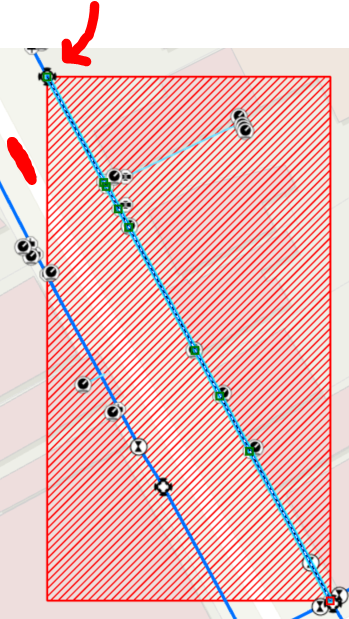
I edit the vertices on the point with the red arrow, simply by clicking, draging and putting it back to its original position, after that the error area is now a dirty area:
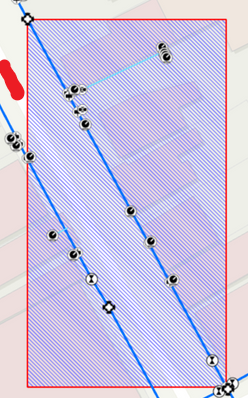
and now it can be validated.
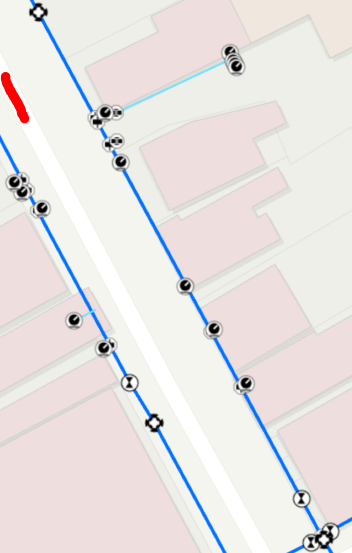
This seems to be a major bug in the utility network model. This issue is chewing up a large portion of users time to fix.
Is there a way to do this quicker? I have tried turning network topology off/on, refreshing the connection and restarting arcpro. The errors remain as the Utility Network Model validate does not seem to realise they exist until I manually edit and refresh that dirty area.
Please help, or fix this bug.
Thanks.