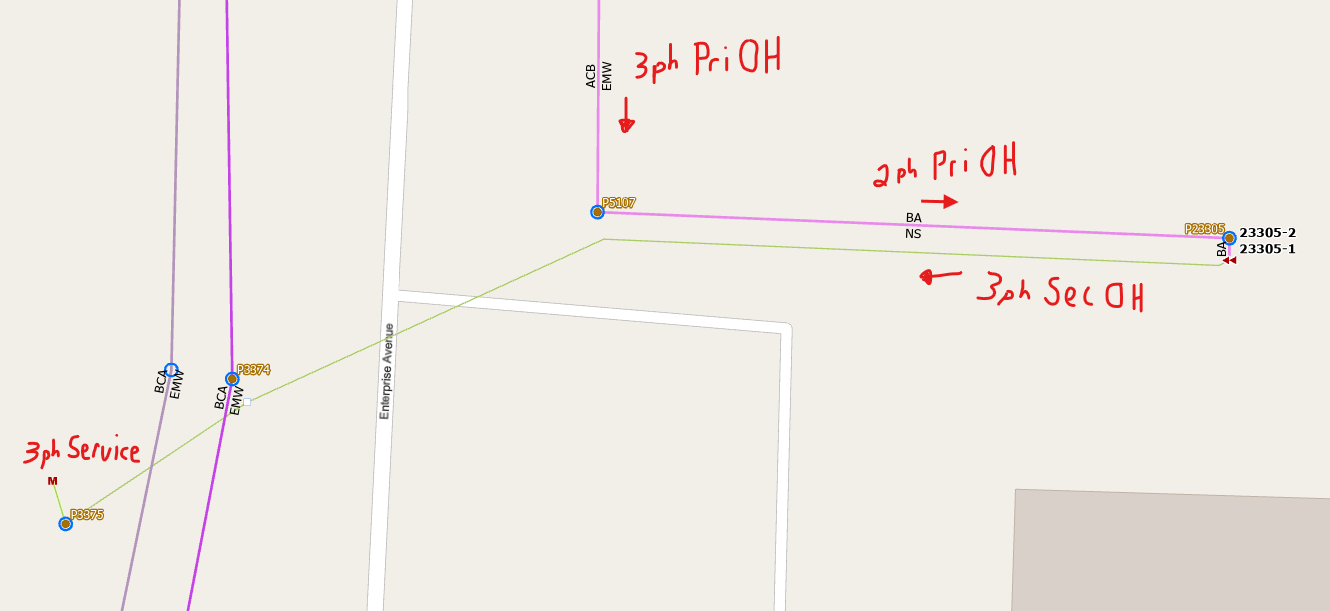
As you will see in the picture below, we have a 3ph Primary OH line that 90's to a 2ph Primary OH with a 2 pot open delta transformer bank. That bank produces a 3ph secondary service. The pink line is my Electric Subnet Line and the green line is my Electric Line (secondary). The Update Subnetwork geoprocessing tool will not extend the Electric Subnet Line past the transformer bank.
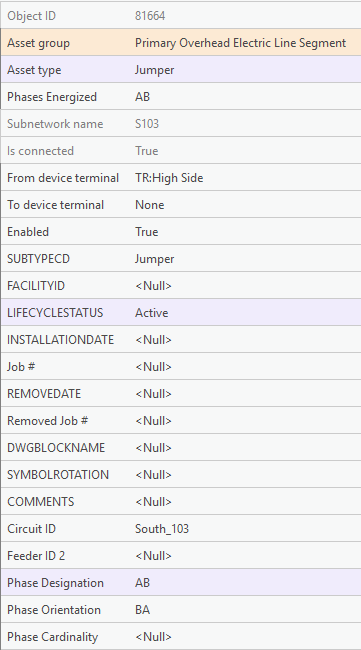
This picture shows attribute info for the primary feeding the transformer bank:
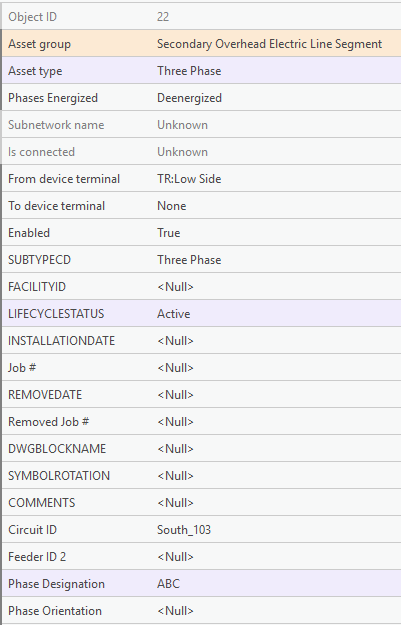
This picture shows the attribute info for the secondary leaving the transformer bank:
Everything seems to be filled out and connected properly but nothing I do seems to make it part of the subnetwork. It won't trace beyond the transformer bank. I've tried forcing the Phases Energized fields but that doesn't do anything. Any ideas on how to resolve this? Has anyone else run into a similar situation?
Without any special configuration a 3-phase service connected to a 2-phase transformer will still be energized, but only the two phases from the transformer will be energized. Most models are configured to only include medium voltage lines in the subnetwork line (for performance reasons), but just because the line isn't included in the subnetwork line doesn't mean it doesn't belong to the subnetwork or that its not included in calculations for the subnetwork. If the trace is stopping at the transformer and not continuing to the secondary, its because something else is wrong.
There is a new network category being added with UN v8 called propagator resetter that allows you to handle scenarios like this. When this network category is assigned to an asset type, like an open delta or step transformer, the trace will reset the propagated values (phasing) when passing through one of these devices. This should allow all three phases of the service to be energized.
You can learn more about propagator resetters here: https://doc.esri.com/en/arcgis-pro/latest/help/data/utility-network/attribute-propagation.html#JDZ
That's good to know about UN v8. I'll keep poking at it to see if I can get it to recognize the secondary line. Thanks!
When you run the trace, where does it stop? What is the phasing of the transformer? Can you post a screenshot of the subnetwork definition for this tier from the network properties dialog? You have a non-standard model, so I want to see how your propagators are configured? You'll need to scroll all the way to the right to see these properties:
@RobertKrisher So here's the weird thing that happened. After my last post, I kept messing with it to see if I could get something to work. I changed the AssetType on the secondary line from Three Phase to Two Phase, thinking that might trigger something. Didn't work. I changed it back to Three Phase and ran the tools to validate and update the subnetwork. That worked! I don't know how or why, but now the subnetwork is all the way to the meter, like it should, and the trace no longer stops at the transformer but also goes all the way to the meter. <I'm scratching my head in disbelief with a stupid look on my face>
Either way, here's my screenshot:
Glad you got it working! The trace should always have been working, but if you were relying on update subnetwork then my guess is you were working in a version and not on default.
Actually, with the work I've been doing on the subnetwork, I've been editing the default version. It's all been strange but it's working now.