Select to view content in your preferred language

Survey123 - Lose drafts if I republish?

317
5
08-11-2025 11:19 AM
Jonatanson_DUC
Emerging Contributor

Hey everyone!

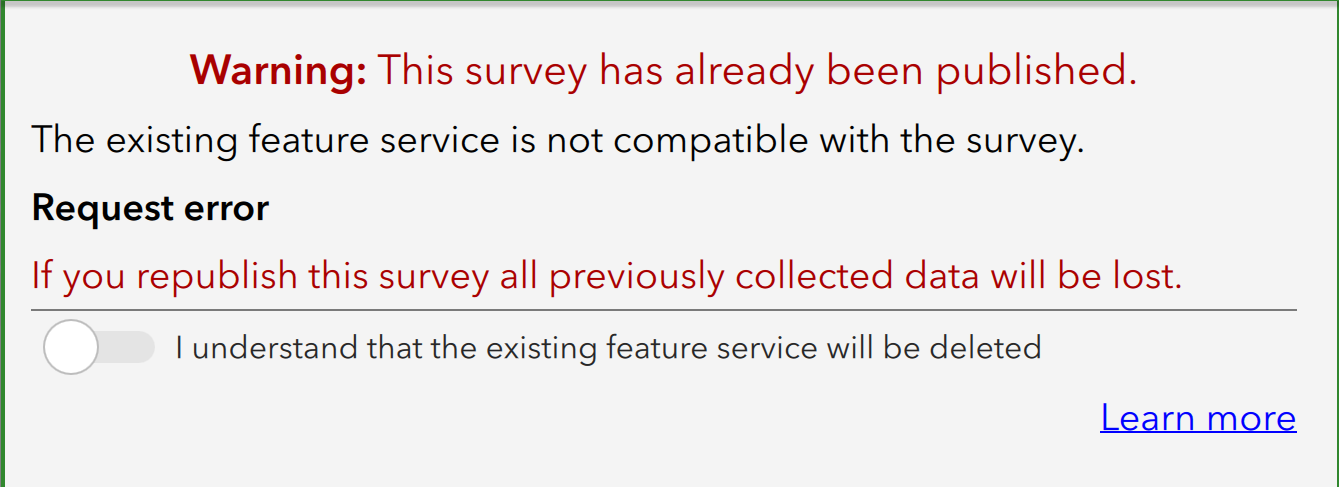
When publishing my survey, I receive this message:
Jonatanson_DUC_0-1754936218497.png

While I understand that a new feature service will be created, I'm curious if any surveys submissions sitting in drafts will be affected.

A colleague has surveys saved on their mobile device that have yet to be submitted, i.e. they are not in any feature service currently.  I want to make sure that these remain on their device and aren't affected by me republishing this survey.

Thanks!

 

0 Kudos
5 Replies
ChristopherCounsell
MVP Frequent Contributor

You should have all users submit their surveys before you do this change, and then back up your layer before it is overwritten.

You are making a change significant enough to change the service. It will most probably break a survey submission from a previous form. It's not clear how survey123 handles the drafts in these moments, but you should be so prone to submission errors doing this I would not entertain it.

Just submit and sidestep the issue altogether.

0 Kudos
ZenMasterZeke
Frequent Contributor

If you're using Survey123 Connect, one method is listed below. Not sure about Web Designer since I rarely use it.

If your survey has the Sent folder enabled, surveys a user submitted should remain on their device in the field apps' SQLite database. The Overview folder enabled allows access to every survey on the device.

That said, @ChristopherCounsell 's answer is a better way to go. What I've done in the past is what he suggests, except I'd probably create the updated survey as a new survey, rather than updating the old survey.

  1. Submit any surveys still on the device
  2. Back up the existing data
  3. Make a backup copy of the original xlsform in a separate folder on your computer
  4. Create or update to the new survey
  5. Append the old data from the Excel or csv file  to the new survey, if appropriate. This may require field matching

https://doc.arcgis.com/en/survey123/desktop/create-surveys/publishsurvey.htm

https://doc.arcgis.com/en/survey123/desktop/create-surveys/publishsurvey.htm#ESRI_SECTION1_5B5B8DFF8...

0 Kudos
ChristopherCounsell
MVP Frequent Contributor

Drafts folder very different from the sent folder in this instance 

0 Kudos
Jonatanson_DUC
Emerging Contributor

I understand the suggestion fully and wish I could.

Unfortunately it's not a matter of the survey changing drastically.  The problem is that the survey is already broken - something corrupted the feature service so it needs to be replaced.  The drafts cannot be submitted, period.  That's why I'm asking the question, I need to understand if the drafts will be affected or not.

0 Kudos
ZenMasterZeke
Frequent Contributor

Well, if you can't submit at all, your options are more limited. Here are some sites explaining how to recover surveys from the mobile device:

https://resources.esri.ca/getting-technical/the-ultimate-guide-to-recovering-arcgis-survey123-data-f...

https://support.esri.com/en-us/knowledge-base/faq-what-are-the-ways-to-recover-arcgis-survey123-data...

As @ChristopherCounsell pointed out, a draft survey that hasn't been sent at all, successfully or not, isn't the same as one that has been sent but not received. You should be able to get them from the sqlite database though.

I've recovered surveys that were sent but not received, but wouldn't recommend that the user send one knowing it won't be received. Might work, but who knows?

0 Kudos