I recently created a survey in Survey123 Connect using HTML formatting. When I save the survey in Connect, the formatting looks correct, however after publishing to ArcGIS Online, the formatting disappears. I found this bug referencing version 3.9 (https://support.esri.com/en-us/bug/the-survey123-web-application-does-not-honor-html-tag-f-bug-000130873). I'm currently using version 3.22.49 and it doesn't seem to be fixed.
This is the HTML formatting I'm using in Connect:
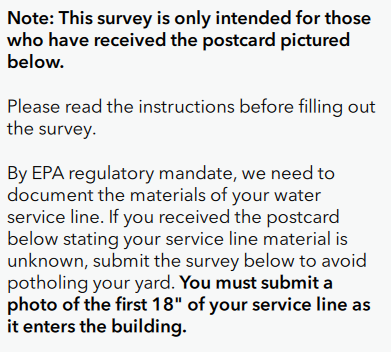
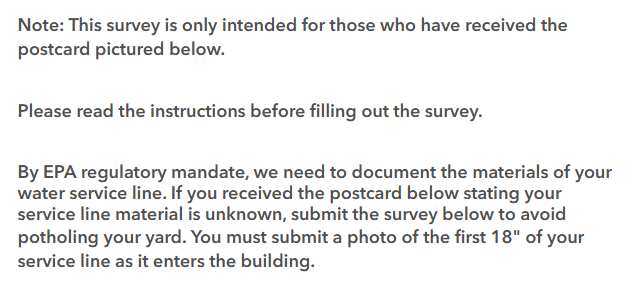
<b>Note: This survey is only intended for those who have received the postcard pictured below.</b>
Please read the instructions before filling out the survey.
By EPA regulatory mandate, we need to document the materials of your water service line. If you received the postcard below stating your service line material is unknown, submit the survey below to avoid potholing your yard. <b>You must submit a photo of the first 18" of your service line as it enters the building.</b>
Here's what my survey looks like in Connect:
VS in Web:
Does anyone have a workaround for this?











