I have a survey where if a user has (a) file(s) that contain existing geometry, they mark a select_one question "Yes" (the only option) and then are asked to attach the file(s) in a subsequent question (file_repeat). I have entered the following into the file_repeat question's required field, so the survey can't be submitted without adding an attachment: selected(${exist_geo},'yes').
In testing in Survey123 Connect, the survey displays as it should:
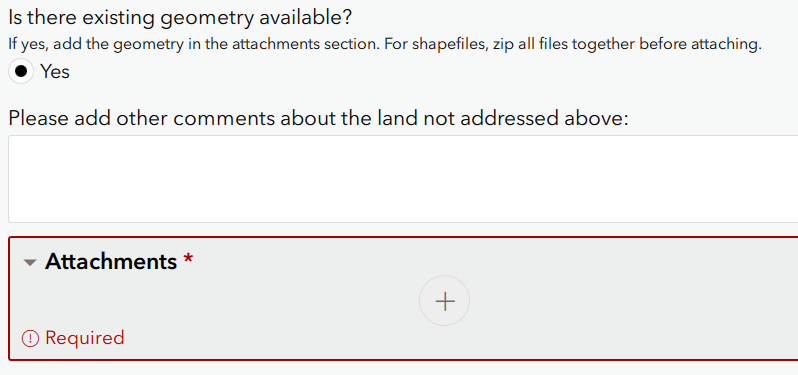
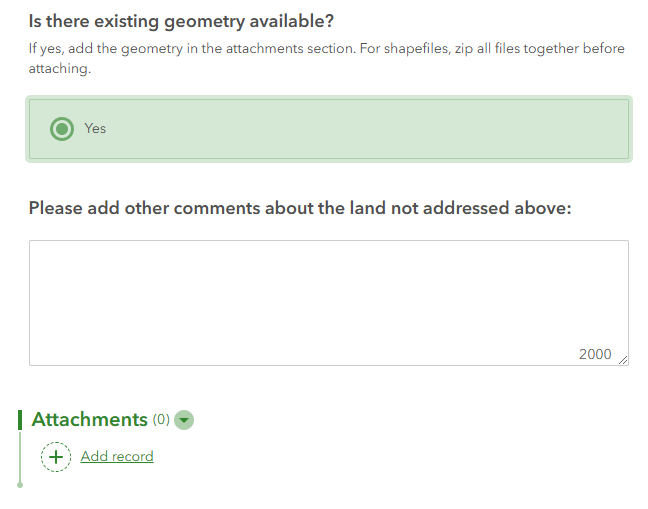
However, when filling out the survey on a browser after publishing in Survey123 Connect, after the user selects "Yes," the "Attachments" section does not toggle to "Required" and the user can submit the survey without attaching anything:
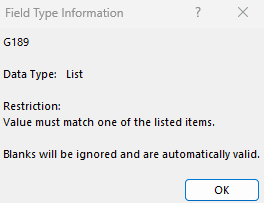
In the Excel spreadsheet, the "Field Type Information" for the required cell displays this data validation error:

I have tried:
- Changing the required field to "yes" and entering "selected(${exist_geo},'yes')" to the constraint field
- Changing "yes" to "Yes" in selected(${exist_geo},'yes')
- Changing single quotation marks to double in selected(${exist_geo},'yes')
- Moving selected(${exist_geo},'yes') to the required field in the file record rather than the file_repeat record
- Updating Survey123 Connect to the most recent version
Help!
@DougBrowning


