Hello All,
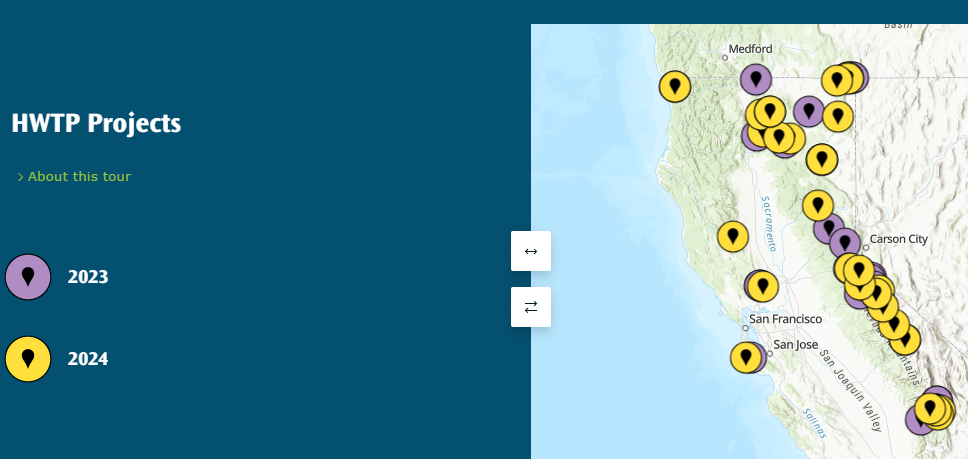
I'm finding the order of the symbology in a Categorized Map Tour a bit counterintuitive. I'm using years as categories and I want the most recent year to be on top. However, for the the map symbology to be in the order I want, I have to do the opposite for the list on the left (2024 should be on top for both). Am I missing a way to adjust this or do I need to add this to Ideas?
Thanks -
Janet
Solved! Go to Solution.
@JanetBrewster1 -- This issue was fixed in our update that was deployed yesterday. Please let us know if you are still seeing an issue with the drawing order.
Hi @JanetBrewster1 -- Click Edit data source and go to the Categories tab. There, you can click the ... and select Move Up/Down to reorder the categories, or you can also just drag them around into the order you like.
Thanks @OwenGeo. The problem is that the order in the list is connected to the order in the map. Moving 2024 to the top in Edit Data Source changes the order on the map, and now the 2024 symbols are beneath the 2023 symbols.
Oh, sorry - I didn't make that connection, but I understand what you are getting at now. Thanks for clarifying.
What you are seeing is not expected. We are investigating and will post here again when we have more information.
@JanetBrewster1 -- This issue was fixed in our update that was deployed yesterday. Please let us know if you are still seeing an issue with the drawing order.
@OwenGeo This is excellent! Yes, it worked for me. Thank you so much!!