Select to view content in your preferred language

publish a filegdb with editor tracking off and preserve on

285
2
02-09-2026 11:59 PM
Labels (1)
Mannus_Etten
Occasional Contributor

I do not understand the documentation of this page:

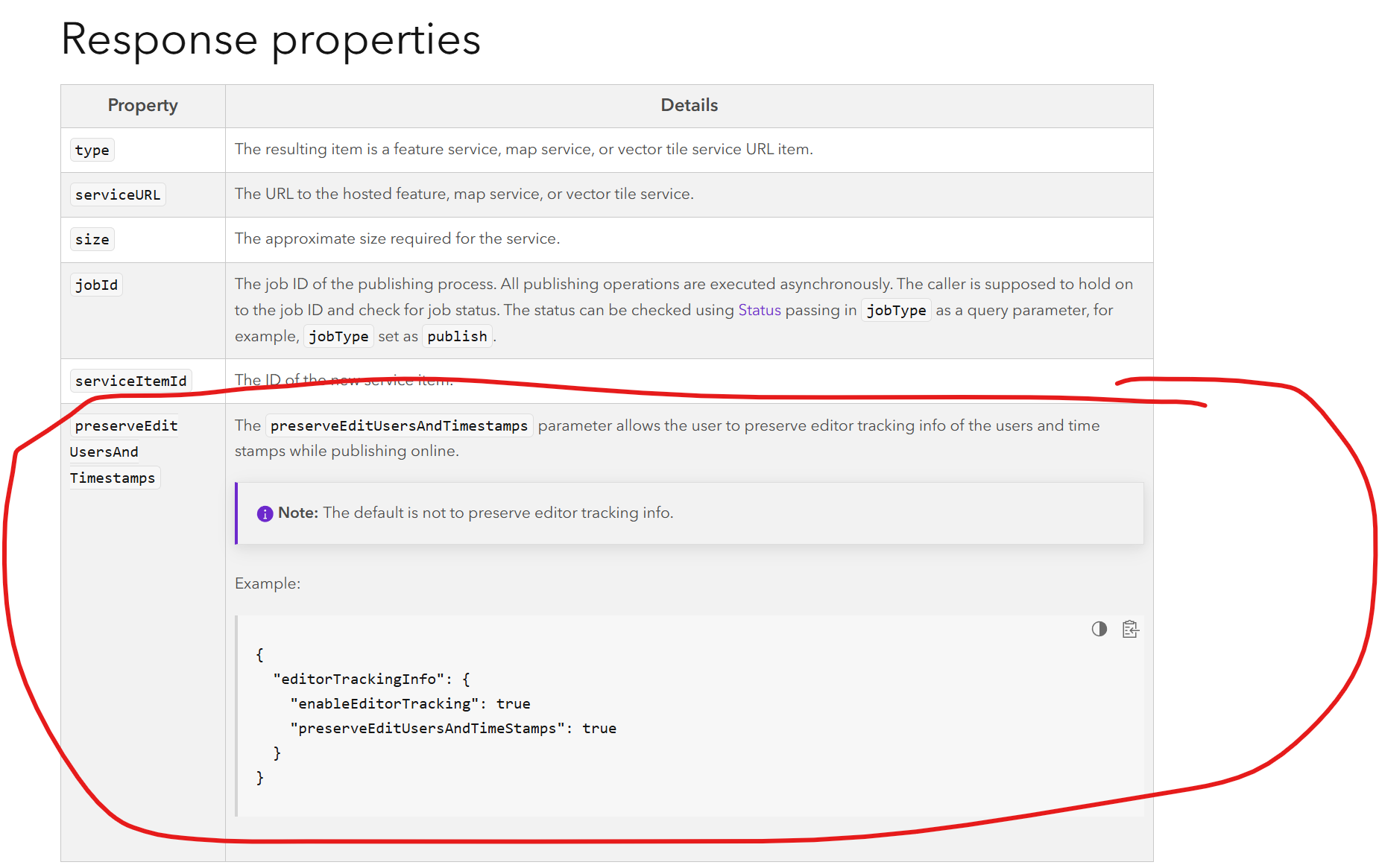
https://developers.arcgis.com/rest/users-groups-and-items/publish-item/#shapefile-feature-collection...


Mannus_Etten_0-1770710145637.png

the property in red circle does not come back in my json-responses.

but i would like to use it when i publish my fgdb, the fgbd does have editor tracking on and i do want to preserve the info.

So can somebody help me out and give me a proper rest request to publish a filegdb and preserve the editor tracking info.
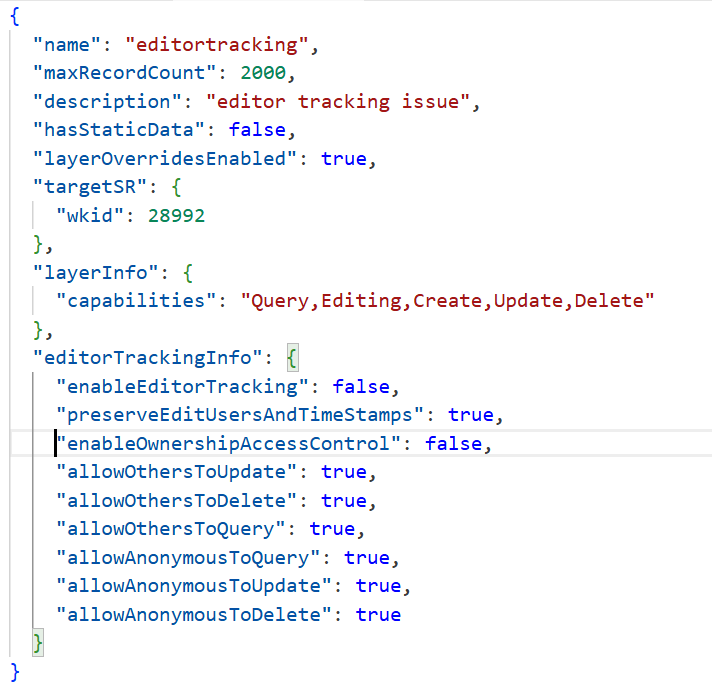
 

Mannus_Etten_1-1770710325113.png

this one is not working and i can't figure out the correct syntax

Portal Genius / KLIC Genius / Backup Genius
0 Kudos
2 Replies
ChrisUnderwood
Esri Regular Contributor

Hello @Mannus_Etten , I found an internal article that shows the parameter being used like this :

pub_params = {"editorTrackingInfo" : {"enableEditorTracking":'true', "preserveEditUsersAndTimestamps":'true'}}
sdItem.update(data=sd)

 So 3 small differences:

1. A lowercase "s" in Timestamps.

2. All the parameters written on 1 line.

3. Single quotes around 'true'.

Are you able to try each (or all) of these changes to see if they help at all ?

Many thanks.

0 Kudos
Mannus_Etten
Occasional Contributor

{
"name": "editortracking",
"maxRecordCount": 2000,
"description": null,
"hasStaticData": false,
"layerOverridesEnabled": true,
"targetSR": { "wkid": 28992 },
"layerInfo": { "capabilities": "Query,Editing" },
"editorTrackingInfo" : {"enableEditorTracking":'true', "preserveEditUsersAndTimestamps":'true'}
}

this message does not affect anything in the way I want 😞


I do not use a SD-file but an existing filegdb item

Portal Genius / KLIC Genius / Backup Genius
0 Kudos