Select to view content in your preferred language

Is it possible to change the text font size for a Button User Input Hint

337
2
Jump to solution
05-27-2025 02:06 AM
peterverwey_ses
Occasional Contributor

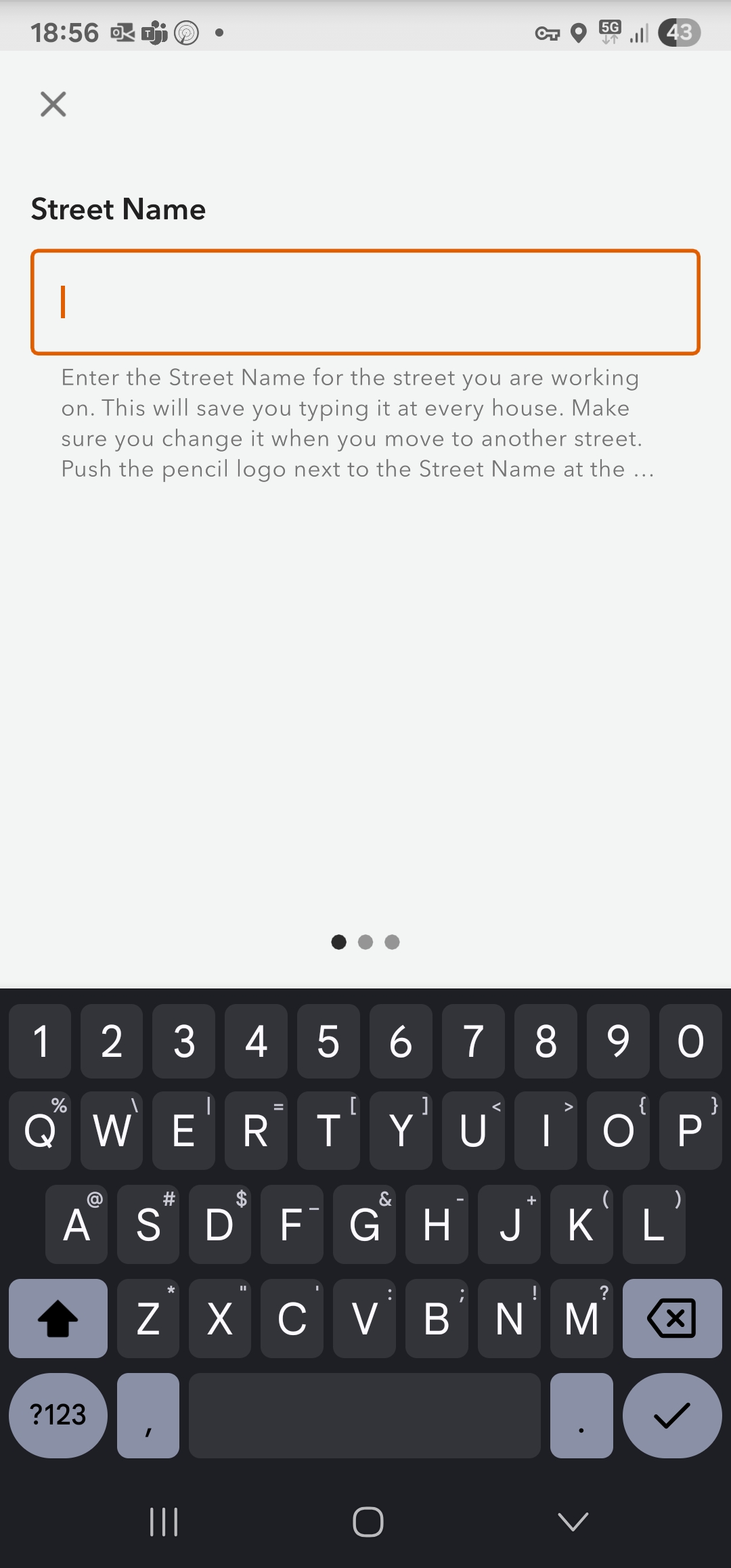
The font size for Hint text (as shown below) is too small for many, if not most, users to read.

Is it possible to increase the size of the font so that it is easier to read?

Screen real estate isn't a problem as generally there is only the top of the screen being used. I would find it very helpful if the Hint could be in-your-face obvious for users, so they don't miss the important stuff.

I even tried writing a long label as it has good clear large text, but it doesn't wrap and just truncates at the edge of the screen.
peterverwey_ses_0-1748336257400.jpeg

Any help would be appreciated.

Many thanks, Pete


1 Solution

Accepted Solutions
JohnathanHasthorpe
Esri Regular Contributor

@peterverwey_ses - It is not possible to change the text size for the hint. We will look at this as an enhancement for the next gen version of the mobile app.

View solution in original post

2 Replies
JohnathanHasthorpe
Esri Regular Contributor

@peterverwey_ses - It is not possible to change the text size for the hint. We will look at this as an enhancement for the next gen version of the mobile app.

peterverwey_ses
Occasional Contributor

Thank you, very much appreciated.

0 Kudos