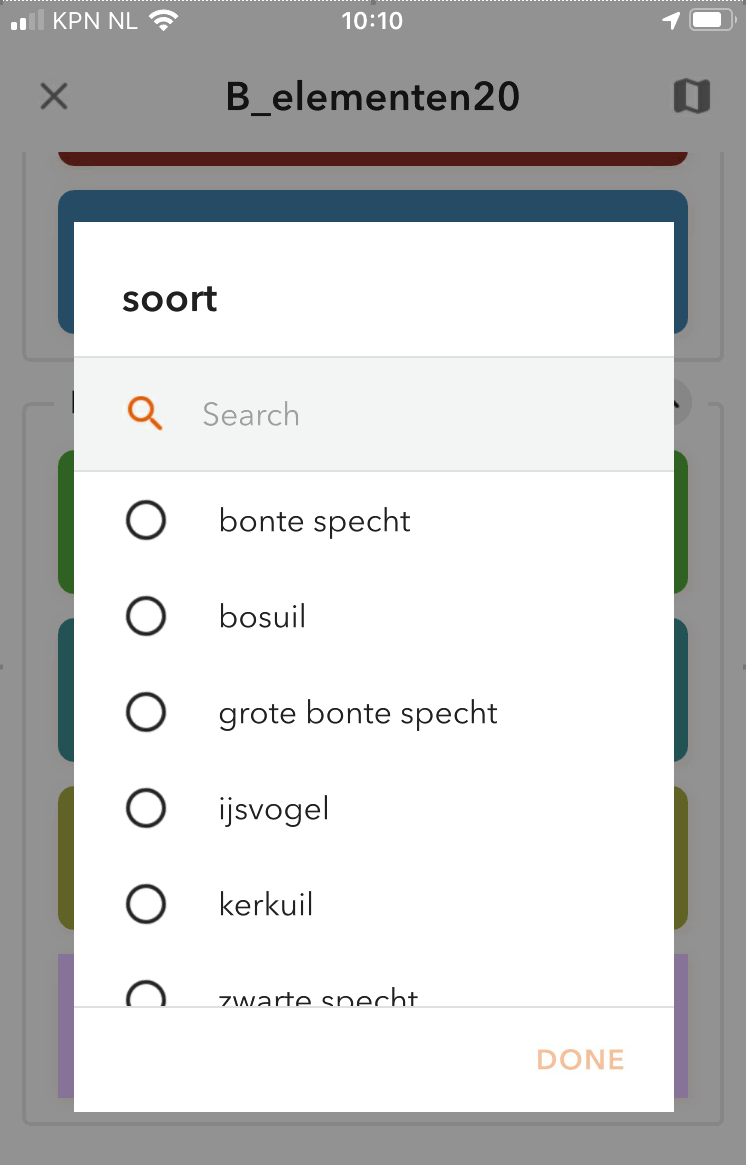
My QC solution has 9 buttons most of which need a required response in which user chooses from a dropdown populated by a coded value domain:
Capture.PNG
This works! Great!
But when a user unwillingly touches a button they get this dropdown and are obliged to enter something.
I would like to know how to back down from this, after I touched the wrong button, without submitting a record or without closing the app altogether.
Is is possible to 'unclick' the dropdown?
Thanks in advance for your time.
Bert
Solved! Go to Solution.
Hi @Gisbert61 Thanks for your feedback, the product team is currently actively working on this requirement (cancel button user input dialog before adding a record), and it will be available around Q3/Q4 this year.
For now, if a button user input dialog is triggered, you'll have to proceed with the workflow and capture a record. However, you can remove/undo this captured record from the bottom bar of the app. By default, the undo threshold is 6 seconds. If you wish to make it longer, you can go to the QuickCapture project JSON Editor, look for the "undoThreshold" property, modify its value, and save the project.
XiaoxuLi_0-1626809510377.png
Thanks,
Mandy
Hi @Gisbert61 Thanks for your feedback, the product team is currently actively working on this requirement (cancel button user input dialog before adding a record), and it will be available around Q3/Q4 this year.
For now, if a button user input dialog is triggered, you'll have to proceed with the workflow and capture a record. However, you can remove/undo this captured record from the bottom bar of the app. By default, the undo threshold is 6 seconds. If you wish to make it longer, you can go to the QuickCapture project JSON Editor, look for the "undoThreshold" property, modify its value, and save the project.
XiaoxuLi_0-1626809510377.png
Thanks,
Mandy
This is live in 1.10.190
