Hi,
Something weird is happening to my add-in. I am writing against 3.2 at the moment - but it's the last release against this version.
When users install my add-in the Connect icon I have displays as small (usually on a 3.5 install) - it doesn't matter what I do - it seems to just want to be small - other icons however are displayed at the right size. I even made an add-in just with one button and this image, and the same thing happened so I know I have isolated the problem.
Could it be something to do with header information in the binary of the image??
I have made sure the dpi is 96dpi for both large and small versions of this image. The daml shows this:
		<groups>
        <group id="FooProTest_Group1" keytip="X" caption="Group 1" appearsOnAddInTab="true">
          <button refID="FooProTest_ConnectButton" size="large" />
        </group>
      </groups>
      <controls>
        <button id="FooProTest_ConnectButton" keytip="Z" caption="ConnectButton" className="ConnectButton" loadOnClick="true"
				smallImage="Images/CloudError16.png" largeImage="Images/CloudError32.png">
          <tooltip heading="Tooltip Heading">Tooltip text<disabledText /></tooltip>
        </button>
I have the icons properties as:
- Build Action -> Content
- Copy to Output Directory -> Do not copy
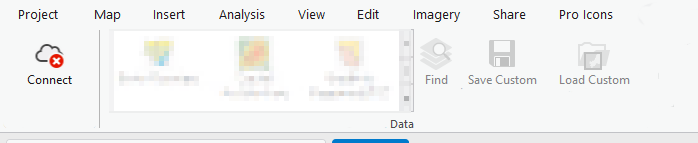
Here are the screenshots - the one with the large icon is on my dev machine
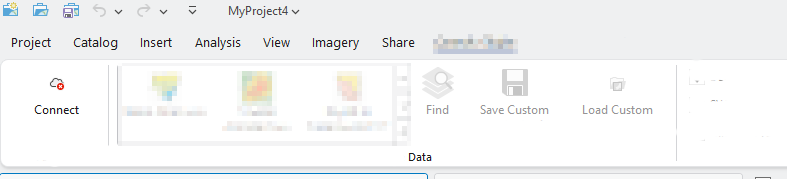
On other users machines and installed as an add-in:
If anyone has any ideas what might be happening - I would be grateful.


