PSA:
Please double check your work after saving. Have a colleague open it on another machine or if you are on your own make sure to close & reopen Pro and check if it did what it said it would do.
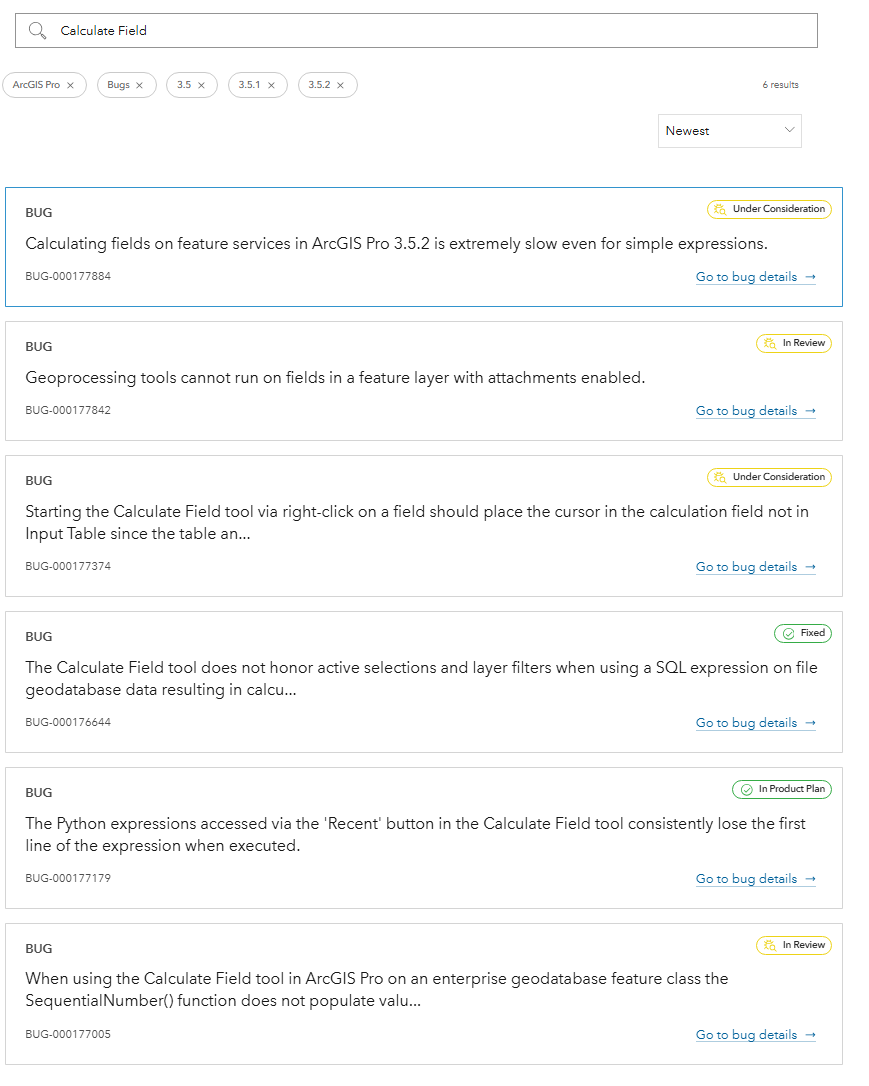
Over & above the issues already described with Pro 3.5.x to date (July 2025) there seems to be another bug with updating data using Calculate Field and then saving the results.
I have not experienced this issue before in any version of ArcGIS Desktop and it seems to be with 3.5.2 but who knows.
Basic Description but YMMV.
Open Attribute Table of FC in FGDB. Make it editable (Single workspace editing due to the other edit display bug....)
Select some data using either point & click or Select by Attributes.
Update selected data using Calculate Field. Save and carry on regardless..
Everything seems fine at this point. I can view the data and even apply symbology. Save Project. Close Pro.
Open Pro. Open other Project. add data edited previously. Attributes are wrong? Some of the edits I made and saved are not there and in once case the wrong selection must've updated and 'saved'.
The first few times I just thought I messed up. Now it has happened enough that I am pretty sure it is 3.5.x.
The data is simple and small. 100 polygons, 50 points, that type of thing.
There are enough editing bugs live already and I'm not going to waste my time lodging this as a case.
I am now starting to think my PC & network is too fast for Pro and I should downgrade to government pov-spec and double my rates, take long lunches, and start drinking red cordial again...
For those following along at home:
https://support.esri.com/en-us/search?s=Newest&product=arcgis+pro&cardtype=support_bug_articles&version=3%252E5&version=3%252E5%252E1&version=3%252E5%252E2