Select to view content in your preferred language

Pro 3.6 - Save Expression popup

107
3
Sunday
RTPL_AU
Deactivated User

Using Pro 3.6 I get this popup every now & then with no obvious source. 

I've just opened an existing project and looked at something in the attribute table of a layer.  I clicked in the map and this popped up. 
I'm not editing or doing anything that could've disturbed an equation, formula, script, or ouija board?
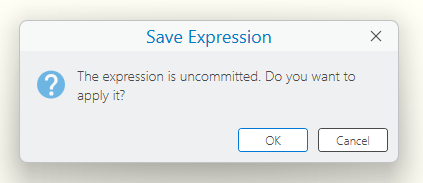
RTPL_AU_0-1768180744081.png


I'm definitely NOT going to apply it seeing as there is no detail about the source but how do you figure out what caused it? 

I am used to seeing the message when, for example, you do something to a label class expression and click to the symbol tab before applying the expression but Pro 3.6 seems to flick these on the screen when doing something completely unrelated?


0 Kudos
3 Replies
Robert_LeClair
Esri Esteemed Contributor

TBH - I have not seen this UI appear randomly in my ArcGIS Pro.  I've definitely seen it with edits and label class expressions certainly.  Can you provide the exact steps you follow so I may repro it on my ArcGIS Pro 3.6.1?

0 Kudos
DTMGIS
by
Occasional Contributor

I get this all the time now, too.  Started about a month ago.  It happens randomly and I can't get it to repeat every time I take the same steps.  Happens in different projects.  Often when selecting, switching from the attribute table to the map, and other times.  But no consistent reason or sequence.

0 Kudos
AndrewKarafotias
Emerging Contributor

I too am getting this popup.  I used to get it a while back and it was becasue of the auto save feature being set to 5 minutes.  After changing it to say 15 minutes it matched that time.  Now with the same auto save settings its comes up whenever you access the labeling window.  What I have found to be a workaround is to click Apply in the label class window when you open the feature class and if you edit the expression and that seems to work.  The expression needs to be good with no errors. If you spent a while making an expression you should export it just in case.  Of course this is definately a bug.  It seems to coincide with the sundowning of VBSCRIPT too if my timeline is correct.  I hope this helps anyone with this issue!

0 Kudos