Hi ESRI Community,
I am trying to merge two raster surfaces for the same project area. One is a raster surface derived from LiDAR which covers a greater extent, and another surface derived from an RTK topographic survey (covers a smaller portion of the project area.
The lidar-derived DEM is 1-ft resolution, TIFF, 32-bit floating pixel type in NAD_1983_2011_StatePlane_California_I_FIPS_0401_Ft_US coordinate system.
The topo-derived surface was 0.5-ft resolution, with all other properties the same as above. I resampled this to be in 1-ft resolution to identically match the lidar-surface.
When I use the Mosaic to New Raster tool to merge these two together, I specify to use the topo-derived surface where the two overlap. The resulting surface, however, does not match either of the input surfaces; rather, it is higher than either of the input surfaces - not in-between, as would be expected if the tool is averaging between the two.
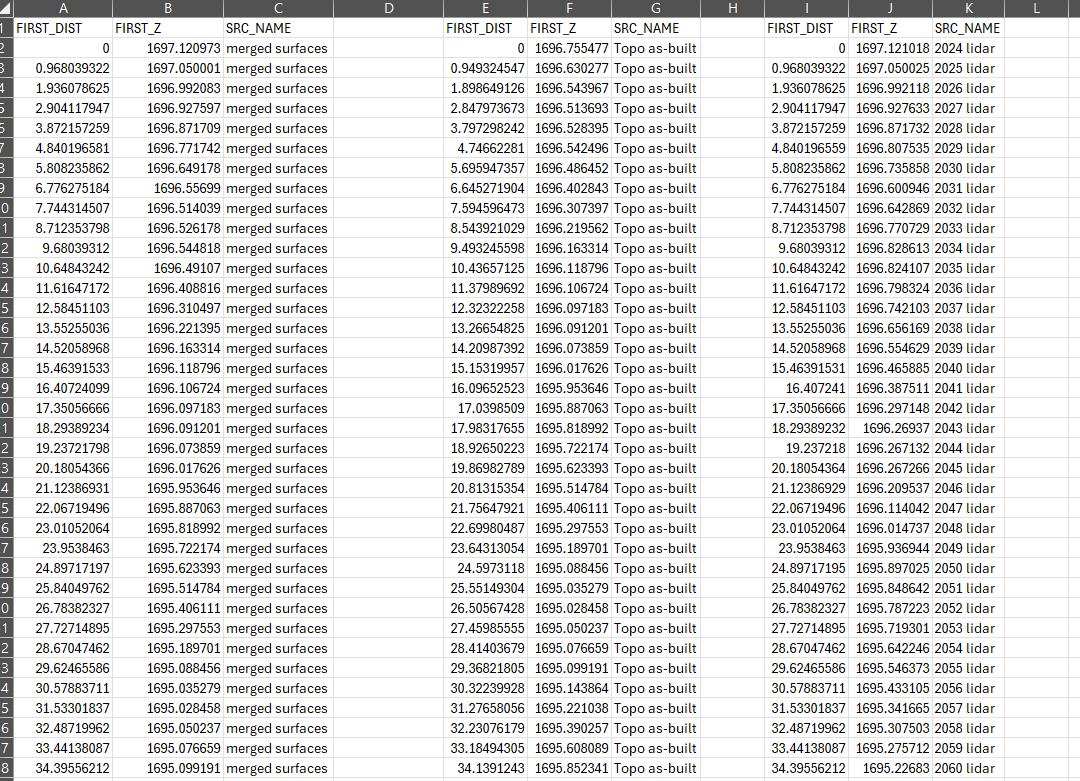
I have been plotting an elevation profile along a line to QA/QC this, using the Stack Profile tool and inputting all three surfaces (lidar-derived surface, topo-derived surface, and the merged surface). Please see photo below. I plotted it using the Create Chart tool in Arc, but also exported to excel to make sure it isn't a plotting error - they are the same.
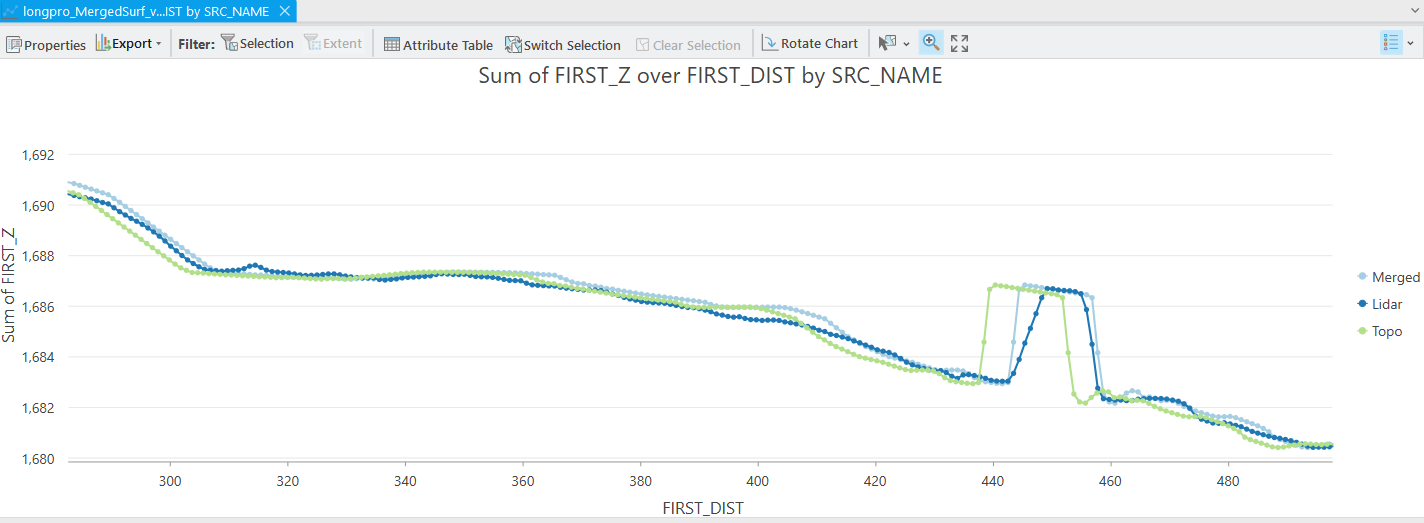
I did notice that the "x" sampling distance is slightly different between the three surfaces (about 0.1 ft off) - does this indicate the surface pixels are not aligned? What could be causing this issue, and how can I merge these two surfaces to produce an accurate product?