Select to view content in your preferred language

Large dataset - symbology won't symbolize on unique

568
5
Jump to solution
09-26-2025 03:13 PM
nimitz
by
Frequent Contributor

Hi all,

I'm trying to symbolize a large dataset(20k records). The column I want to symbolize has 3 unique values. However, in the table of contents, when I select that column, only 1 of the 3 values shows up. Is this too big of a dataset for this? I'm going to try in Arcmap just to check, but this is a head scratcher.

Arcgis Pro, 3.5, Win 11.
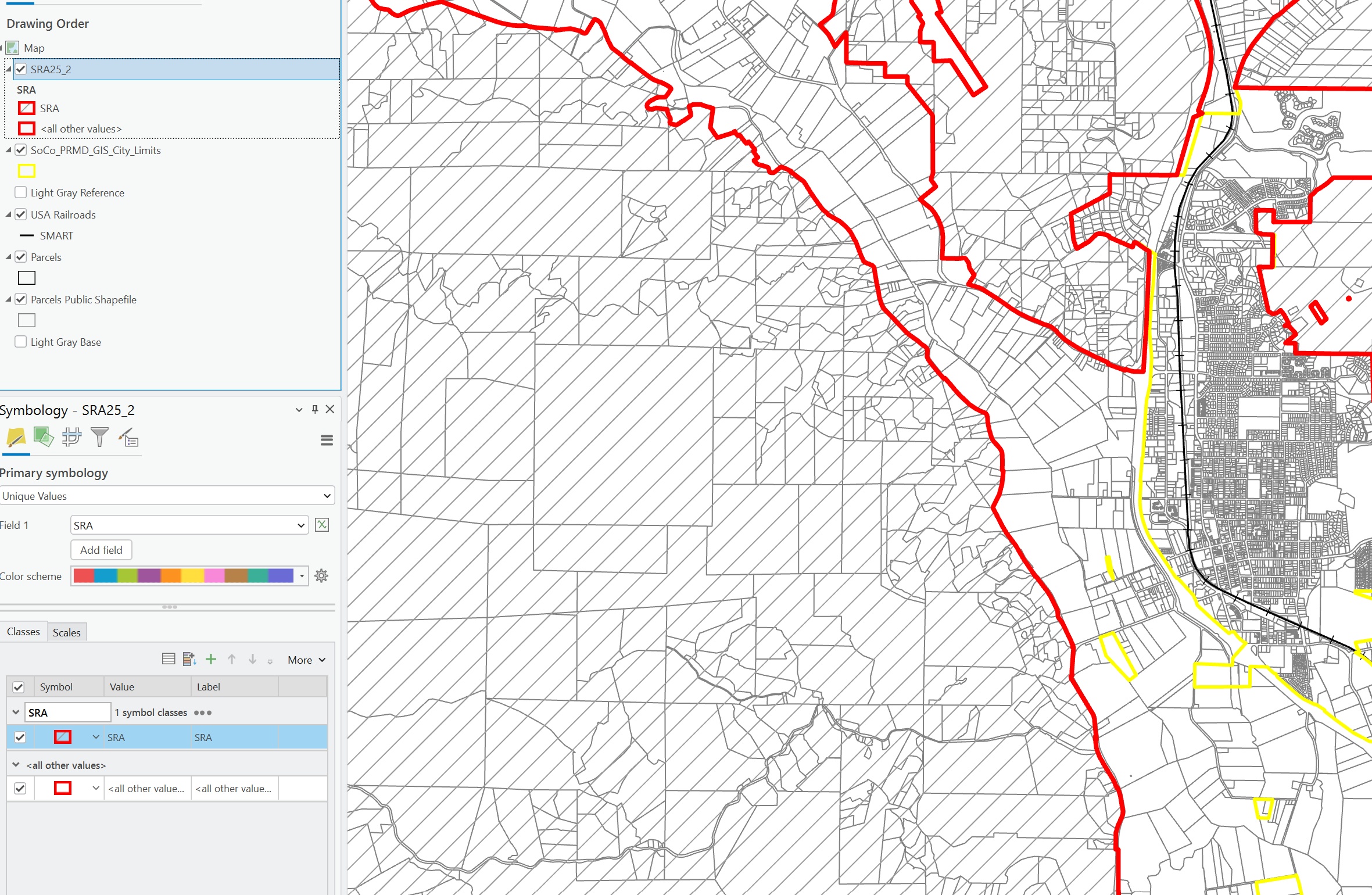
ARCGIS PRO SRA_LRA_SYMBOL.png

0 Kudos
1 Solution

Accepted Solutions
nimitz
by
Frequent Contributor

ok, this solved it. You need to click on "add unique values". Weird. Why couldn't it load from the symbology in table of contents?

Screenshot 2025-09-26 153750.png

View solution in original post

0 Kudos
5 Replies
DavidPike
MVP Notable Contributor

Maybe you have unsaved edits?

0 Kudos
nimitz
by
Frequent Contributor

I didn't do any edits. I just tested this in ArcMap. It does work. I'm not sure what I'm missing. I've done this on other datasets, but this is weird.

0 Kudos
DavidSolari
MVP Regular Contributor

If you add the missing values do they render correctly? Might be an over-optimization from Pro that's skipping too many features when it builds a list.

0 Kudos
nimitz
by
Frequent Contributor

Thanks David!

0 Kudos
nimitz
by
Frequent Contributor

ok, this solved it. You need to click on "add unique values". Weird. Why couldn't it load from the symbology in table of contents?

Screenshot 2025-09-26 153750.png

0 Kudos