Select to view content in your preferred language

Image not showing up in Pop-Ups

3681
7
Jump to solution
04-22-2024 08:21 AM
ToniBisig
Occasional Contributor

Attempting to configure embedded image in pop-ups for a layer in Pro

When using an image URL (flickr and imgur) inside of a pop-up it does not show up in the pop-up. Only a small picture icon will display. Does anyone know why this would happen? Does this with all layers and all different URLs attempted. HTML mode doesn't make a difference. 
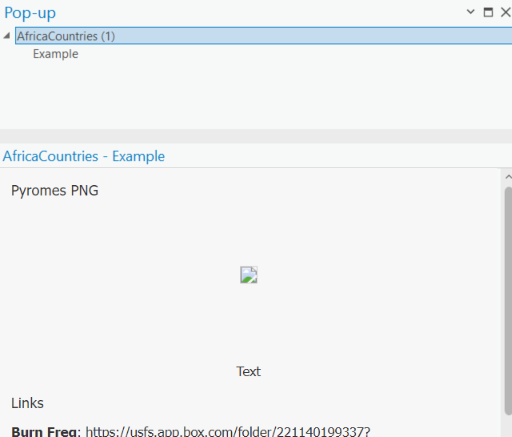
DanicaBisig_0-1713559014437.png


0 Kudos
1 Solution

Accepted Solutions
ToniBisig
Occasional Contributor

I was able to contact Esri and figure out the problem. Turns out certain URLs won't display properly in ArcGIS Pro pop-ups. When copying the link from Imgur, for example, it HAD to be "BB code" and after copy/pasting I had to remove everything but the image URL. The image URLs also have to end in .png/.jpeg so any other kind of image URL won't display properly.

View solution in original post

0 Kudos
7 Replies
ZakBaron
Occasional Contributor

I just tested this out in ArcGIS Pro and did not have the problem you are reporting. My popup configuration looks like this:

ZakBaron_0-1713825795200.png

 "{image_url}" being the field that is holding the url to the image. 

Just for clarity, are you using the 'Image' button at the top of the popup configuration dialog?

ZakBaron_1-1713825933044.png


0 Kudos
BenClian
Deactivated User

I'm encountering the same issue when attempting to configure embedded images in pop-ups for a layer in Pro. Regardless of the image URLs used (from platforms like flickr and imgur), only a small picture icon appears instead of the actual image in the pop-up. I've tried various URLs and even experimented with HTML mode, but haven't had any success. Has anyone found a solution or experienced similar difficulties?

0 Kudos
ToniBisig
Occasional Contributor

I was able to contact Esri and figure out the problem. Turns out certain URLs won't display properly in ArcGIS Pro pop-ups. When copying the link from Imgur, for example, it HAD to be "BB code" and after copy/pasting I had to remove everything but the image URL. The image URLs also have to end in .png/.jpeg so any other kind of image URL won't display properly.

0 Kudos
HendrryPeter
New Contributor

I'm running into a recurring problem while trying to set up embedded images in pop-ups for a layer in Pro. No matter which image URLs I use, whether from platforms like Flickr or Imgur, all I get is a tiny picture icon instead of the actual image in the pop-up. I've tested out different URLs and even played around with HTML mode, but nothing seems to work. Has anyone else encountered this issue or found a workaround?

0 Kudos
yumpaZinkia
Deactivated User

I'm experiencing a recurring issue while trying to embed images in pop-ups for a layer in Pro. Regardless of the image URLs I use, whether from Flickr, Imgur, or other platforms, all I see is a tiny picture icon instead of the actual image in the pop-up. I've tried different URLs and experimented with HTML mode, but nothing seems to work. Has anyone else encountered this problem or found a workaround?

 
0 Kudos
bilaljack
New Contributor

Try checking the image path to the settings  that usually fixes it  Then relax while you baixar Youcine

0 Kudos
JamesMiller36
Emerging Contributor

It often happens because pop‑ups need a direct image URL ending in .png/.jpg/.jpeg, not a page link from Flickr, Imgur, etc. If the URL points to a page or embed code instead of the raw image file, ArcGIS won’t display it and you just see a small icon. You’ll need to copy the direct image link and make sure the hosting makes the image publicly accessible for pop‑ups to work properly. 
Also, Remini Pro APK is an AI‑powered app that enhances and sharpens photos — especially old, blurry, or low‑quality images — so the picture looks clearer and more detailed before you upload or share it.

0 Kudos