Hi, I tried to follow this exact tutorial: Interactive Images in StoryMaps (arcgis.com)
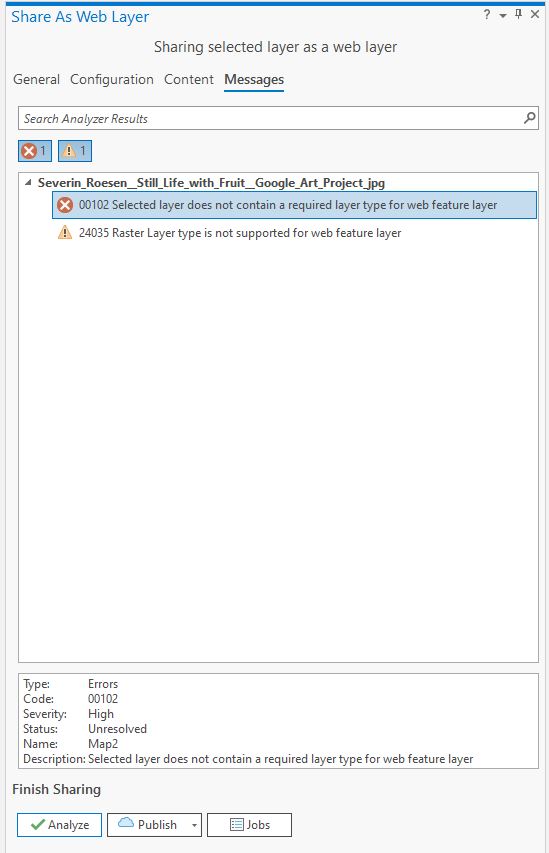
When I come to the step of sharing my selected layer as a web layer, I can't click on Publish or analyze if I choose Tile as layer type. If I choose Feature layer type and analyse before I share, I get this:
To circle back, looks like this was due to not having publishing permissions?
Hi there,
Can you provide a screenshot of the Share As Web Layer General tab as you see it when the options are not selectable?
It won't work as a feature layer without a source layer (feature data).
Hi Aaron,
I am not sure about the source layer. How could I verify I have one? All I know is that my raster is georeferenced as I can see the control points (see picture1). The picture 2 shows the screenshot of the Share As Web Layer General.
Thank you very much !
Thanks for the screenshot!
I have a couple more questions:
2. Have you published anything to your organization before? I am thinking about your permissions and wondering if you have publishing or if it could have been changed for some reason?
I am using the version 2.7.0
Yes I am signed in and I tried on a other layer to see if it would work and I am able to share it easily. So I think the problem comes from my picture.
Thank you !
Nothing looks irregular to me in that screenshot. In the publish dialog, for the name, what if you just give it a truncated name like StillLife as a test? If that doesn't work I'd like to connect you with support as there may be something obvious I am overlooking.
Still not working haha ! I would also like to connect with you for support if that is possible.
Thank you again,
I found your info and had a case logged so someone will reach out to you today. Let's circle back here with the resolution to this. Thanks Marie-Joëlle!
Did you try to save the georeferenced image as a new image so that the sharing recognizes the spatial reference?
That error message looks like you are sharing an image file as a feature later not a tile layer, check the sharing configurations for tile layer settings and options.
Signed in members can post, follow updates, and more. New here? Register a free account.
Find useful guides, FAQs, and documents to help you navigate and make the most of Esri Community.