ArcGIS Pro 2.6: How to disable the “identify” for particular layers?
For example, in the screenshot below, as features in trees layer are identified, then parcels features are identified as well. Is there a way to disable the identification of parcel layer?
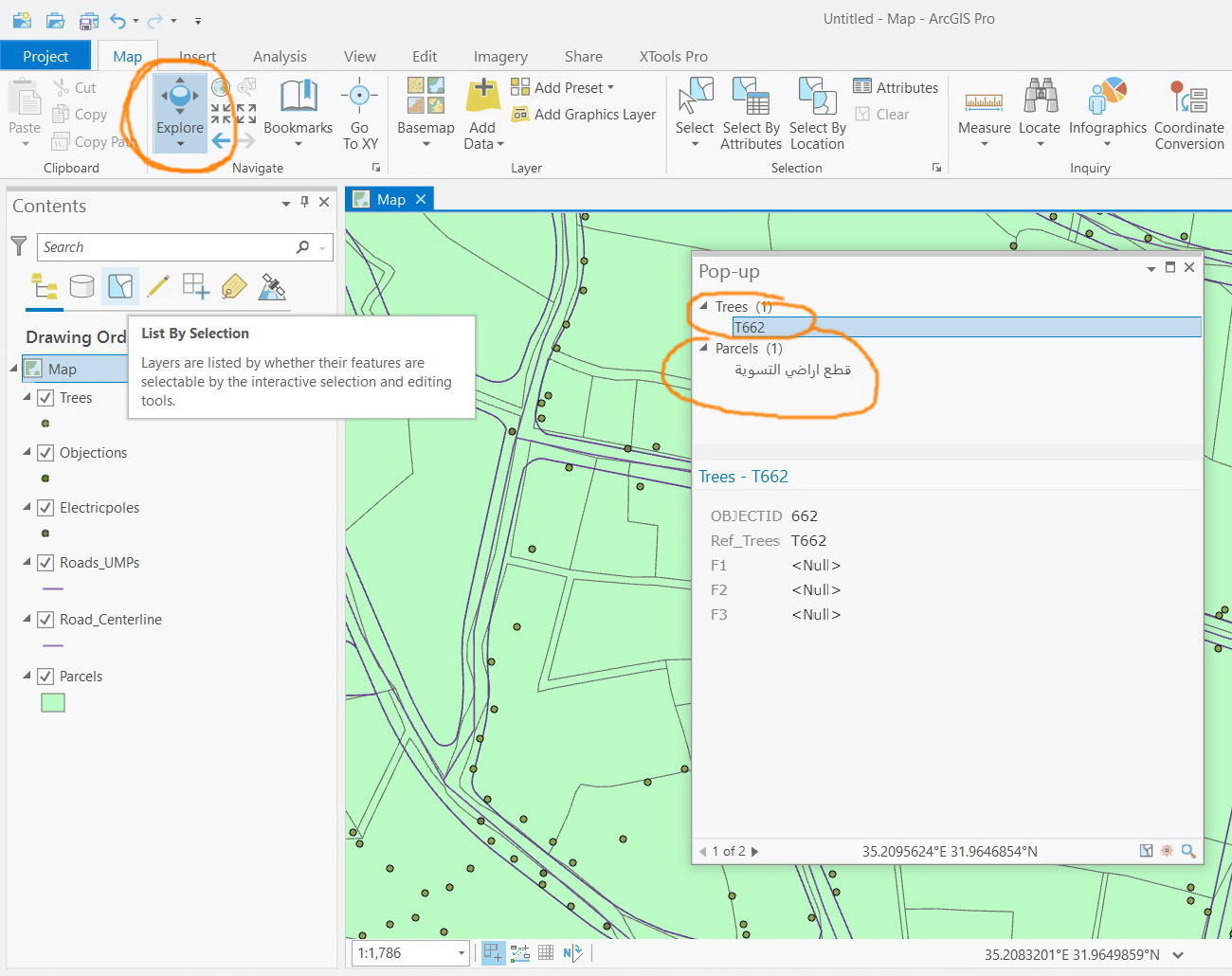
Clip_362.jpg
Solved! Go to Solution.
Hi Jamal,
Please refer to the help topic: Pop-ups
Screenshot 2020-11-19 053457.png
You can do also this with multiple, selected layers.
Screenshot 2020-11-19 053457.png
Hope this helps,
Tom
Click the arrow below the "Explore" button.
jCarlson_0-1605813507144.png
There are a few ways you could set the popups to avoid a particular layer, see what works best for you! I like to set it to "Selected in Contents" myself.
Thanks Carlson.
Right. The “selected in content” option does the job but this appears to be a bit weak since it is dependent on the selection but not on checking\unchecking the layer that is required to participate in the “identify” like what we do for visibility\selectability\editability
Clip_370.jpg
Clip_371.jpg
Hi Jamal,
Please refer to the help topic: Pop-ups
Screenshot 2020-11-19 053457.png
You can do also this with multiple, selected layers.
Screenshot 2020-11-19 053457.png
Hope this helps,
Tom
Thank you Tom for the help. This is very useful
Clip_378.jpg
Clip_379.jpg

