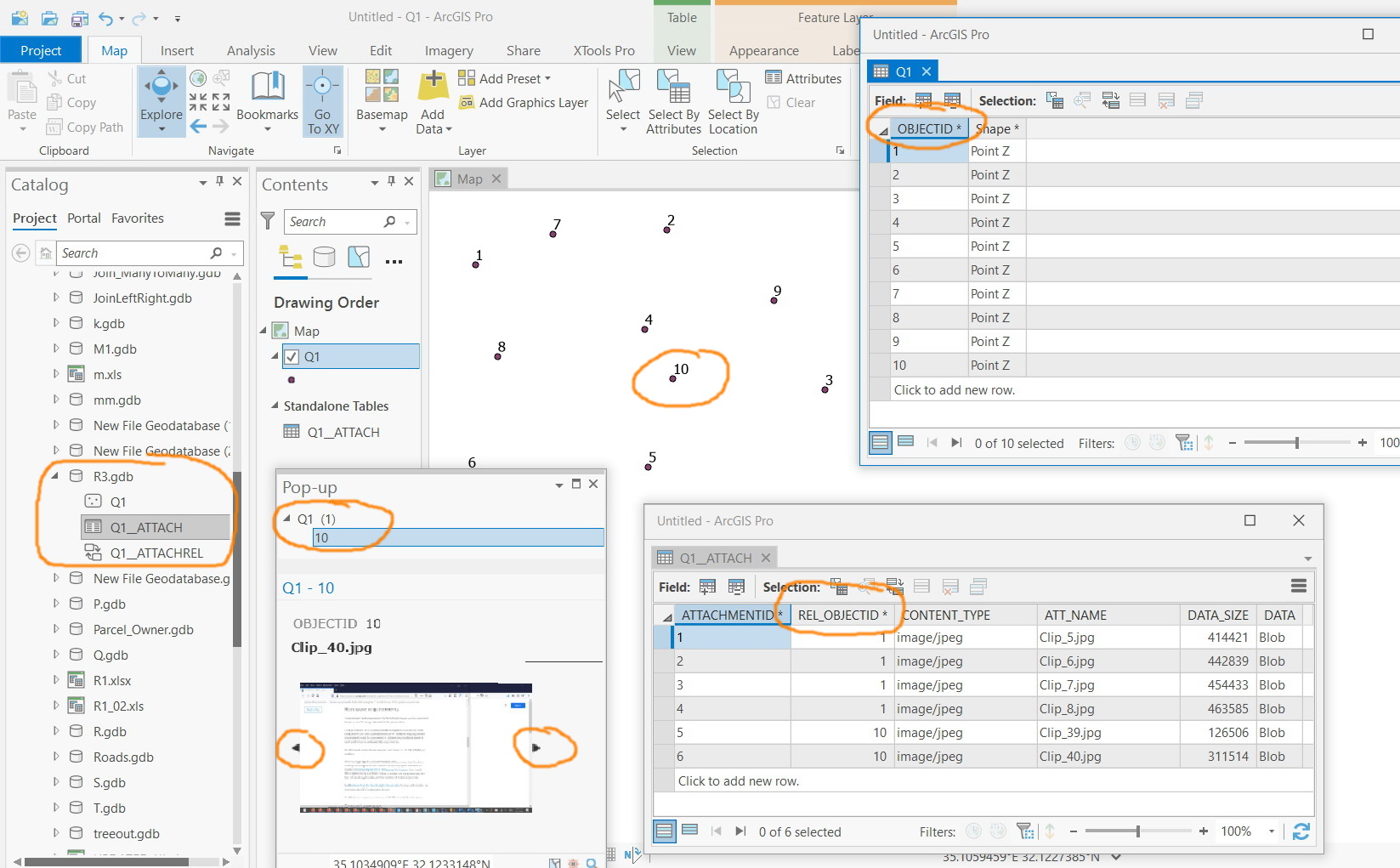
ArcGIS Pro 2.6.2: How to display the physical photos saved on the related table that is created as the “enable attachments” option is performed?
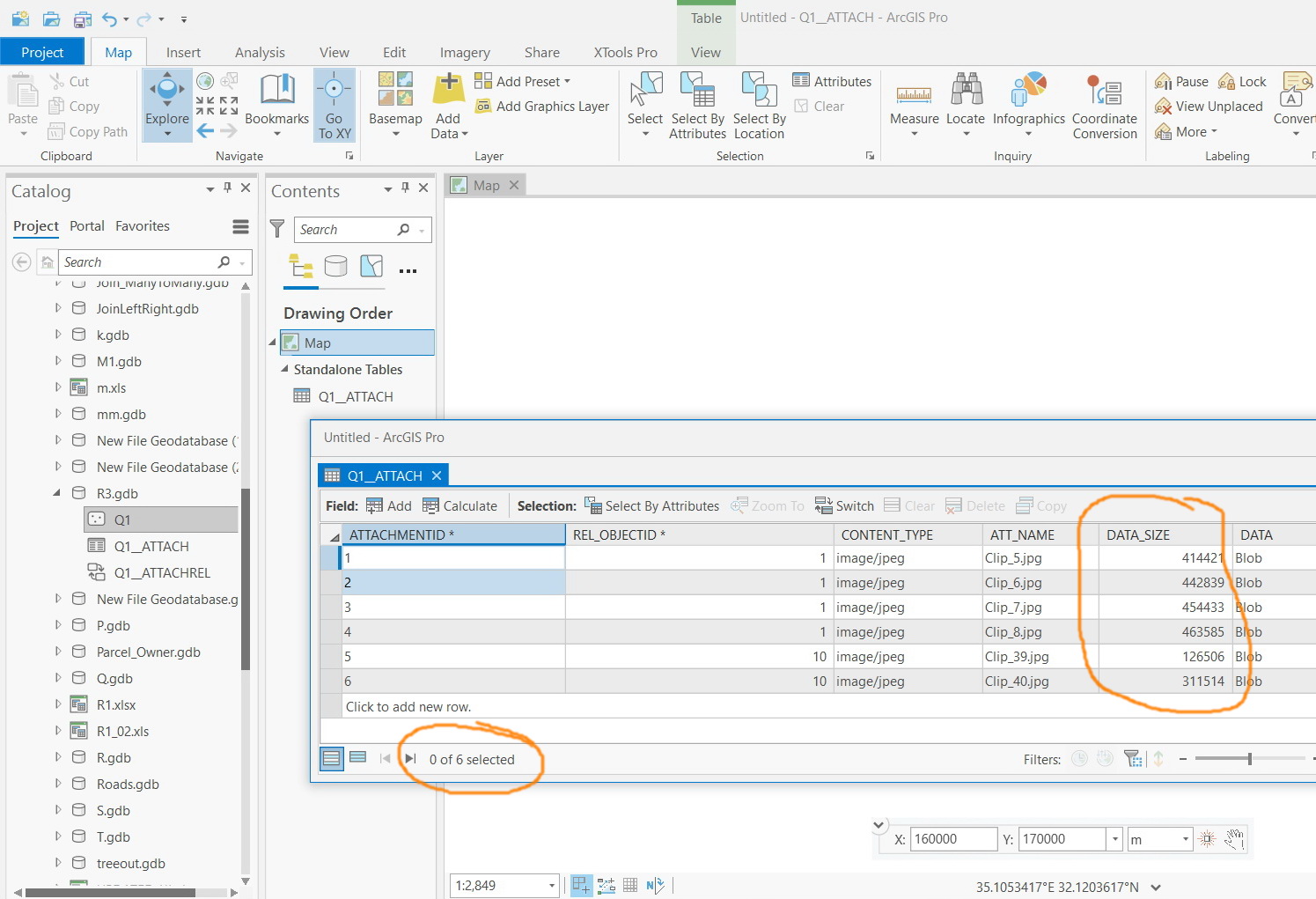
For example, in the screenshot below, the related table contains 6 photos. Then how these photos can be displayed or downloaded from the related table? Where are they physically stored?