Pro 3.1.3
While working on my answer to this post, I ran into a kind of annoying problem:
We can format all symbols at once, but we can't do it per heading.
In my use case, I decided to group certain features by a real world relationship, e.g. all of these lines begin at the school, and all of these other lines begin at City Hall, etc.
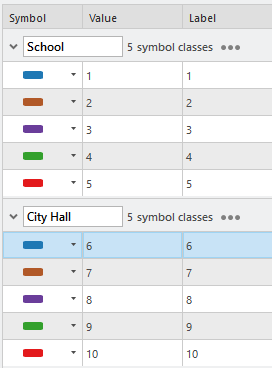
If I format all symbols, I can choose a common symbol from the gallery, apply it to all my symbol classes, and then regenerate the color scheme to get them where I want.
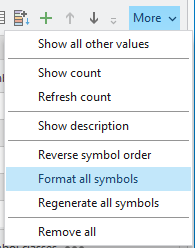
Cool.
However, what if I just wanted to make all the City Hall lines share a symbol? That'd be co--
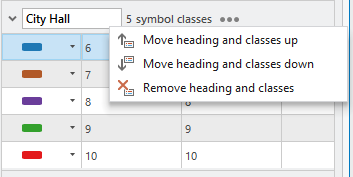
Oh.
I would really like to see "Format all symbols" added to the heading option. This would make applying symbology to a large number of symbol classes a lot easier and efficient.
The current workflow is to manually apply the symbology to each symbol class, either through the gallery or through symbol properties tab of the Symbology Pane. This can take a long time if you have more than a few symbol classes.