Backround:
Using a non-public, hosted AGOL feature layer that contains a standalone table.
ArcGIS Pro 3.4.3.
Steps:
- I navigated to a layer in AGOL.
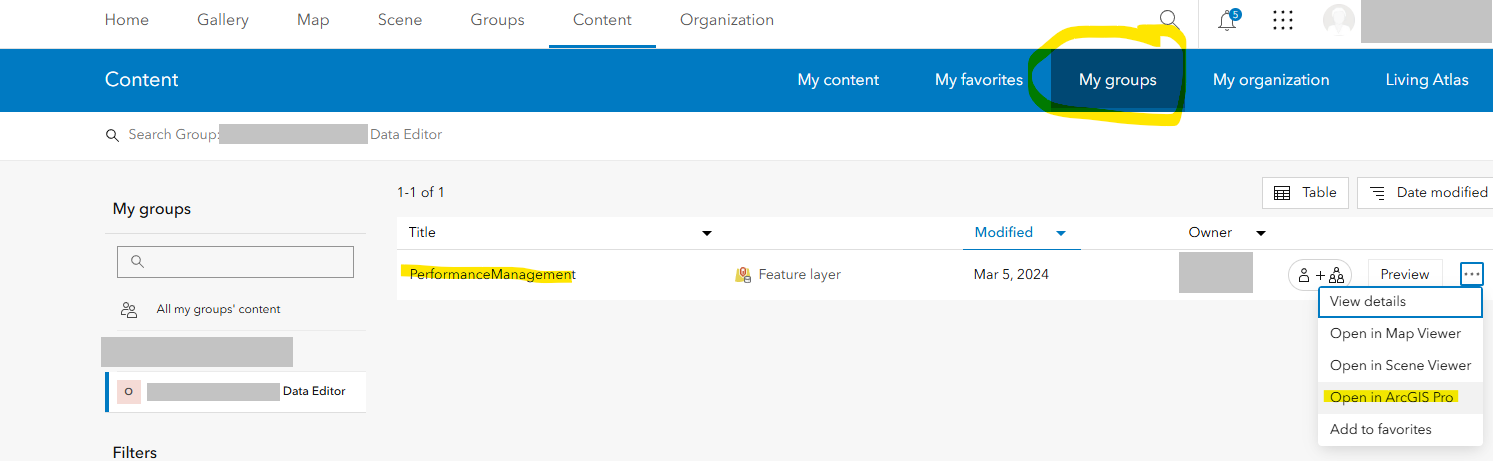
Hit Open in ArcGIS Pro.
Download PerformanceManagement.pitemx.
Double-click the .pitemx file in Windows File Explorer.
The file opens in a new Pro 3.4.3 instance.
But I get an error:
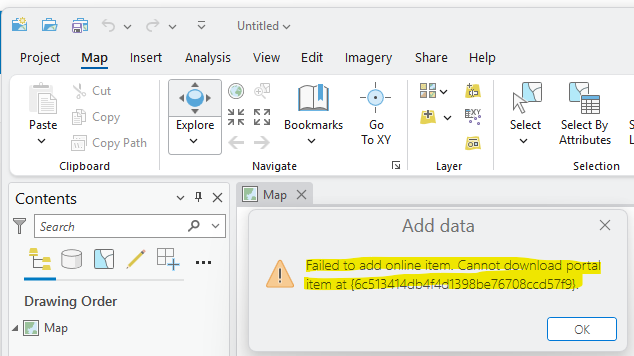
Failed to add online item.
Cannot download portal item at {6c513414db4f4d1398be76708ccdb57f9}.
You wouldn't know it from the error message, but the issue is: I'm not logged in to my AGOL account. If I sign in to my AGOL account in a different Pro instance, then open the .pitemx file via Windows File Explorer, the new Pro instance will automatically sign in and open the .pitemx file without issue.
Idea:
Prompt the user to sign into their AGOL account when opening a .pitemx file in Pro, if they aren't already signed in.
