ArcGIS Pro 3.4.2; imagery service layer
Background:
Image source: https://ws.geoservices.lrc.gov.on.ca/arcgis5/rest/services/Elevation/Ontario_DTM_LidarDerived/ImageServer
I've clicked the ArcMap link to download a layer file: Elevation_Ontario_DTM_LidarDerived.lyr.
I can open the .LYR file in ArcGIS Pro and change the symbology to Shaded Relief.
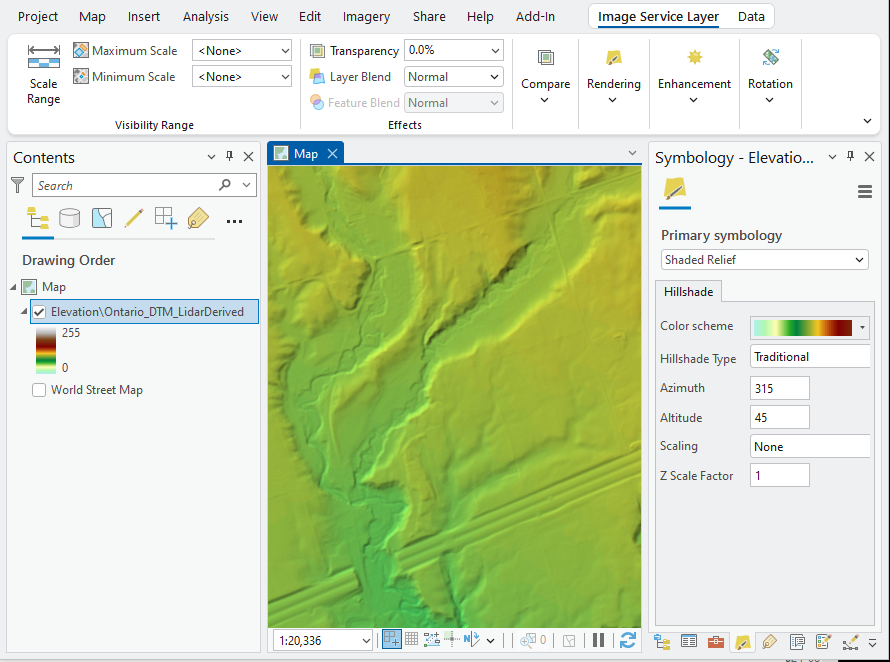
Now, I want to export the symbolized raster as a JPEG.
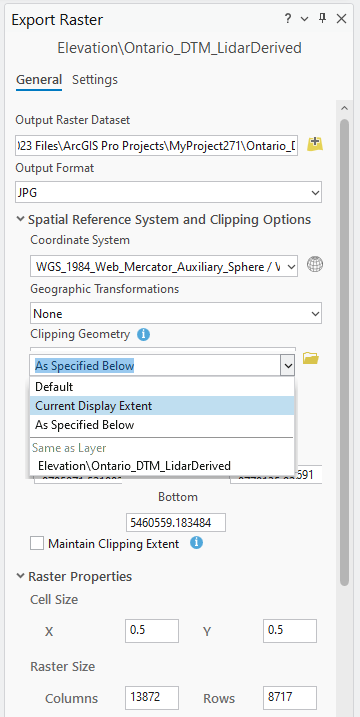
- Right-click the layer in the Contents pane > Data > Export raster.
- Change the Output Format to JPG.
- Change the Clipping Geometry to Current Display Extent.
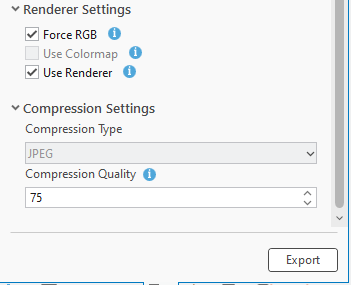
- Change the Renderer Settings to Force RGB and User Renderer.
Problem:
Failed to export Elevation\Ontario_DTM_LidarDerived: The Output raster could not be created in the specified format with specified pixel type or number of bands or colormap.
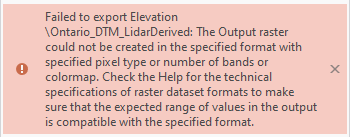
I don't have that problem with TIFFs, only with JPGs.
As a workaround, I need to export it as a TIFF, open it in a photo editing software like GIMP, and export it as a JPG.
Idea:
If GIMP can save it as a JPG, then can ArcGIS Pro do it too?