Select to view content in your preferred language

"Copy Lines to" Tool in parcel fabric always results in a "Lines in the map extent do not form valid closed loops " error

115
5
Wednesday
Labels (3)
BaileyGlassford1
Occasional Contributor

Hi all. I am trying to see if i can get a workflow to use existing lines (in cases where an existing parcel shares a boundary with an active record/new parcel). To do this, I have been trying to use the "copy lines to" tool in the ribbon on pro (see below).

BaileyGlassford1_0-1767814980032.png

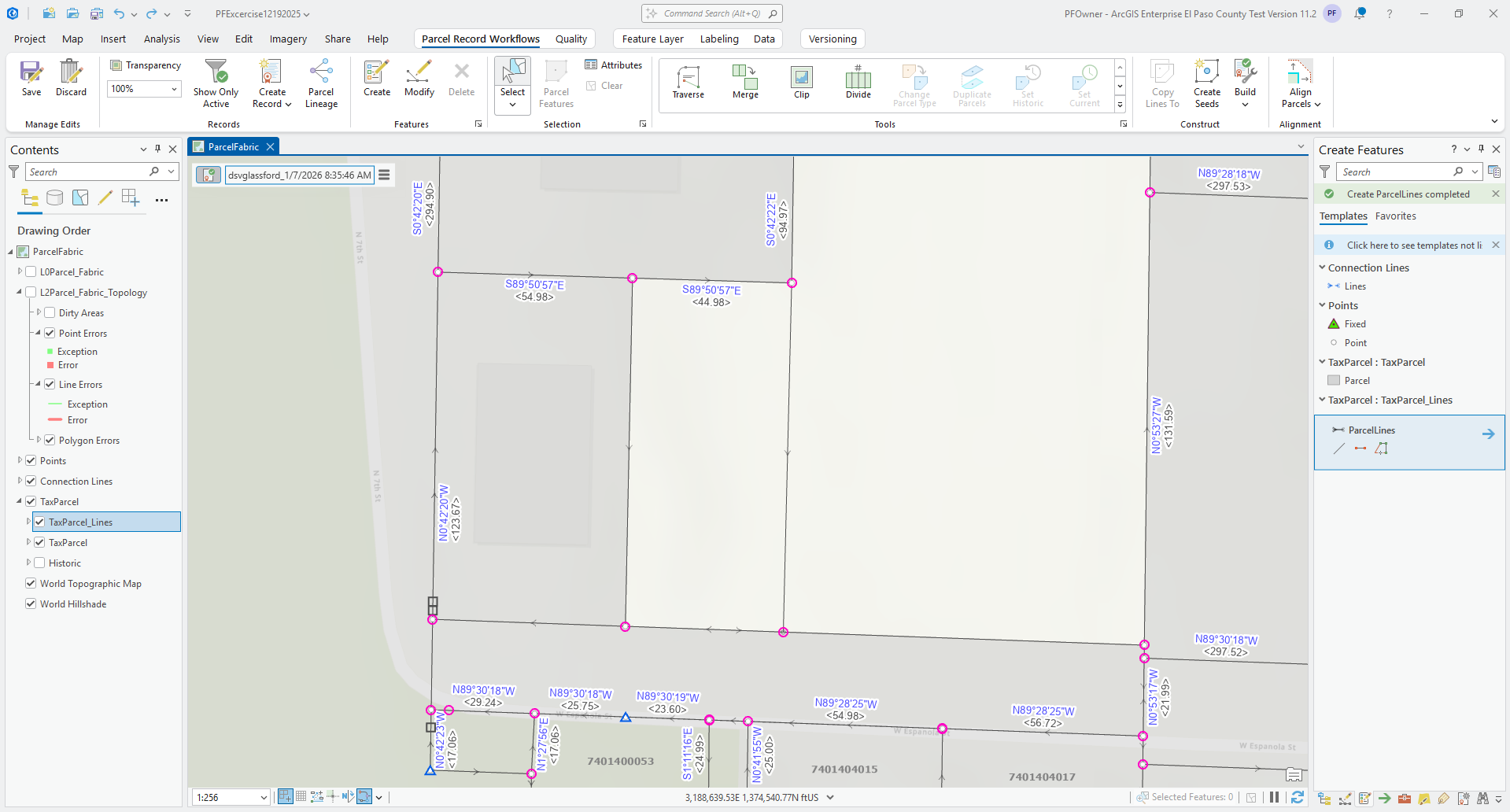
However, every time that I've tried to do this, it leads to a "Lines in the map extent do not form valid closed loops or all seeds already exist." I do not believe i should be getting this error because if I build the boundary by tracing with the line with the create features tool, or traverse the bearing and distance and then manually align the vertices, i do not get this error. 

Here is an example parcel of when this happens:
BaileyGlassford1_1-1767815153582.png

Using the vertices and nodes tool, I also don't see any errors, but it just refuses to create the seeds and build active. Our customers really want this functionality as they want to be able to copy lines from existing parcels so they don't have to manually create all of the lines individually when they might already be existing and can just be copied. Is this a supported functionality? Am i misinterpreting what this tool does? 

0 Kudos
5 Replies
AmirBar-Maor
Esri Regular Contributor

@BaileyGlassford1 

Does this happen everywhere in your data or only on those specific parcels?

Does the parcel Shrink to Seed if you select it and use Shrink to seed?

Do you use the default symbology?


There are many things to examine, the best would be to submit a case with technical support and provide them a sample data to reproduce the issue.
You can use the geoprocessing tool 'Copy Parcels' to extract a portion of selected parcel to a file geoedatabase.
You are welcome to send me the case number so I can have a closer look.

Copy Lines To Active Record should work and is a very valuable tool for many different workflows.


0 Kudos
BaileyGlassford1
Occasional Contributor

This happens any time i try to copy line features in any parcel. If there is a copied line, it seems like this version of parcel fabric (enterprise 11.2) won't recognize it as part of the polygon for some reason and thus errors out. 

Shrink to seed is greyed out, I am unable to use it. 

I am using the default symbology.

I did create a support ticket:

04084877


0 Kudos
AliciaTompkins
Occasional Contributor

@BaileyGlassford1 

Are all the lines associated with the same active record? All the lines must be in the same active record for the seeds to be created.

0 Kudos
BaileyGlassford1
Occasional Contributor

I feel like they should be, I am working in an active record, but I am wondering if the copy lines tool doesn't automatically associate it as part of the active record and wants to make it part of the previous record? That would be very silly but I suppose it's possible?

0 Kudos
AmirBar-Maor
Esri Regular Contributor

@BaileyGlassford1 

Make sure you are using a compatible client and have the appropiate licensing (Advanced user type extension - included in 'Professional' and 'Professional Plus').

For more information see help documentation: https://pro.arcgis.com/en/pro-app/latest/help/data/parcel-editing/deploylicenseparcelfabric.htm 


AmirBarMaor_0-1767986599302.png


0 Kudos
