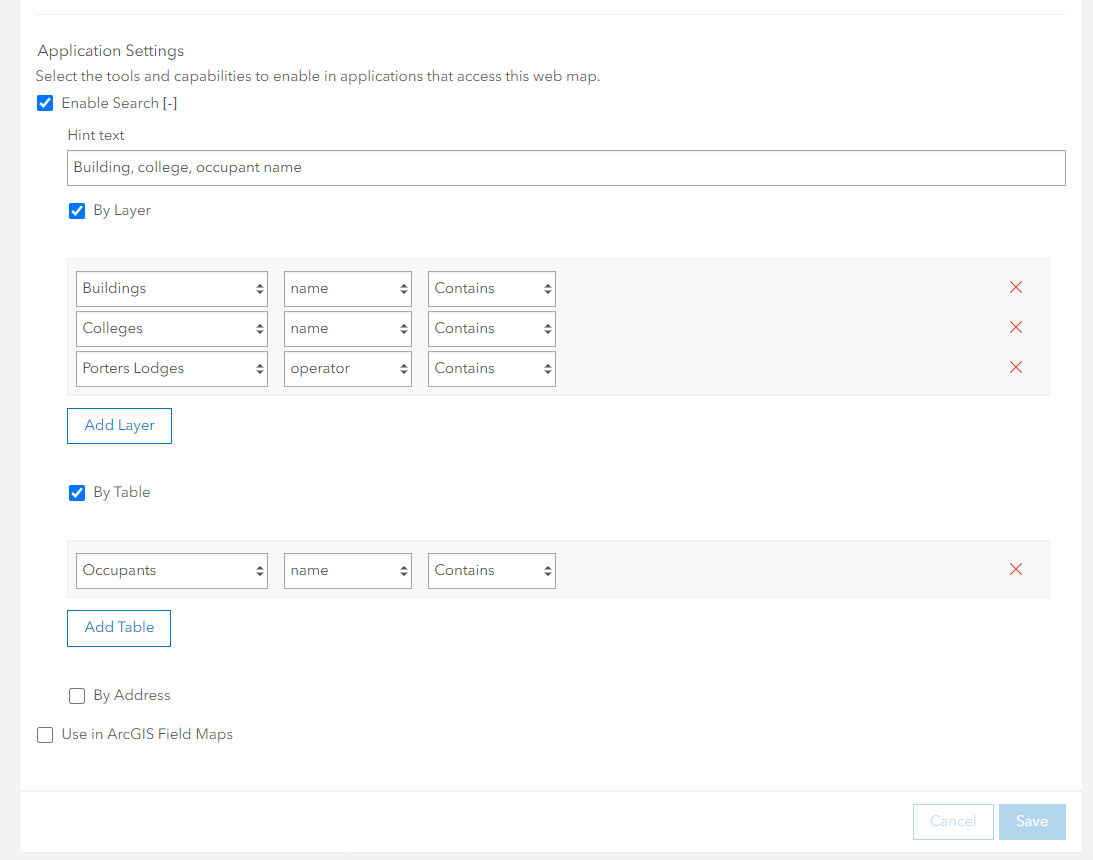
I have a hosted feature layer view that contains three layers and three related tables. I've created a web map from this hosted feature layer and configured the Search options on the web map (settings tab) to do a contains search against the relevant fields of each of the map layers and one of the related tables:
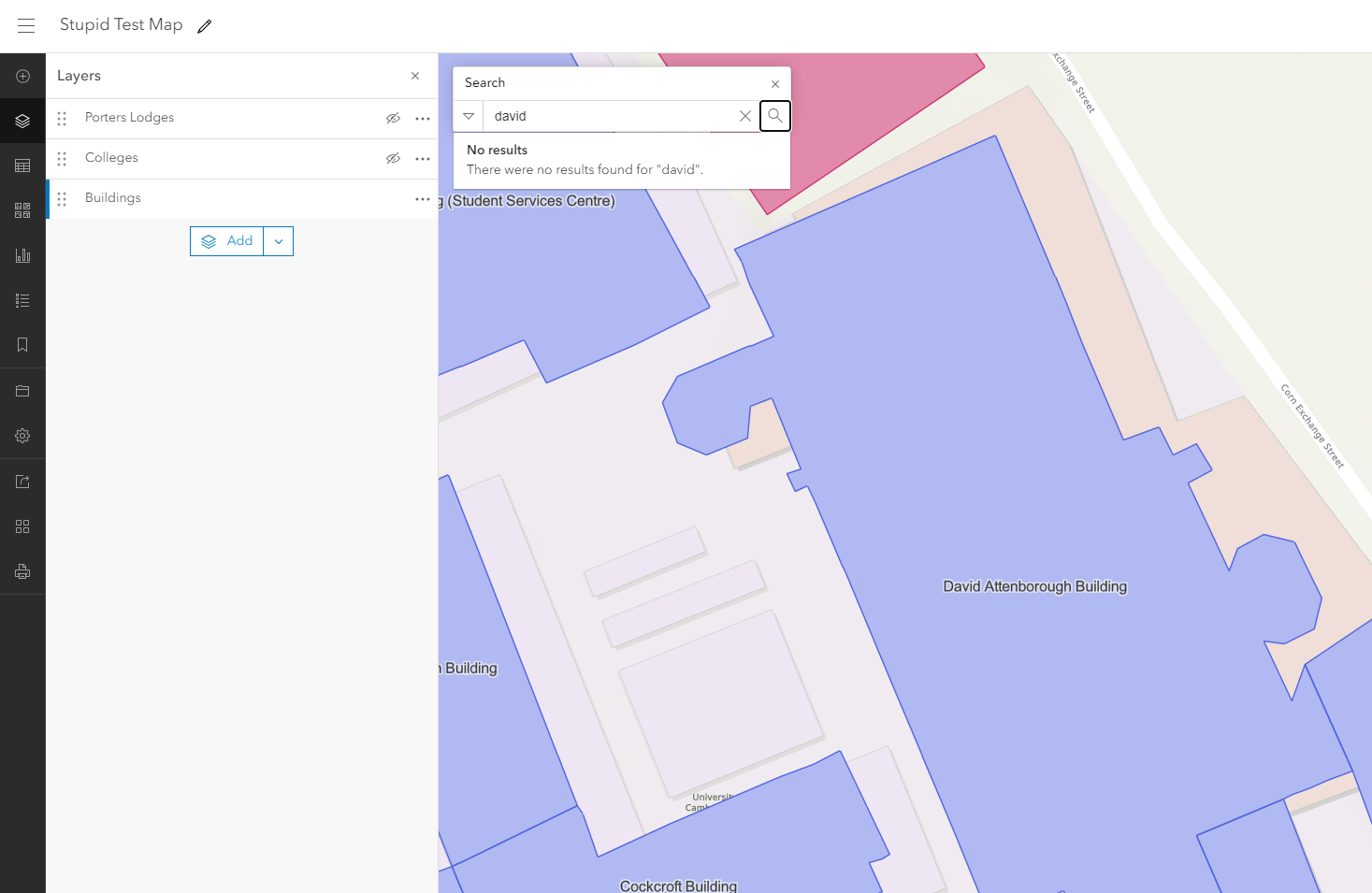
However, in the map, the search function doesn't seem to work. The screen grab below shows the Buildings layer turned on and labelled with the 'name' attribute. There is a building called the 'David Attenborough Building', yet searching for 'david' or 'attenborough' doesn't return any results:
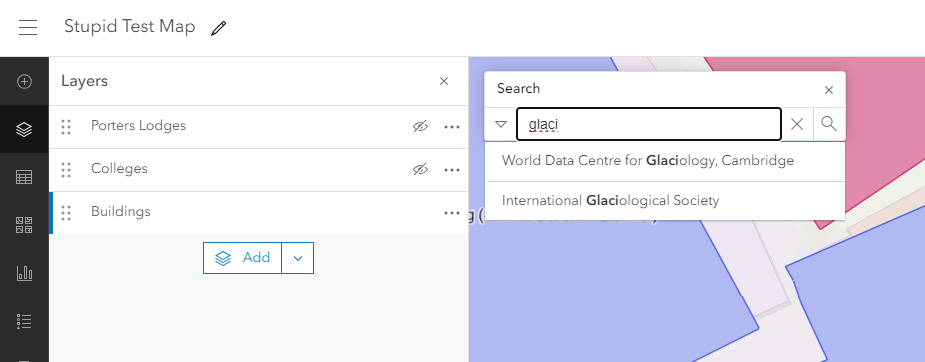
I get the same behaviour for the other two spatial layers ('Colleges' and 'Porters Lodges'). But the related table does work as expected and shows results from a 'contains' search, as shown below:
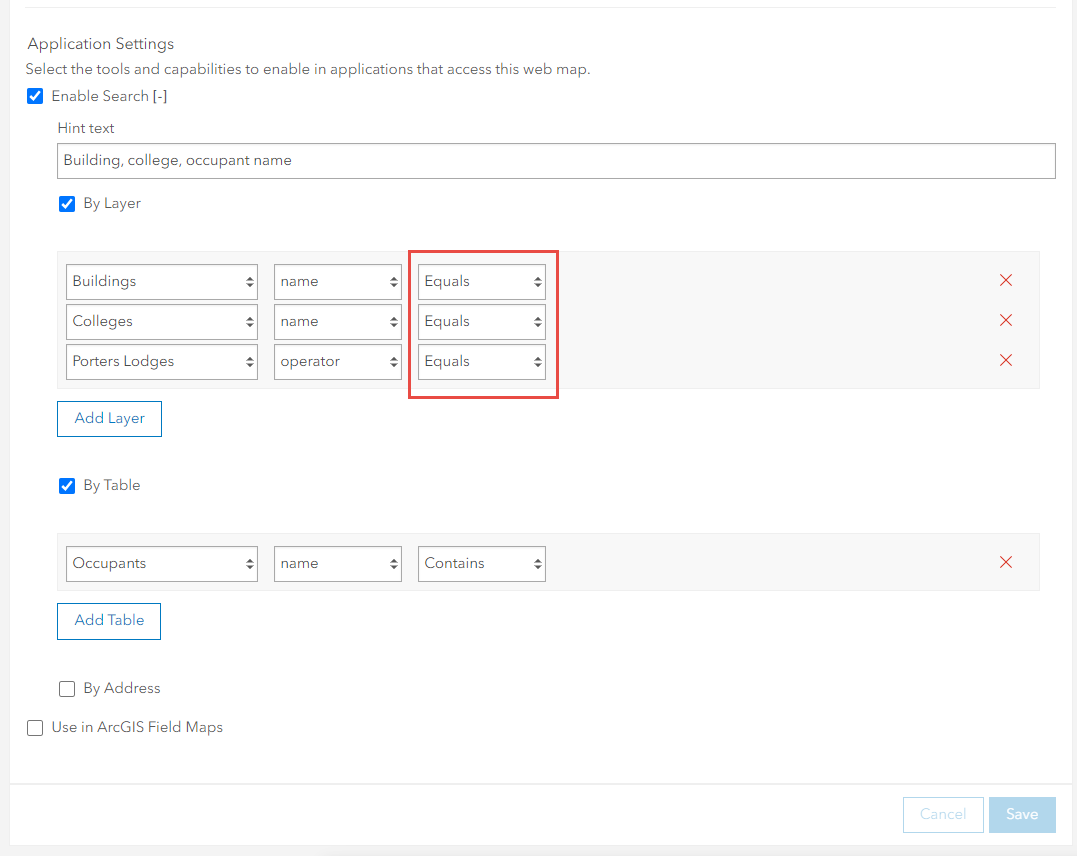
If I change the search settings of the three layers from Contains to Equals then I get better results:
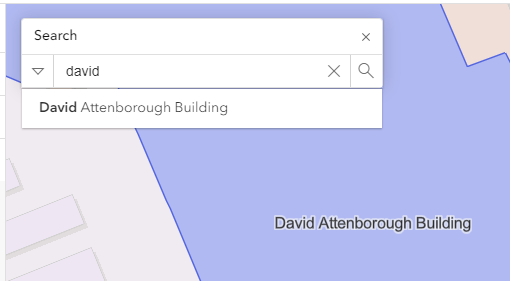
Now when I search in the map against the 'Building' layer for 'david' it does indeed find the David Attenborough Building:
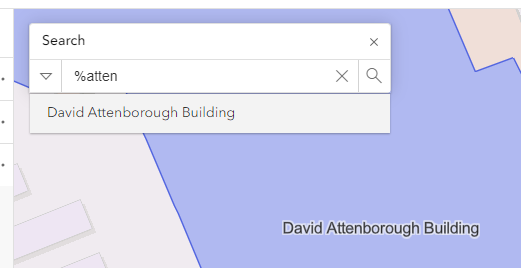
Furthermore, I'm able to use the % symbol as a wildcard so searching for '%atten' also finds the David Attenborough Building:
I'm pretty sure this used to work, so I'm wondering if something got broken in the most recent update to ArcGIS Online this week? The specific issues seem to be:
- The Contains search doesn't seem to work at all for layers, but does work for tables;
- The Equals search actually performs a Begins with... search.
Am I missing anything or have I misunderstood how this is meant to work in Map Viewer? The documentation (https://doc.arcgis.com/en/arcgis-online/create-maps/configure-feature-search.htm) is pretty sparse and doesn't say much other than: 'Choose whether the result should contain or be equal to the search terms.'
Any help would be greatly appreciated.


