Select to view content in your preferred language

ArcGIS Tracks- Track Lines not showing up in underlying service but appear in Track Viewer

283
3
2 weeks ago
Amanda__Huber
MVP Regular Contributor

Hello,

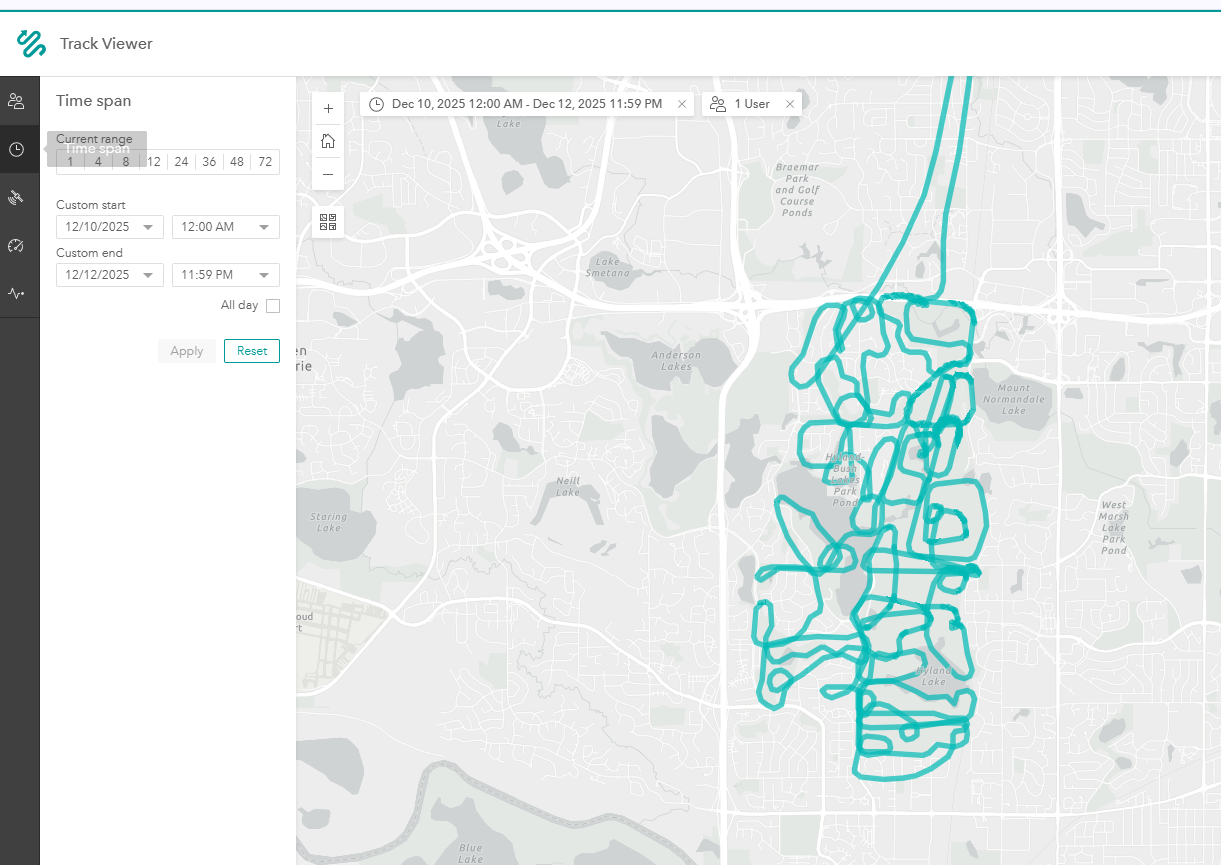
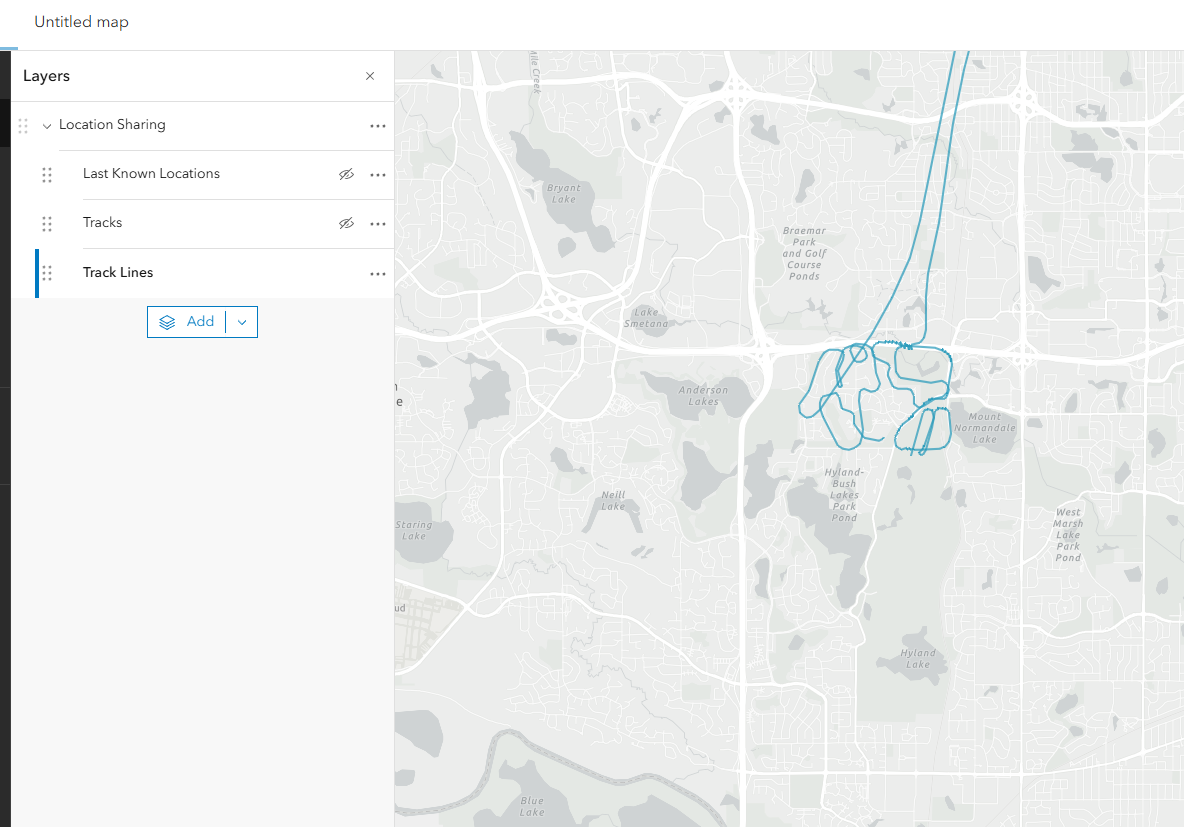
It appears we can see our tracks from a recent flight in the Track Viewer, but when looking at the underlying service these track lines appear to be missing. There are no filters on the map/data

Track ViewerTrack Lines Esri Service
Amanda__Huber_0-1766426964055.png


Amanda__Huber_1-1766427007667.png


Does anyone have any insight into why this would happen? We have two weeks until these lines disappear and we need to pull the data somehow into our backup. 


Thanks,

Amanda Huber


3 Replies
RussRoberts
Esri Notable Contributor

Are you able to share the layer to a group an invite russell_jsapi to the group and I can try and take a look? 

0 Kudos
Amanda__Huber
MVP Regular Contributor

Hi Russ, 

Thanks for your response and for looking into this. I just added you to our "Esri Tech Support 2.0" group and shared the service layer. 
Let me know if you need anything else. 
Best, 

Amanda Huber

0 Kudos
RussRoberts
Esri Notable Contributor

Still looking into this one but something we noticed for the section where its not showing up looks like quick capture and field maps were used and collecting points on the same track for the same user.

One thing to note the track viewer generates the line using the points while Map Viewer is leveraging the service to to show the track line from the line layer. When I check the service the lines shown in MV are the ones for that layer on the service. Something we are looking at if the double app + account maybe caused an issue with the line generation.

0 Kudos