Select to view content in your preferred language

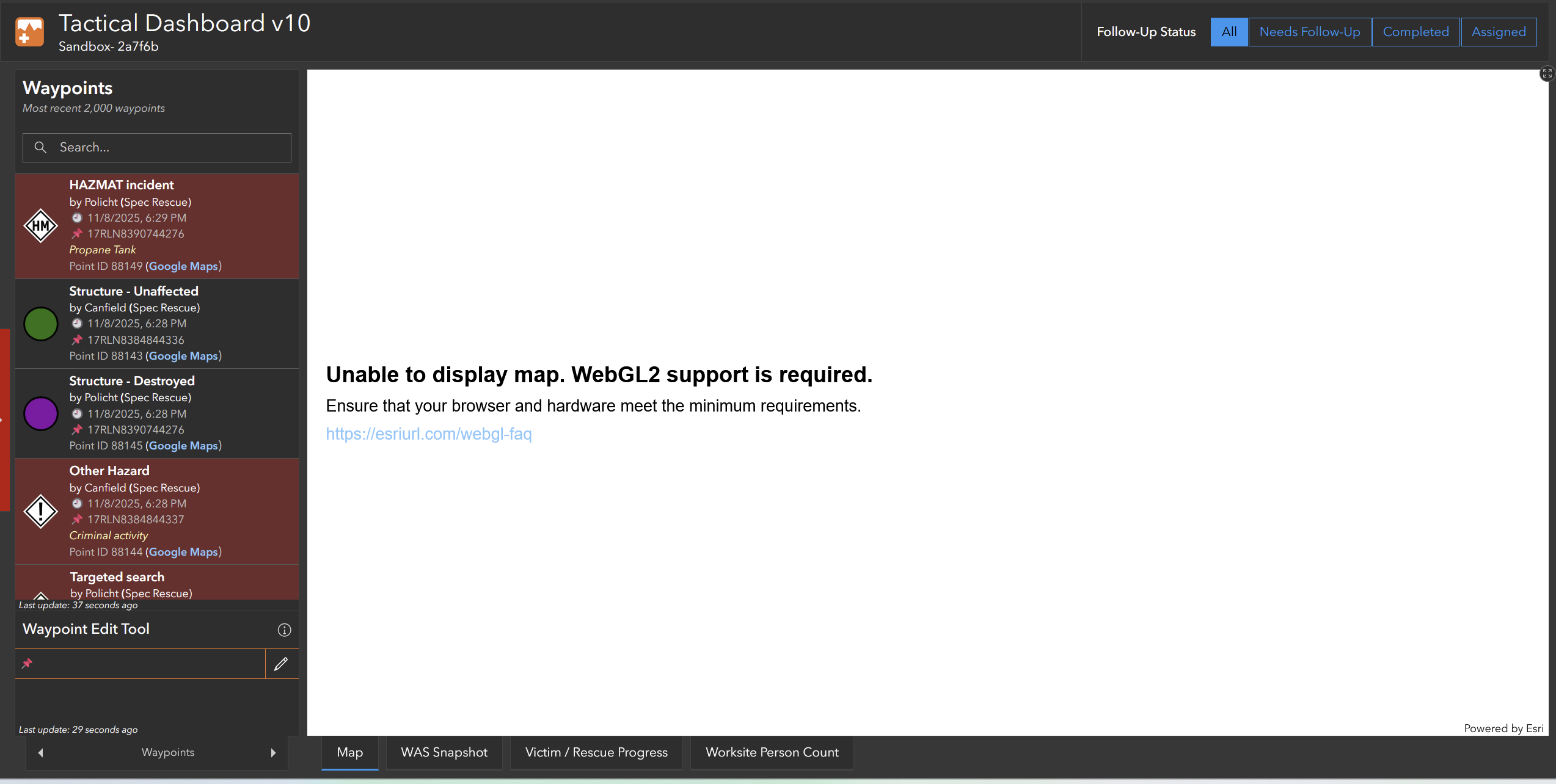
ArcGIS Online casuing AMD drivers to timeout, "Unable to display WebGL2 Support is Required"

684
10
a month ago
AFackler_NAPSG
Frequent Contributor

I am not sure if this is where I should post this, but I am running out of options.

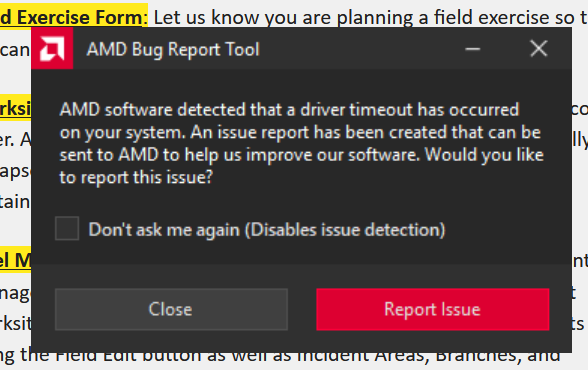
I recently bought a new computer and after configuration and setup, I began to have issues in ArcGIS Online any time I do any work in Experience Builder, Dasboards, or just webmap viewer. After regular use for a few minutes, the display will freeze up, then turn black for several seconds before the display re appears with a message from AMD stating the "AMD drivers timed out" (picture attached).

From there, any map I try to access either has an error message (simply unable to load) or a message saying "Unable to display, WebGL2 Support is Required", despite ArcGIS Online working fine moments ago. Next thing I tried was ArcGIS Pro. (edit) Pro was working as expected until this evening, now the same thing occurs, forcing me to restart pro. I was able to reproduce when editing a layout.

I have also noticed that the GPU will also spike up to 60-100% frequently when loading data, and in Edge the SSD will spike up to around 40%. Lastly, when I close the browser and re-open, I am able to access the map and go about my work as normal until it happens again. I have been able to reproduce this issue on Edge, Firefox, and Chrome and I have tried all these troubleshooting steps:

- Repair Windows

- Uninstall and reinstall each browser (using Revo Uninstaller)

- Bios update

- Reinstall AMD Drivers

- Boot into a Linux distro on a USB and try in Firefox - sill saw issue

- Clear shader cache

In this case I am working with a Framework 16 with an AMD Ryzen 9 7940HS. Graphics are integrated Radeon 780M Graphics. Windows is up to date, BIOS is up to date, AMD Drivers are up to date. I am at an absolute loss at this point and have no idea what to do now. 
Screenshot 2025-11-08 100959.png

AFackler_NAPSG_0-1762663212117.png


0 Kudos
10 Replies
DanPatterson
MVP Esteemed Contributor

Did you get any feedback on the link on this page

ArcGIS Pro 3.5 system requirements—ArcGIS Pro | Documentation

Verify your computer's ability to run ArcGIS Pro.

Then there is the list of software requirements and hardware requirements.

Anything out of the ordinary in those links?


... sort of retired...
0 Kudos
AFackler_NAPSG
Frequent Contributor

Negative, green across the board in requirements. I only have 4gb of VRAM, vs the recommended 8gb, but I haven't seen any dips in performance overall from Pro.

0 Kudos
AFackler_NAPSG
Frequent Contributor

Well, disregard the "No issues in Pro" as I had the same general experience happen this evening while working on a layout 🙃

0 Kudos
DanPatterson
MVP Esteemed Contributor

There is all kinds of stuff online regarding webgl2 not being supported

Scene Viewer requirements—ArcGIS Online Help | Documentation

the above link isn't specific to your case, but the root cause seems to point to settings or the actual graphics card itself, have a look at it, then google specifics to your browser settings and installation


... sort of retired...
0 Kudos
CodyPatterson
MVP Regular Contributor

Hey @AFackler_NAPSG 

What browser are you using? I'm currently using Firefox, and getting this same error, but it's also on any map, I cannot open web maps, Google maps, anything. This is a Firefox issue unfortunately, a computer restart resolves it for me until the computer sleeps between workdays. I believe this is a known Firefox issue, but I'll need to find the document once again.

Cody

0 Kudos
AFackler_NAPSG
Frequent Contributor

Cody,

I am seeing the same issue on every browser; firefox, edge, and chrome. Same issue, same workflow. I am also seeing it in Pro and and in other applications like Powerpoint when I play a video.

With more troubleshooting my next step is to test replacing the PC's ram and see if that fixes anything. If not, I'm going with this being an AMD graphics issue with the motherboard itself and try to get it replaced under warranty. 

I have also tried a full uninstall of the drivers using the AMD utility and DDU, neither fixed the issue.

0 Kudos
CodyPatterson
MVP Regular Contributor

Hey @AFackler_NAPSG 

Seemingly this is a pretty common thing relating to ArcGIS Online and more than likely Portal. I've seen turning Hardware Acceleration for the browser on/off or just off help: https://community.esri.com/t5/arcgis-online-questions/video-card-support-for-webgl2/td-p/1390314

This is strange though, it's happening to myself as well, but I just restarted my computer and all my WebGL is back in order, this definitely could point more of a hardware issue. I'll see if I can get this more tested!

Cody

0 Kudos
mgeorge
Esri Contributor

@AFackler_NAPSG it sounds like your driver is crashing, which would indicate a problem with the device. You could try running other gpu-accelerated applications and see if they also crash. If so, you may need to contact Framework and see if you can do a warranty repair, esp. if the device is new. 

0 Kudos
AndyGup
Esri Regular Contributor

Hi @AFackler_NAPSG since you are getting a native firmware error message directly from the AMD driver, this is most likely a hardware problem, and not an issue with the ArcGIS JavaScript SDK which powers Experience Builder, Dashboards, Map Viewer, etc. You mentioned thinking the same thing in your comment here. Based on your descriptions in this particular case, the browser's WebGL2 support error message is being caused by the underlying laptop hardware failure.

0 Kudos