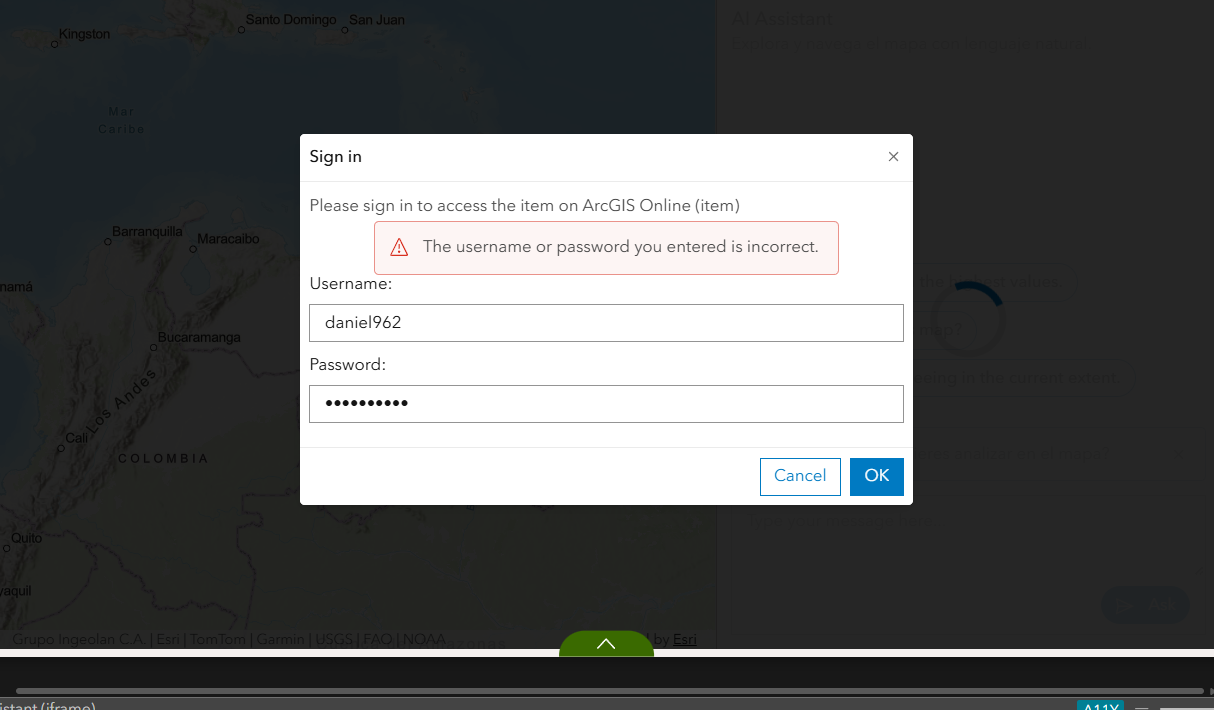
I am testing the new JavaScript SDK, which provides ready-to-use ArcGIS agents, but when I enter the username and password, it displays what is shown in my image. What solutions are available?
I am an administrator in my organization and I have the AI Assistant options enabled for users. I have also created my layer embeds and, of course, the layer and map are in public mode. I would appreciate your help.

Thanks for posting. Especially now with US going to war against who knows how many countries, it will be important to have more student mappers to be able to research what is going on around them.
Check out the 17 SDGs, their targets and indicators to determine what more can be added...
Hi @DALPGIS, thanks for posting your question here. So you have done everything described here?
https://developers.arcgis.com/javascript/latest/agentic-apps/ai-faq/#access-and-security
Where are you testing the AI agents? From a custom app, or from our documentation? Can you share a link?
Hello Noha, thank you for responding.
I have already met all the requirements and, as I mentioned, I am the administrator of the organization.
I was testing the AI assistant in an ExpB widget that I designed, and when I enter my credentials, it just tells me that they are incorrect. I also tried it in the sample code (screenshot attached), and I keep getting the same error. I'm not sure what kind of restriction I have, considering that I am the administrator, the map,layers, and AI assistant are active in the organization, and it is not listed as a blocked application.
I hope to continue counting on your help. Thank you.
