We are using an ArcGISLayerList widget which uses calcite-flow / calcite-flow-item under the hood with a calcite-panel in the calcite-flow-item.
I would like to change the header background to match our UI:
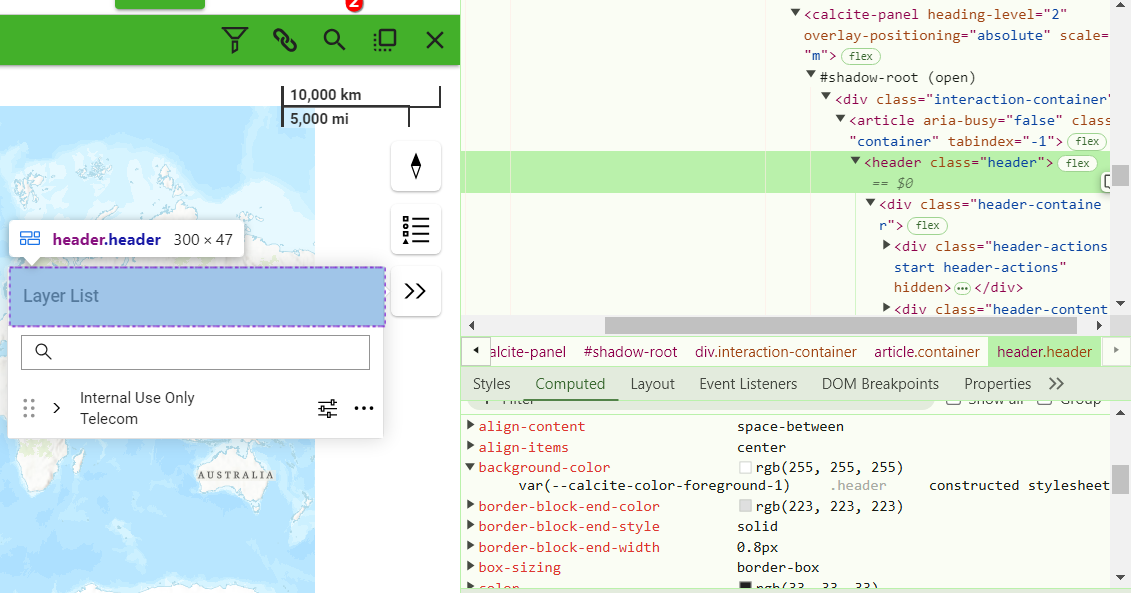
ColleenDixon_0-1733344707552.png
The problem I am running into is:
1. header is inside the shadowDom so I can't directly style this through CSS
2. The var used for the header background is the same var used for the entire background
I would like it to look like this:
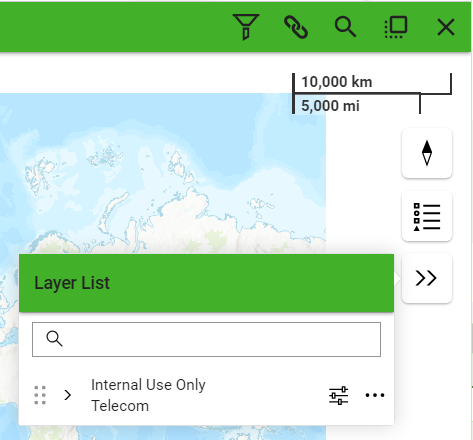
ColleenDixon_2-1733345832162.png
Here is the header slot nested in several shadow-doms that I cannot penetrate with CSS:
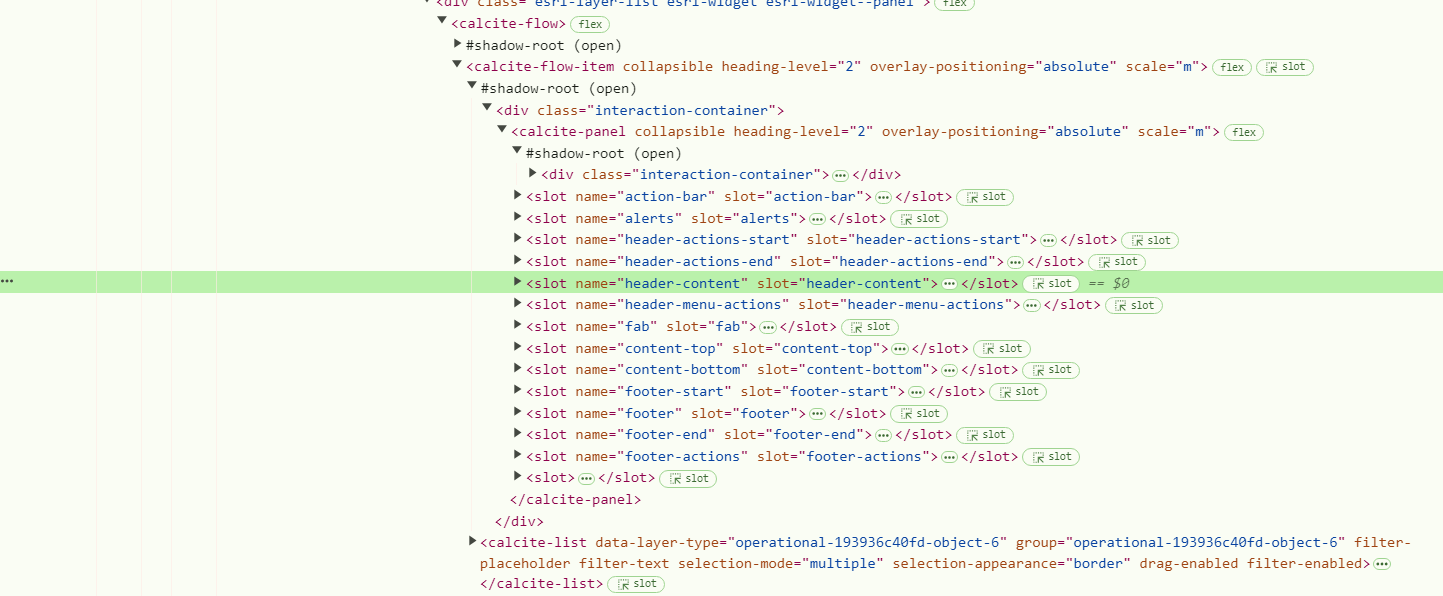
ColleenDixon_1-1733345636260.png
And setting the var --calcite-color-foreground-1 to green gives me this:
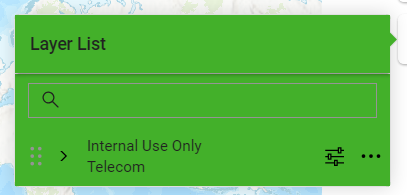
ColleenDixon_3-1733345995846.png
I am trying to come up with the least hacky solution possible to prevent incurring techical debt when classes and nesting changes, but I am open to any suggestion 🙂
Solved! Go to Solution.
@ColleenDixon I made a mistake. That first solution will work next release at 4.32. This is a less elegant solution that would work at 4.31
Hi @ColleenDixon with the introduction of web components into the API situations like these are becoming more common. I came up with this solution but it may have other unintended consequences ( or maybe they will be happy surprises ) because it changes the background color for all calcite-flow elements. Thanks for bringing this up hopefully we can improve the ability to style things in the future.
https://codepen.io/sagewall/pen/raBxOLy
@ColleenDixon I made a mistake. That first solution will work next release at 4.32. This is a less elegant solution that would work at 4.31
That worked for me, thank you!
ColleenDixon_1-1733889193959.png
Did have some unintended consequences a few other places like the info window but I can try and work around those
ColleenDixon_2-1733889273730.png
