We have added some exciting new capabilities in Manager in February 2026 ArcGIS Online update
Added an interactive selection Lasso tool:
We have added a new lasso and clear selection tool in map. Clear Selection tool will show up when there is any selection. These tools work with Feature selection configuration option (Interactivity > modify > Feature Selection). The default value is multiple, if you change it to single, these tools will not show up.

Support for reference layers in the map:
Added support to view and select features from reference layers in the map. It will work the same way as the editable layer except you will not see the Edit button.
Customize Create features button label:
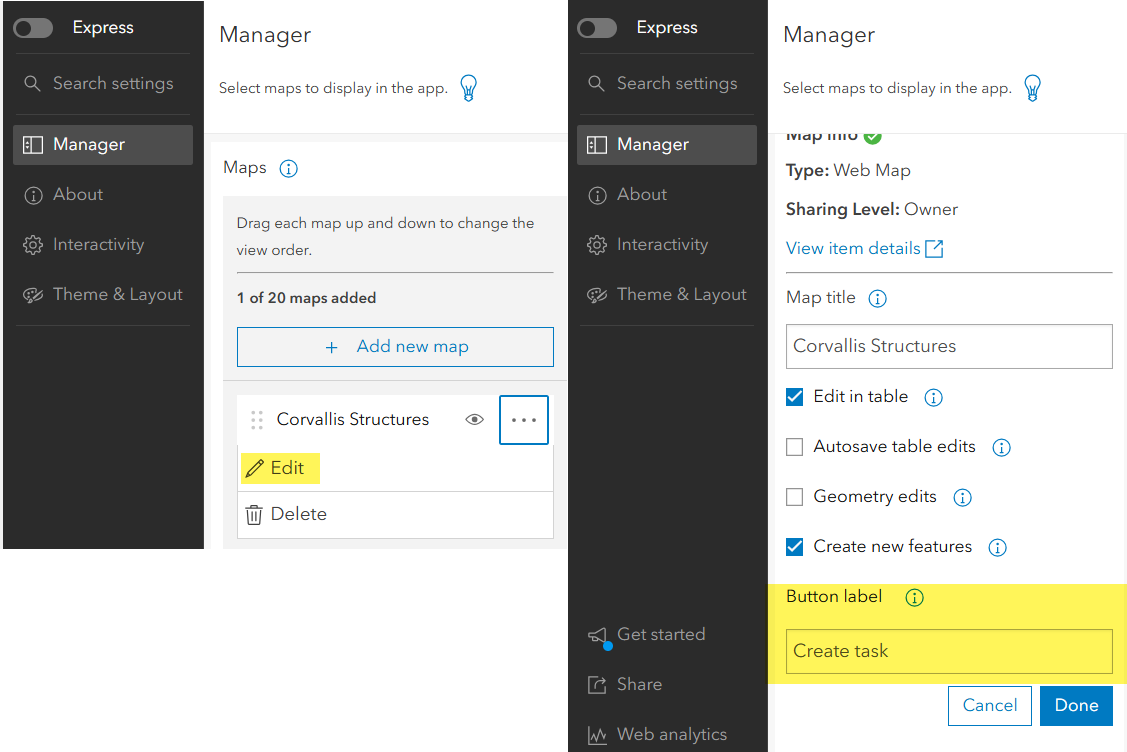
Added a configuration option to customize create feature/record label at the map level, it is in Manager > Select the map> Edit and you should see this option.
Add Layer list widget to control visibility of layers in map:
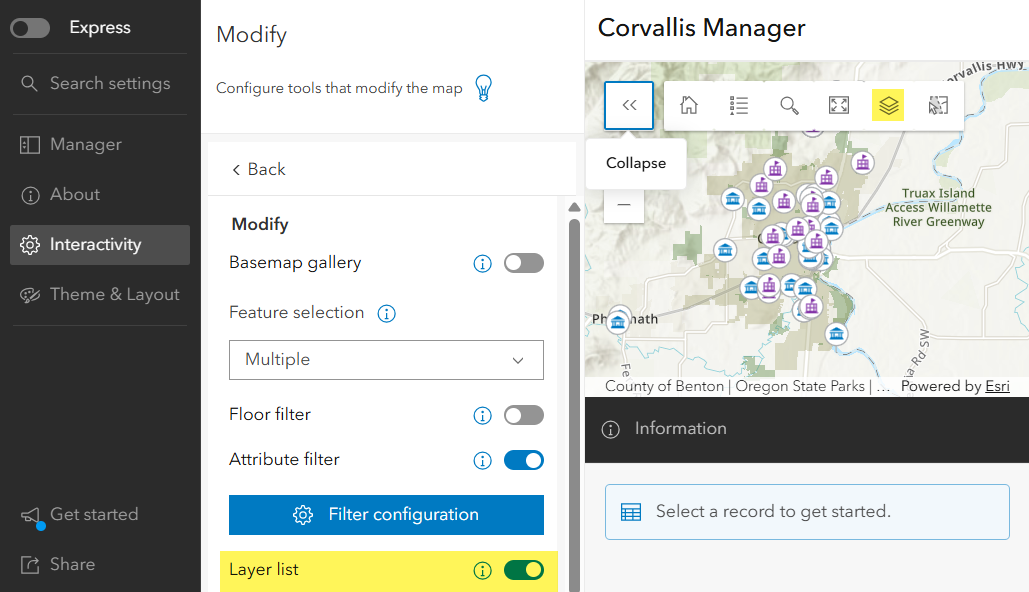
Added the layer list widget in Map, also added a configuration option in Interactivity >Modify >Layer list to control the visibility of this widget. You can now turn on or off layers in the map.
Turn off autosave option:
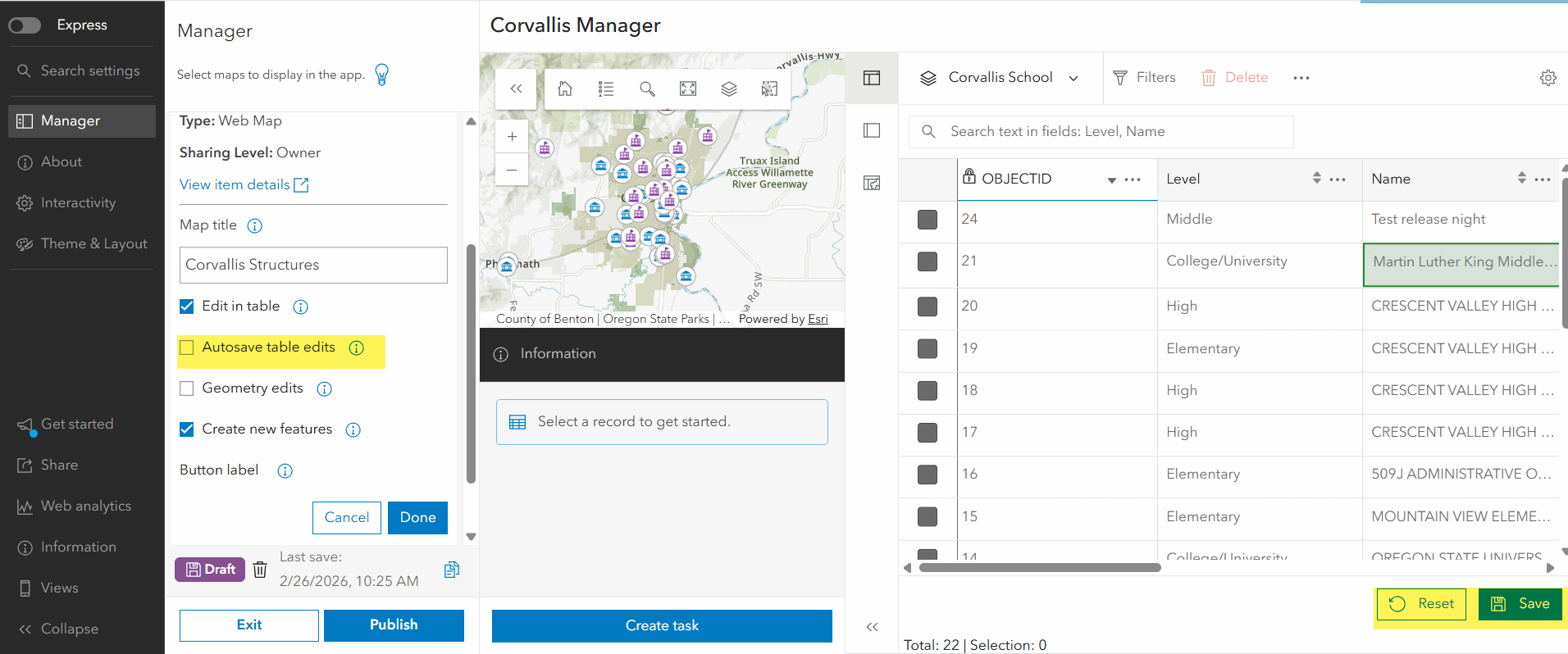
We added a configuration option to turn off the auto save in table editing in Manager. This setting will be useful for cases when adding a contingent value. Editing may fail silently when there is any mismatch while editing contingent values. You will find this option in Manager > select the map >Edit panel, this is on by default but you can turn it off and Save button will show when you edit a value in the table itself.
Contingent value validation support
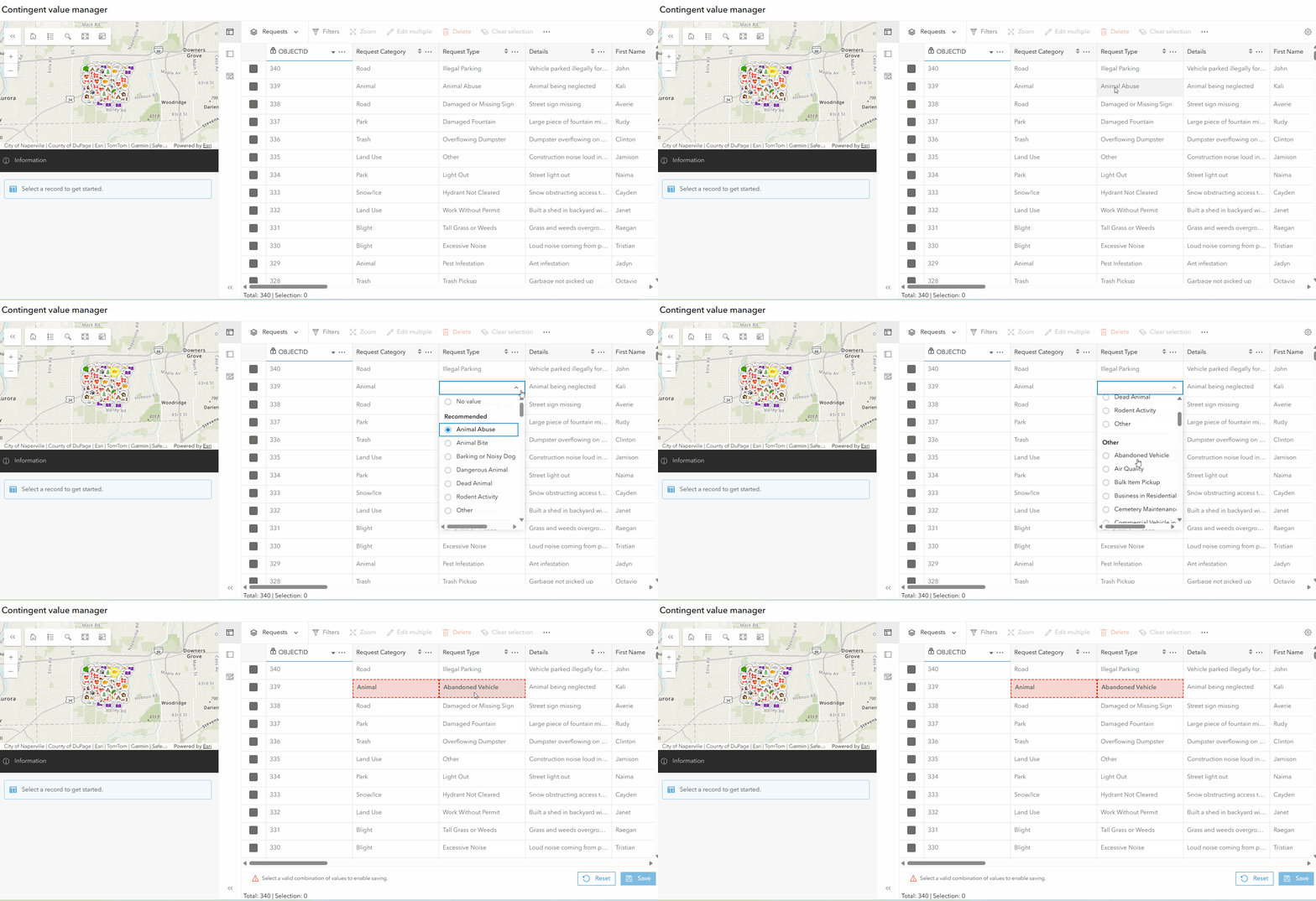
Manager now supports contingent value validation, if you have a layer published with contingent value, Manager will filter out records for the child field based on the parent field , same experience as Map viewer. It will show error/alert message when validation fails to protect data integrity.
Added a url parameter to turn off map list navigation:
When you have multiple maps in the app and you are using the same app in different places, you can turn off the map list dropdown to prevent users browsing to other maps. The parameter name is maplist, it is enabled by default, so if you need to hide the maplist navigation button, use maplist=false with the map id you wanted to show. Here is an example url parameter structure
https://www.arcgis.com/apps/instant/manager/index.html?appid={id of the app}& webmap={id of the webmap}&maplist=false
