At the June release of ArcGIS Online, Atlas includes the option to enable Interactive Legend, allowing app users to filter data based on symbology in the legend. Authors may choose to enable this option if the Atlas includes features layers with any of the following supported drawing styles:
- Location (Single Symbol)
- Types (Unique symbols)
- Counts and amounts (Size) - Classify Data Checked
- Counts and Amounts (Color) - Classify Data Checked
- Relationship
- Relationship and Size (Partially Interactive)
- Predominant Category
- Predominant Category and Size (Partially interactive)
- Types and Size (Partially interactive)
To configure Interactive Legend in your Atlas app, ensure that the Legend button is enabled in your Atlas toolbar, then select Interactive from the Legend type dropdown.
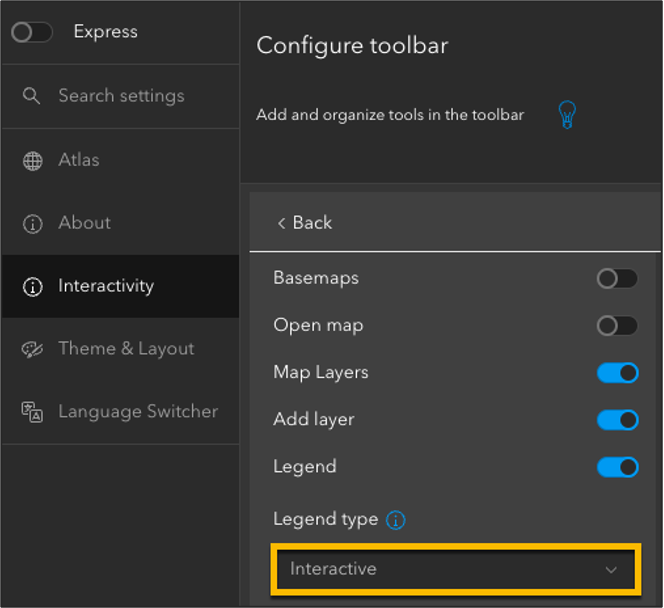
Publish your app to save these changes. App viewer will now see the option to switch into the interactive view of the legend and can filter data based on the items in the legend.
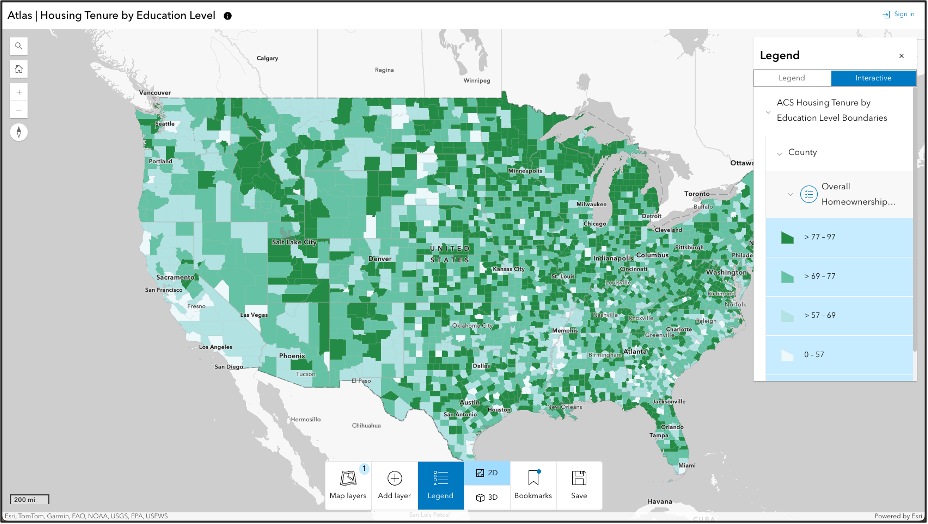
Additionally, as of June 2024, app authors can choose to enable and configure Create options, which allows users to open the map in Atlas in another app, including Map Viewer, ArcGIS StoryMaps, Instant Apps, Dashboards, and Experience Builder. Users can use an existing map or create their own map in Atlas.
Enabling sign in is required to configure the Create options in Atlas. Users will need an ArcGIS Online account with Creator or above user type to configure any of the Create options.
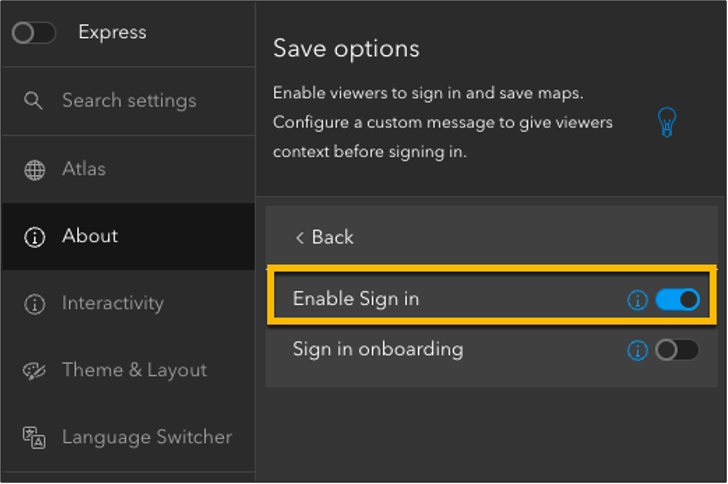
Once sign in is enabled, app authors can enable Create in the toolbar options and choose which apps they would like their users to access from the dropdown menu.
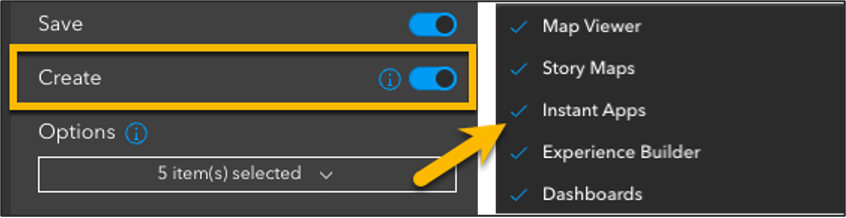
The Create button will now appear under the Save options in the Atlas app. Users will be required to sign in to ArcGIS Online before they can proceed.
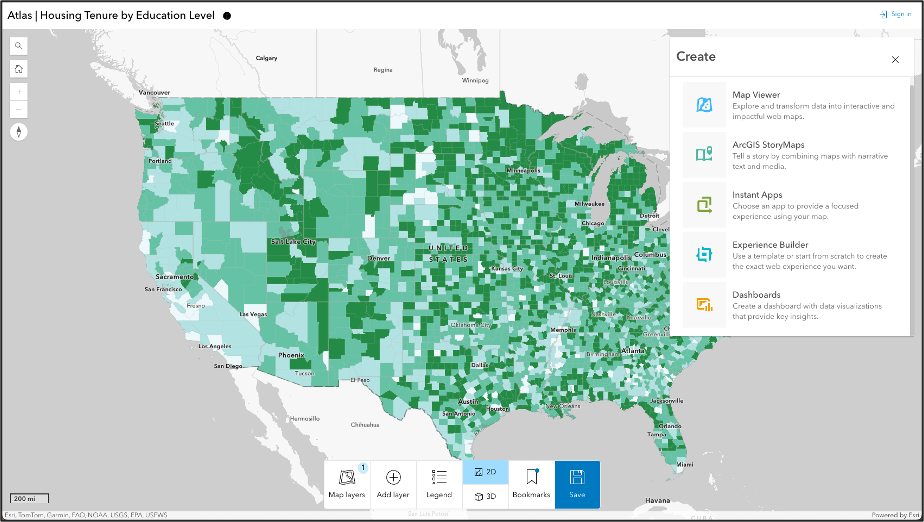
Explore these new features in the following Atlas sample app.
Your feedback is important to us. Please feel free to reply to this post or create a new post with any questions about these new features or feedback on future improvements.
