In the June 2025 update of ArcGIS Online, Zone Lookup and Nearby received several new capabilities. Let’s look at some of the new features and how to use them.
Map click search
When clicking the map to initiate a search in Nearby and Zone Lookup, the app defaults to finding the closest valid address and placing a pin symbol at that location. In the June update, we have added a new option to place the pin symbol at the x,y location rather than the closest address. This will be particularly helpful for large-scale maps, where the app author prefers the point to be dropped exactly where the app user clicks. This new option is called “Use map click search”. In Nearby, this feature is available in the Nearby > Search method section > Search Radius. (Note that the map extent doesn’t use a map click, so the option is not available.) In Zone Lookup, it is under the Zone Lookup > Options section. Also, find this using the search in the upper left of the configuration.
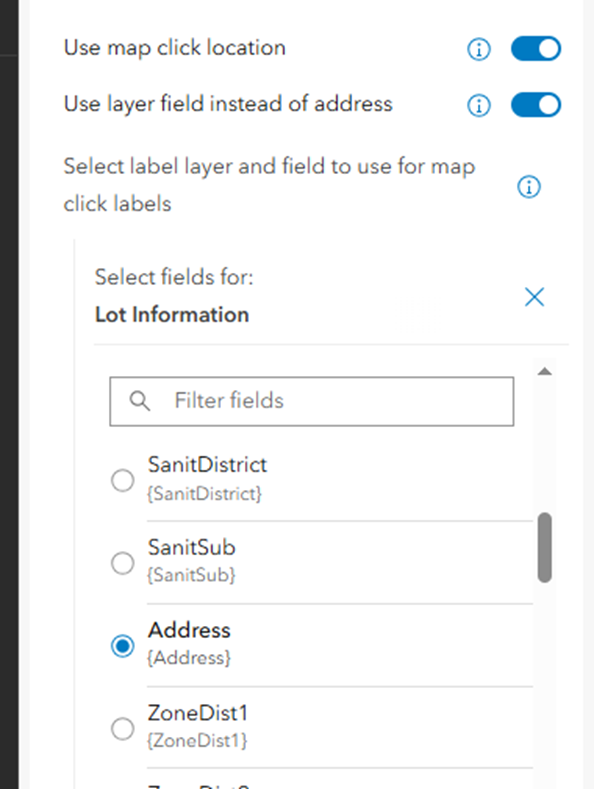
When using the map click search option in conjunction with the Map pin label, the app will use the closest address as the label. In Zone Lookup, you can specify a field from a layer in the map to use instead. For example, if you have parcel data that contains an address field, you can use that instead of the closest address from the ArcGIS World Geocoding Service locator.
Show results based on users' location
Zone Lookup and Nearby both offer the ability for an app user to generate a search based on their location, but the app user must initiate this. New at this release, you can set the app to launch and generate a search based on the app users’ location. This new capability is labeled “Show results based on users' location“. In Zone Lookup, it is located under Zone Lookup > Style results. In Nearby, it’s under Nearby > Search method. Note: Under 'Map extent', you need to enable 'Show results for default map extent' first. Then, you have the option to switch it to use the user’s location.
New Filter builder
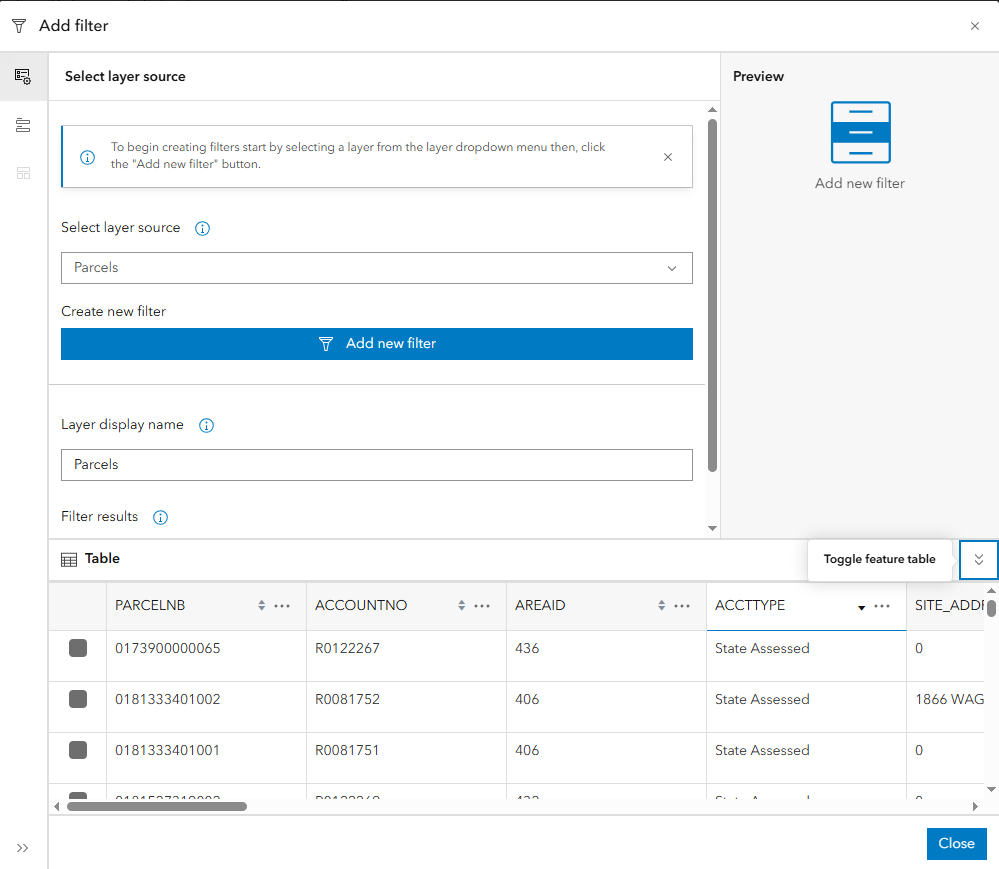
New in June 2025, all Instant Apps have an updated filter builder. The filter functionality is the same, but it offers an improved way to create filters. New in the builder is the ability to view the attribute table of each layer in the filter.
URL parameter to support embedding Zone Lookup apps
When applications are embedded, they can become responsive. This is generally expected and often provides an optimal experience. However, some app authors want to lock the app in the full desktop or mobile layout. Now, a URL parameter (beta) is available in Zone Lookup. Add “&embedMode=desktop” or “&embedMode=mobile” to the end of the URL while embedding to lock the app in either mode. This parameter is in beta and will be added to other Instant Apps when it moves out beta.


