I add a xlsx file to Microsoft Excel and share it with ArcGIS Online via ArcGIS for Excel plugin.
I procedd these steps below.
・ArcGIS for Excel: Share a layer to ArcGIS
https://doc.arcgis.com/en/microsoft-365/latest/excel/share-a-layer-to-arcgis.htm
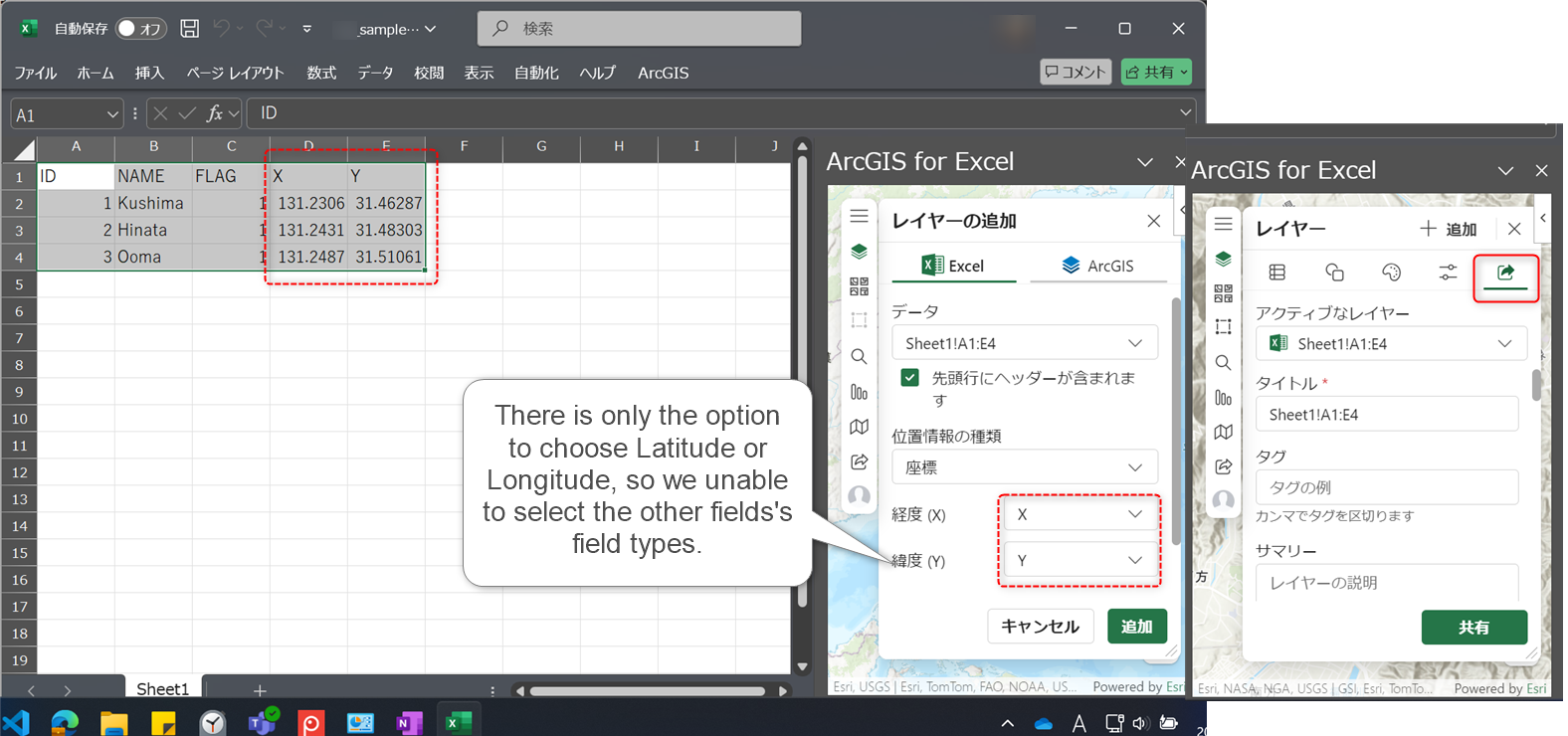
I know that users are unable to choose "field type" when sharing ArcGIS Online, so try to set a dummy first line and control their filed types. I was looking for documents how to decide a field type in ArcGIS for Excel, but found only ArcGIS Pro document.
https://pro.arcgis.com/en/pro-app/latest/help/data/excel/work-with-excel-in-arcgis-pro.htm#GUID-E4C38438-93DC-472A-9A36-0A64E48FF16B
I observed both their "all" values(especially, Text or Number) and "The format of a cell" in Excel affect their field types, but need more information...

