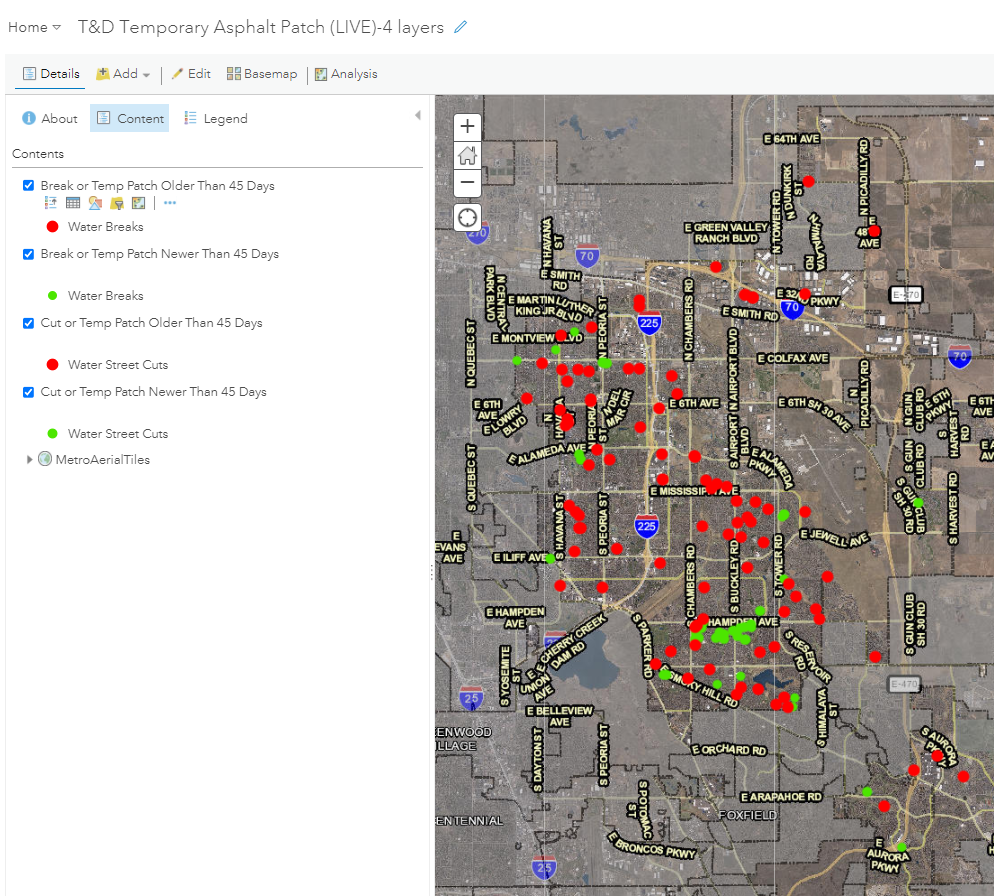
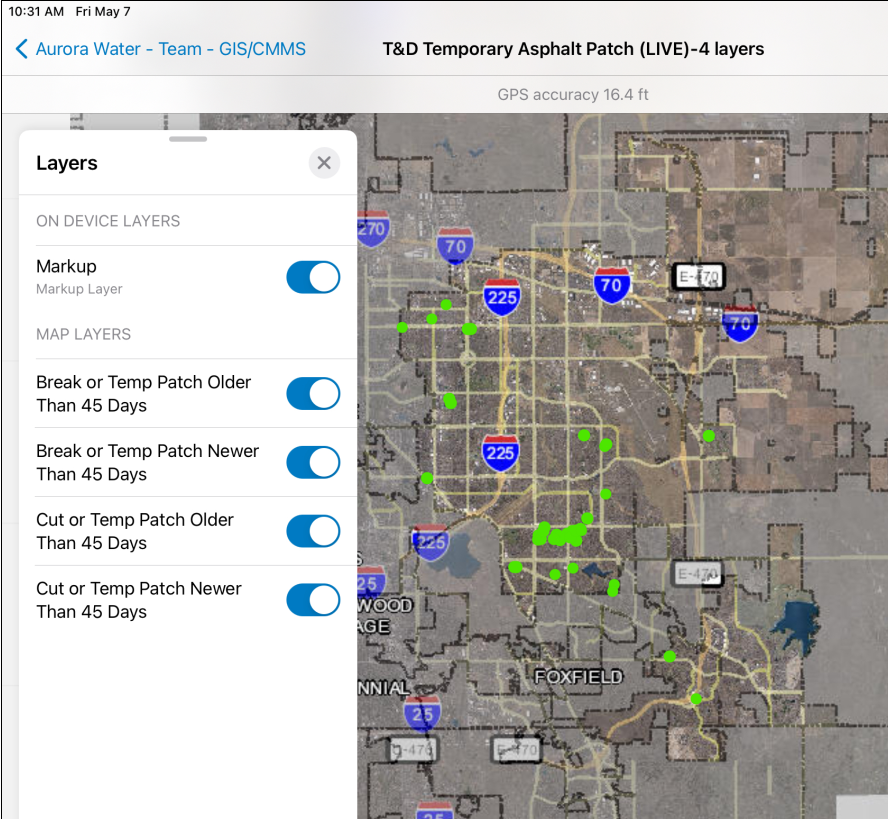
We are experiencing issues with layers not drawing in Field Maps when they are filtered by date using 'not in the last' or 'is blank'. The map was built in Map Viewer Classic, and the layers display properly there and in Collector. Our field users are on iPads with Field Maps. When I open the map in Map Viewer (new), it says it has 'Problem displaying filter'. I tried to rebuild the map in the new map viewer and it makes me resave the filter each time I click on a layer. Even then, using the date filter 'not in the last' or 'is blank' means the layers won't display on the tablet. We have a number of maps that use 'in the last' filter that appear to be displaying properly. No error message is thrown saying the layer didn't draw properly. We have confirmed that it is not just one map showing this issue.
Desktop:
Field Maps on iPad:
A fix for relative date filters has gone into the latest runtime (200) update. Unfortunately, the current generation of Field Maps is still on runtime 100.x. Field Maps will incorporate this new version of runtime within the next few major releases (hopefully early 2025) and this will address the problems using relative date filtering. I hope this update helps.
Unless there's a fix I'm not aware of, this bug still exists as of September 2025
Hi @ChrisCyphers , the update to runtime 200 for Field Maps will be shipping with in the next couple of weeks. Can you try again when you get the store update to version Field Maps 25.2? Please let me know if you still see issues with date filters at that point.
This is still an issue on 2/26/2026
Are you seeing this in Map Viewer or in Field Maps (or both)? Following the update last night to ArcGIS Online there were reported issues that occur in Map Viewer and Web Apps only (BUG-000183048). I checked a map this morning with a relative date filter in Field Maps and it is working.
If you see this in Field Maps can you provide an example of the filter you are using?
Can you recheck if this still happens today? The bug I mentioned yesterday has been fixed by AGOL.
From what I can tell, while it has worked in Map Viewer for a long time, it now finally works in Field Maps!!! Here is the filter I can finally use! Thanks for the fix!




