Select to view content in your preferred language

What is new in Near Me (October 2025 ArcGIS Online update)

512
4
10-24-2025 04:50 PM
Labels (2)
AzizaParveen1
Esri Contributor
4 4 512

We only have few updates for Near Me in October 2025

New features:

Near Me now supports current location as input:

You can use the Map widget's  Locate tool to set your current location as the input location for the Near Me widget. To do this, add the Location change trigger in Map widget settings, choose a Near Me widget as the target, then select the Set location message action.
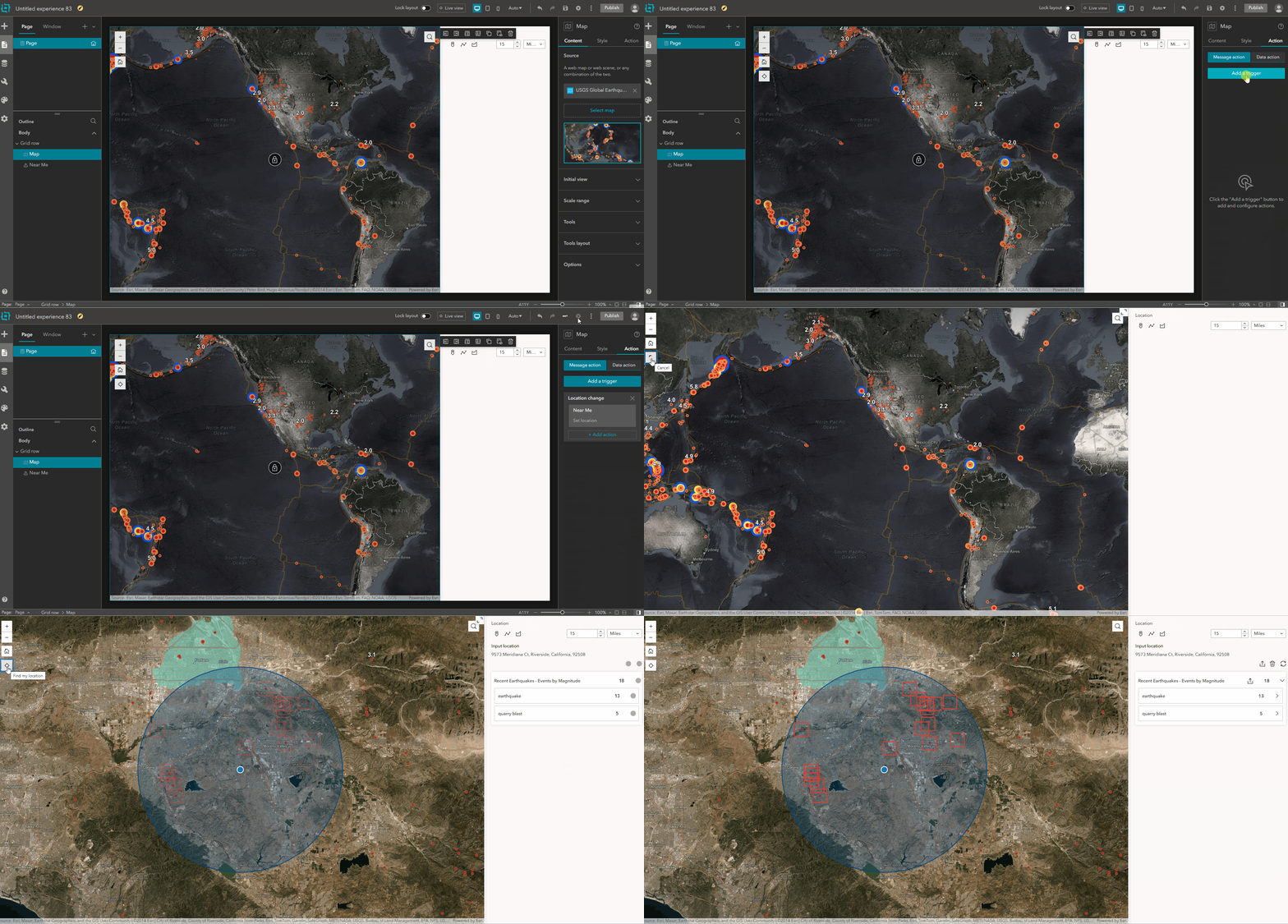
current location NM.gif

Added support to clip features:

We have added a new setting in Near Me Proximity analysis to clip intersected features. This setting will only show up for line and polygon features when you configure Proximity analysis. When enabled, it will return intersected length or area of the proximity features by the input feature or input feature search area.

The clipped area or length will also be included in the exported PDF report and other exported format when export is supported in the layer.
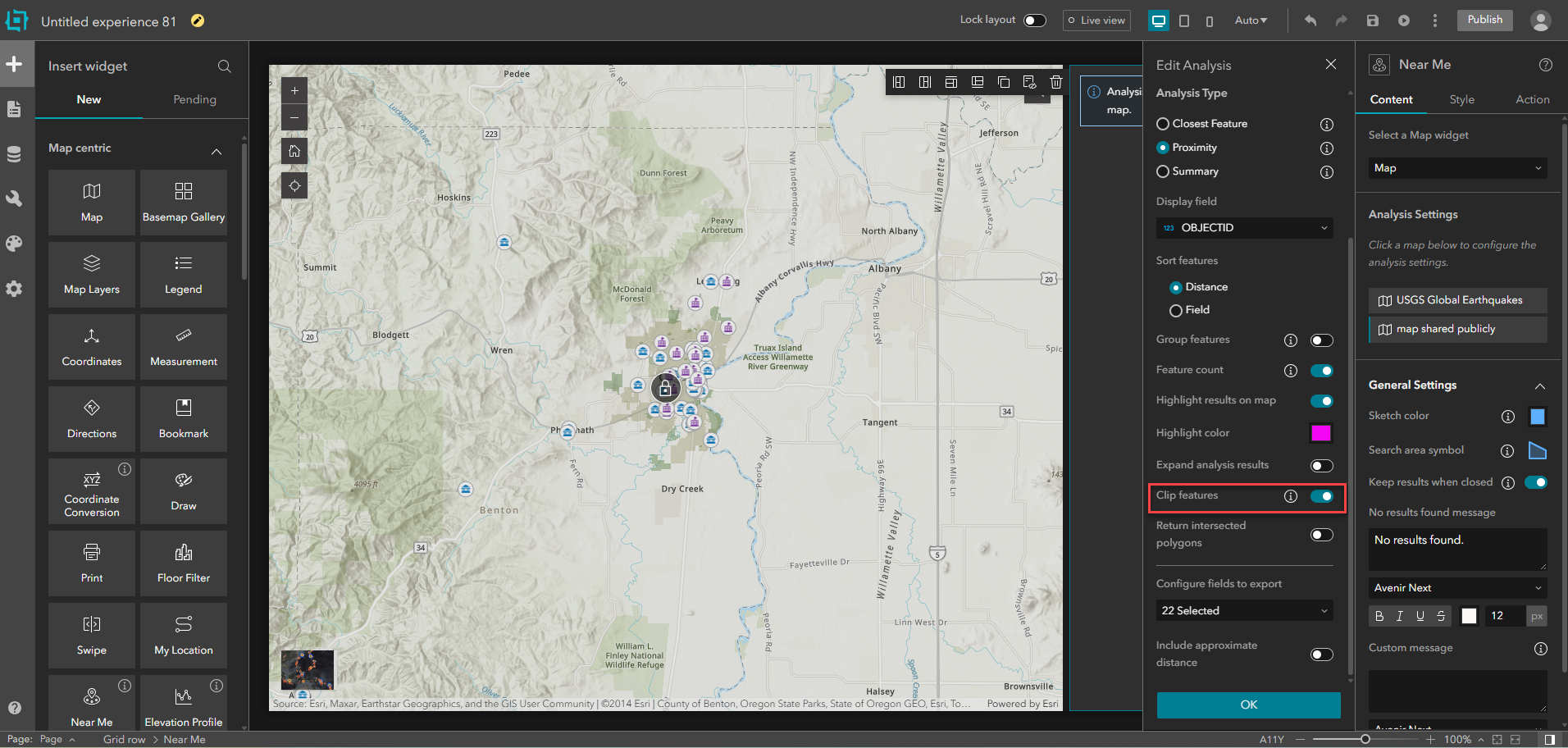
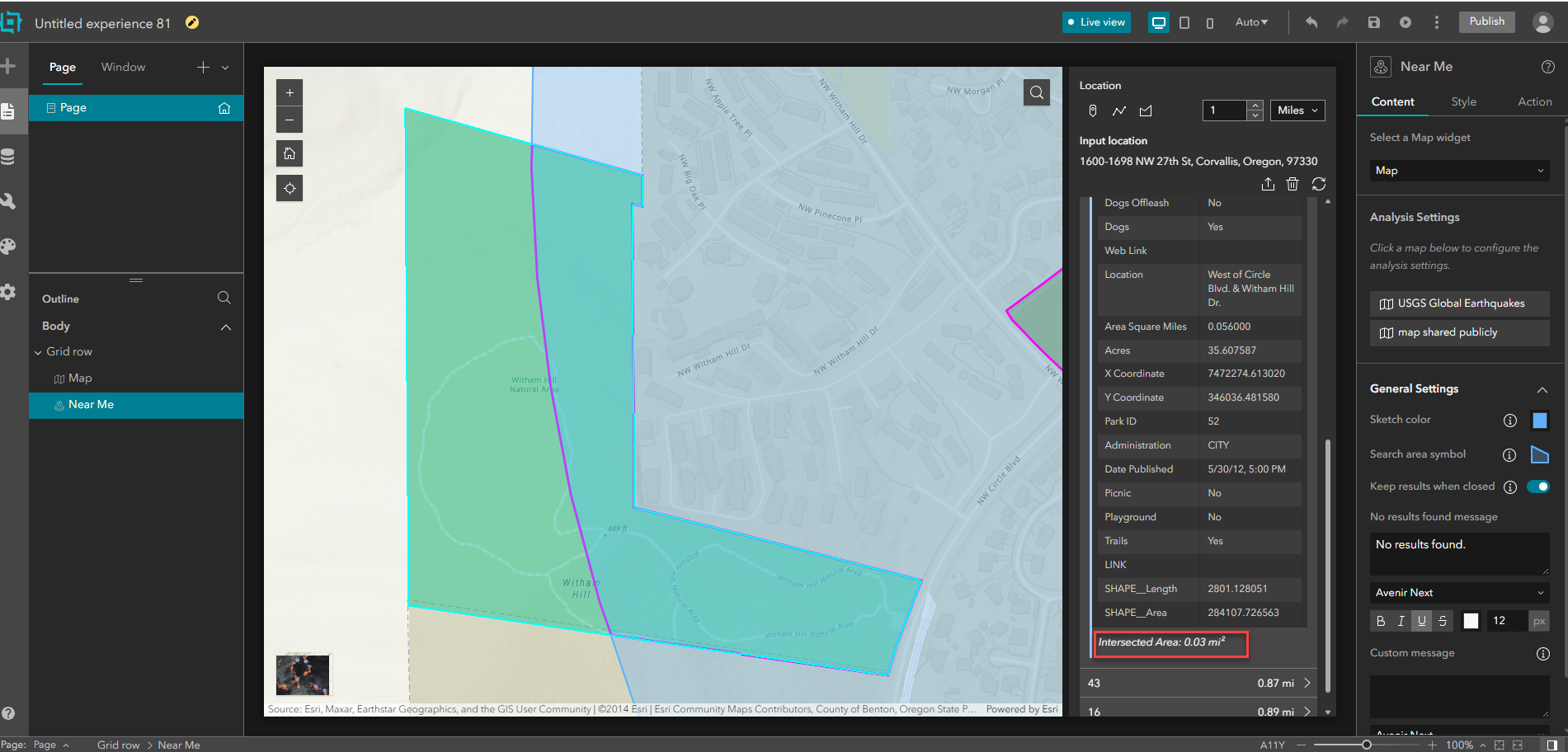
AzizaParveen1_0-1761349453309.png


AzizaParveen1_1-1761349469294.png


Existing setting move:

Feature count setting is moved to Edit analysis panel, showing feature count could be controlled at layer level.
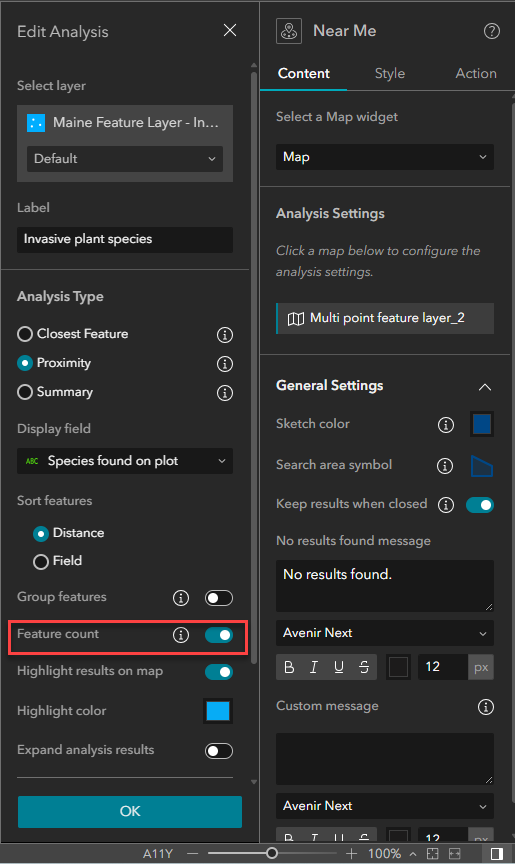
AzizaParveen1_0-1761349728874.png


4 Comments
ncramer11
New Contributor

Being able to clip intersected features in the Near Me widget is a great enhancement! I look forward to seeing the Near Me widget continue to develop and receive new features, as it's probably one of the most important widgets for my current projects.

FranklinAlexander
Frequent Contributor

I have to say that I had envisioned that setting the location would become an option (button) in the actual widget, not another action item to be configured from another widget. I don't really see this as an improvement since I could do the same thing with the Search widget, but the using the Search widget is actually better because I can at least add it in such a way that it looks like its part of the Near Me widget. The only way a user is going to know that they can click the 'My Location' button in the map to find features near whatever layer the Near Me widget is connected to is if you tell them.

FranklinAlexander_0-1761672411200.png

Don't really understand why setting the user location can't just be a part of the widget. Here is one of my first customizations in WAB before I even knew what I was doing:

FranklinAlexander_1-1761672495471.png

The version in the above image makes so much more sense to me because it's straight forward and doesn't leave the end user guessing. Will probably go back to using the Search widget because it gives the user a choice between searching from a typed address or their location.

FranklinAlexander_2-1761672536832.png

And I almost forget, the maps 'My Location' tool zooms all the way in to the users location, then has to zoom out to the extent of the Near Me results. The zoom action for the map's Location tool needs to be turned off when it is the trigger for the Near Me widget.


MappyIan
Frequent Contributor

Near Me now supports current location as input:

This only works the first time you use it.  If you try to use it a second time, the Near Me widget doesn't run.  My Experience is configured for mobile only display, and the Near Me widget is accessed via a Widget Controller.  More details on this question: https://community.esri.com/t5/arcgis-experience-builder-questions/current-location-not-used-consiste... 

AndresEcheverri
Frequent Contributor

Is the BUG-000172264L: "After the ArcGIS Online November 2024 update, the Near Me widget in ArcGIS Experience Builder perpetually spins and shows "The analysis is taking longer than expected" when used with an ArcGIS Server Map Service." going to be fixed in ArcGIS Enterprise 11.5?.

Is there a workaround to avoid this problem (besides using only Feature Services)?. To replicate the Screening Widget with the Near Me widget is already a nightmare with so many manual steps that even two blog articles were created to help with that replication, and then not getting the tool to work as expected, is very disappointing. 

Is there any limit in the number of layers that can be added to use in the analysis with the Near Me widget?. I have a WebApp Builder app that is using the Screening Widget, with 35-40 public datasets, mix of Feature Services and Map Services (it takes less than 1 min to give you the report). I was trying to replicate that in Experience Builder (supposedly a more performant app) in ArcGIS Enterprise 11.5, and I am getting the spinning thing forever with no results. When I tested it with 3 layers (Map Services with points), the tool worked. But, testing with the 35-40 layers the tool keeps spinning.

UPDATE (11/28/2025): I tested the Experience Builder DE v1.19 and doesn't have that problem. The Near Me widget is able to run the proximity analysis with 52 layers (mix of Map and Feature Services). However, the custom template report doesn't work properly when called from the Print widget. I end up working with the default print service which doesn't allow you to change how the field names are going to be printed in the report, but at least I can generate a report. Hopefully Esri fixes all those issues.
