ArcGIS Experience Builder Developer Edition 1.21 is now available. This version includes capabilities from the June 2026 update of ArcGIS Experience Builder in ArcGIS Online, including multilingual app support, the new QuickCapture and Image Change Detection widgets, and other improvements. This version also introduces two important developer updates: pnpm is now required to install dependencies, and the open-source AI coding skill can help you build and maintain custom widgets more efficiently and consistently. Let’s dive into these developer-focused updates.
Use pnpm to install dependencies
Beginning with Developer Edition 1.21, pnpm is required to install dependencies for package management improvements. If you are upgrading an existing custom widget or app, update your setup scripts and internal documentation to use pnpm instead of npm for dependency installation. For this release, pnpm 11 and Node.js 24 are recommended. See About release versions.
For offline environments, the Developer Edition download page now provides a pnpm offline store for version 1.21. Use this package when internet access is limited or unavailable.
Note: pnpm is required only to install node modules and other dependencies in the server and client folders. Continue to use npm start to start the server and client services.
For setup details, see the Installation guide.
Accelerate custom widget development with AI
The new open-source arcgis-exb-widget-dev coding skill helps developers create, update, and modernize Experience Builder widgets through natural language prompts. It can help clarify requirements, suggest implementation patterns, and apply Experience Builder best practices. It can also assist with data integration, widget communication, testing, and migration tasks, allowing developers to focus more on delivering business value.
Get started
Install the skill in a supported AI coding environment, such as VS Code, Cursor, Claude Code, or Codex. Then invoke it with a prompt. For instance,
Create a widget
/arcgis-exb-widget-dev Create a new widget named "star-rating".
Update an existing widget
/arcgis-exb-widget-dev Modify the existing widget "measurement". Migrate the <a href="https://community.esri.com/t5/user/viewprofilepage/user-id/642472">@ArcGIS</a>/core/widgets implementation to <a href="https://community.esri.com/t5/user/viewprofilepage/user-id/642472">@ArcGIS</a>/map-components.
Use a guided development workflow
When requirements are incomplete, the skill uses a human-in-the-loop workflow to gather details, such as widget capabilities, data source requirements, widget communication, and more. This guided approach helps align the generated implementation with your app requirements.
Note: Like sample code, the arcgis-exb-widget-dev coding skill is not supported. It is available in the Experience Builder SDK resources repository.
Build multilingual custom widgets
Experience Builder now supports multilingual apps through a translation system and the new Language Switcher widget. Custom widgets can participate in multilingual app experiences by implementing multilingual configurations. If a widget includes user-facing labels, messages, or settings, you can prepare that content to work consistently across the app's configured languages.
For implementation details, see Multi-language support.
Customize help links for offline and internal deployments
By default, help links in the builder environment open the Experience Builder developer documentation. For example, the help icon in the Map widget settings panel opens the Map widget documentation.
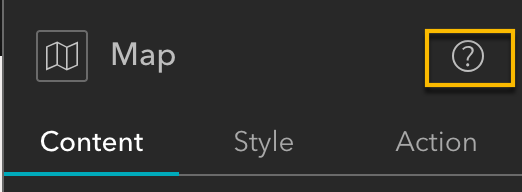
The help icon in the Map widget settings panel
Starting with version 1.21, you can customize the documentation base URL used by help links. This is useful for offline, secure, or internal deployments in which users cannot access the public ArcGIS documentation site.
Set a custom documentation URL in setting.json to direct help links to an internal documentation portal, localized content, organization-specific guidance, or help pages for custom widgets:
{
  "customDocumentationBaseURL": "[deployment URL]"
}This option gives organizations more flexibility in managing documentation resources for disconnected and enterprise environments. Learn more in the Customize the documentation URL for builder topic under Deployment.
Breaking changes: Review before upgrading
Version 1.21 includes breaking changes that may affect apps and custom widgets. Before upgrading, review the release notes and update your code as needed. Pay particular attention to:
- Dependency installation: Use pnpm to install dependencies.
- Component migration: Review migrations from widgets to web components, including the Popup widget.
- JavaScript Maps SDK: Review the release notes for updates that may affect custom widget development.
More resources
Questions? Contact experiencebuilder@esri.com.
Thank you,
The ArcGIS Experience Builder Team
