Overview
The 2026.1 release of ArcGIS for Power Automate brings several significant enhancements and new capabilities to the PaaS connector, expanding integration options and improving user workflows. Below is a summary of the updates introduced in this release.
1. Edit feature layers in the ArcGIS PaaS Connector
With advancements in the API key authentication and privileges we are now leveraging these for the first time to allow Feature layer Editing in the PaaS connector. You can now use the new Apply Edits action for this.
This action accepts an array of features as input and allows users to add, update, and delete features within a layer. Note that editing attachments is not currently supported, but this is being considered for future updates. This functionality is exclusive to the PaaS Connector now as comparable actions are available in the ArcGIS and Enterprise Connectors. In summary:
- New Action: Apply Edits (Add, update, delete features)
- Scope: PaaS Connector
- Attachments: Editing attachments is not yet supported
2. PaaS Connector can now connect to ArcGIS Enterprise
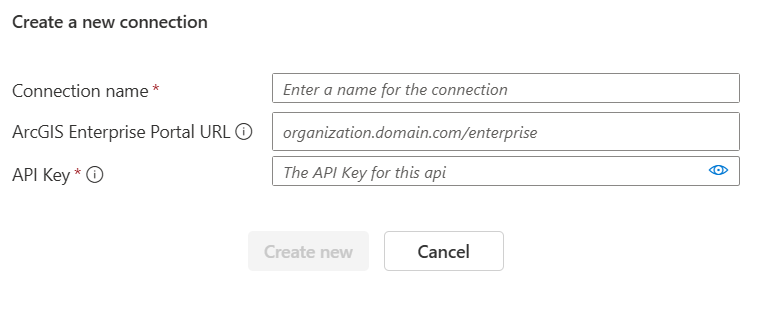
Users can now leverage the ArcGIS PaaS connector to connect to both ArcGIS Online and ArcGIS Enterprise and name the connection. The URL parameter is now optional and by default, the connector will connect to ArcGIS Online. When a Portal URL (e.g., yourdomain.com/portal) is specified, you can use an API key generated from ArcGIS Enterprise to create the connection. This update supports more flexible integration scenarios for organizations using ArcGIS Enterprise.
API Key authentication has evolved, now offering more granular control over permitted actions. Updates to the PaaS Connector have been made to reflect these improvements, providing enhanced security and flexibility for users. Any results you will experience in the ArcGIS Connectors should follow the privileges model for the API keys.
3. New Action: Get Feature Layer Information
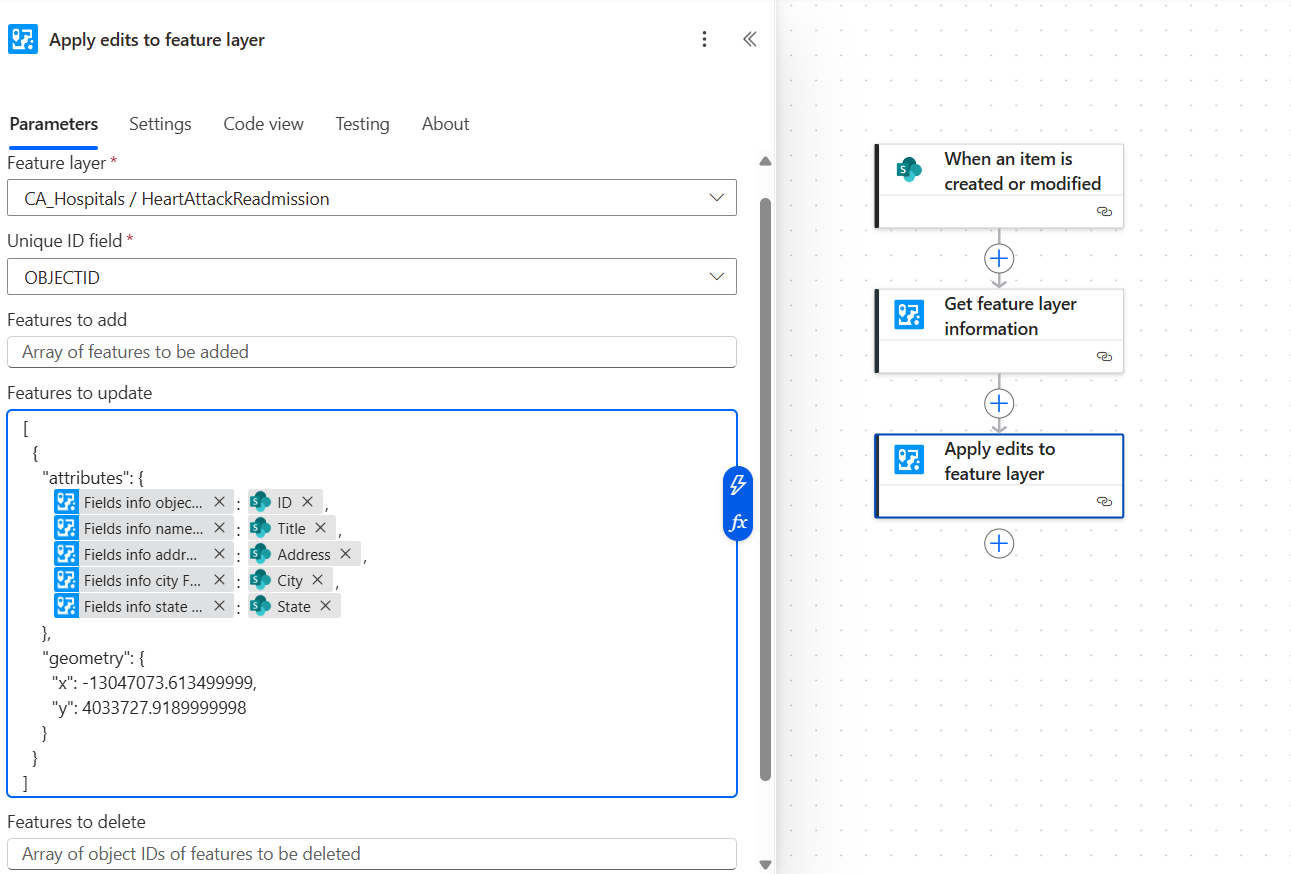
A new action, Get Feature Layer Information, has been added. This action retrieves information about feature layers, such as available fields. The fields returned can be used as dynamic content in subsequent actions, streamlining automation and workflows. You no longer have to look at the field names when using actions such as Add or update feature layer (batch) actions or when using apply edits action. In addition to fields data you can also get last modified date which could be helpful in automating flows or getting a date range.
Along with field name this should return additional useful information on the layer such as:
fieldInfo: Name, type, alias
Extent, Spatial reference
hasAttachments
Editing info: Last Edit date
ID
standardMaxRecordCount
serviceItemId
geometryType
copyrightText
dataFieldsTimeReference
description
maxRecordCount
name
templates
uniqueIdField
serviceUrl etc.
Here is a basic example how we can use field names coming from Get Feature layer information to use as an input for Apply Edits action: In a real world scenario you can create an array variable and append all the changes coming from a query and apply all the edits at once.
4. Feature Layer ID Requirement Removed for Fetch updates, changes, deletions action in ArcGIS connector
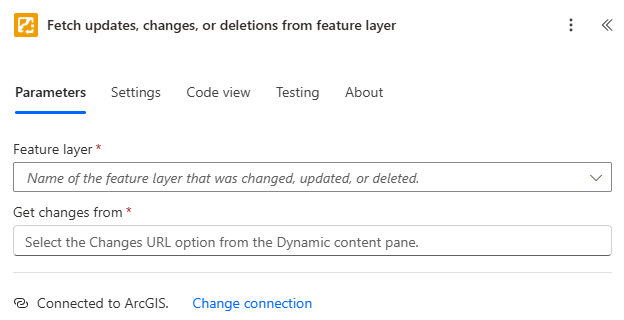
The requirement to specify a Feature Layer ID for the Fetch Updates, Changes, and Deletions action has been removed. Users now only need to select the layer under the Feature layer dropdown, and this alone is sufficient to identify the layer, simplifying the workflow.
5. Documentation
We are committed to updating the documentation for ArcGIS connectors so that it is easy for everyone to get started with them. In this release we have added Input Parameters to each action, and we will continue to expand it to include all the parameters. We have also changed the documentation organization which is now collapsed under groups. More updates are coming in 2026.2 release.