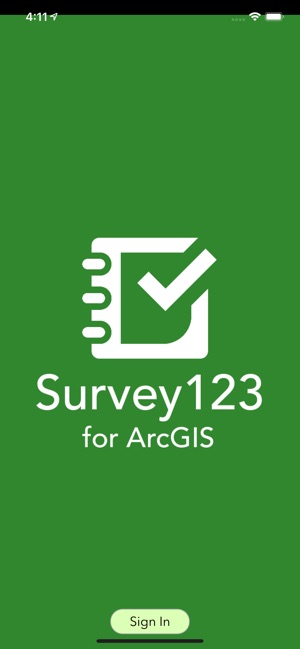
Hello,
Please see screenshot as reference. I have an AppStudio 3.3 Desktop Edition with Survey123. How do I remove start page with sign in? I edit in QT Creator. Please advise as soon as possible. Thank you for your assistance.
cc: Survey123 for ArcGIS
Alex,
Removing this line works for me, Survey123/template/SurveyApp.qml
Thank you,
Erwin
Hi Erwin,
I'm not sure if my last reply posted correctly so I apologize if this is redundant. I have tried to implement the workaround that you posted above in the latest version of Survey123 however I am unable to find the files you specified in QT Creator. My goal is similar to what the original post is asking. I'd like to point my white-labeled Survey123 app directly to one specific survey and also skip the login page since this is meant for public use and the people submittng the surveys do not have/need AGOL credentials.Thank you,
Scott
Sharing public survey, scanning QR code on the device for Survey123 is covered in this doc, https://community.esri.com/groups/survey123/blog/2016/11/10/getting-started-with-public-surveys
I think what you did wrong was scanning the Survey123 QR Code in AppStudio Player, they are different. Scanning QR code in AppStudio Player is to open AppStudio apps. (This has nothing to do with the AppID or ClientID)
Please see screenshot. Survey is already shared to publicly. I scanned QR code on device appstudio player and it is what display. Do I need to register AppClient/AppID to display surveys without sign in?
One of the reasons this page appears in the first place is because there is no survey downloaded in the device.
Depending on your workflow, I would prepare a survey that is shared publicly and then scan the QR code on the device, after that the app will download that survey into your app.
It is working. Thank you for your reply but it is unexpected because now surveys are gone. Am I doing something incorrect? I am trying to display surveys without download and without sign in as well. Please advise. Thank you for your time.
Signed in members can post, follow updates, and more. New here? Register a free account.
Find useful guides, FAQs, and documents to help you navigate and make the most of Esri Community.