Ideas submitted to the ArcGIS Ideas Space by the community impact new and existing functionality in ArcGIS Online. It’s great to understand the workflows that our users would like to achieve with ArcGIS Online and suggestions to improve current experiences. With the December 2017 update 11 ideas were implemented. This listicle highlights 9 of those ideas and the resulting functionality in the release.
*
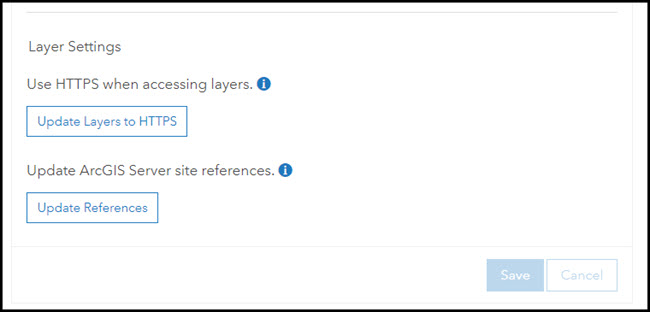
You can now update the URL of layers in your map from HTTP to HTTPS, or from a staging version of the layers to a production version of the layers. This is done through the map’s item page.
Editing the URL path of a Web Map in ArcGIS Online
http://doc.arcgis.com/en/arcgis-online/share-maps/item-details.htm#ESRI_SECTION3_12B1DA0A6D7C4714931495274B57AEB3
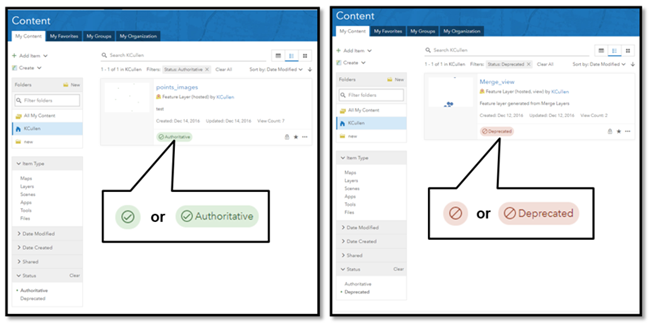
Items can now be designated as either authoritative or deprecated. This makes it easier for others to find authoritative items while discouraging the use of items that are out-of-date. Items marked with one of these content status indicators are identified by a corresponding badge on the item page and are returned when users search or browse for content using the Status filter. Organization members can also limit layer searches to authoritative layers only when adding layers using the Search for Layers option in Map Viewer.
Create a Publication/Sharing Workflow for ArcGIS Online for Organizations
http://doc.arcgis.com/en/arcgis-online/share-maps/item-details.htm#ESRI_SECTION3_5B0AA740695F424792447B4D1B600B27
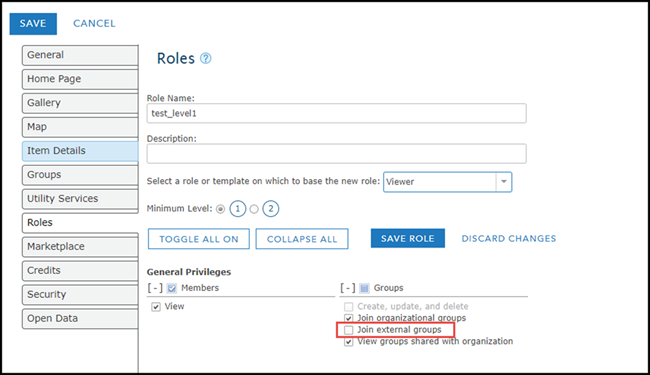
Allow Tier 1 (Level 1) Users to Join External Groups
http://doc.arcgis.com/en/arcgis-online/reference/roles.htm#ESRI_SECTION1_4FF9051EFB814C249AB26B0ACFF7C79F
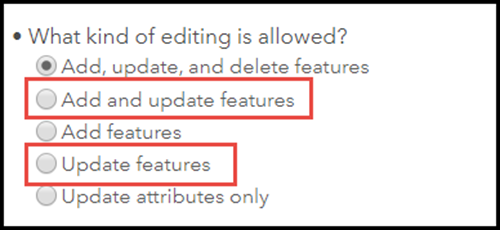
Two new editing configuration options are available for hosted feature layers and hosted feature layer views, giving you more fine-grained control over what operations editors can perform.
add, update but not delete (edit properties)
http://doc.arcgis.com/en/arcgis-online/share-maps/manage-hosted-feature-layers.htm#ESRI_STEP_A9683C018BE649C0AEB5B8BC01C13C9D
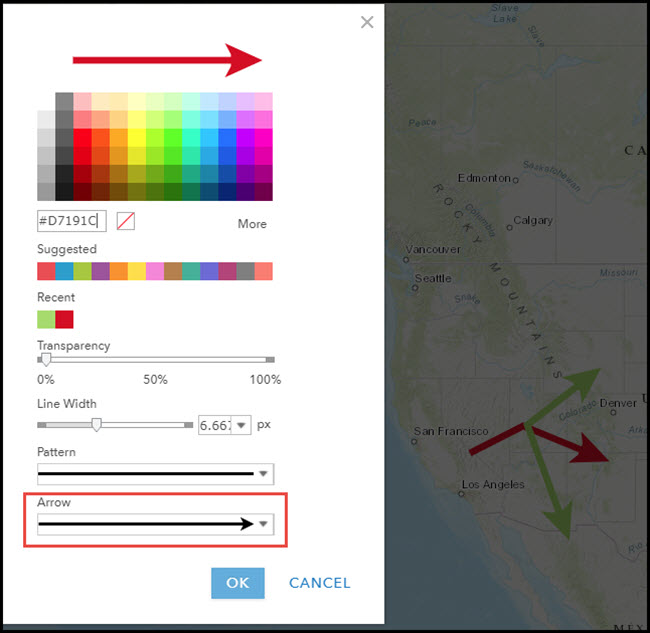
For line symbols, you can now show line direction by selecting an arrow option. For single-arrow lines, arrow placement is based on the start and end points of each line feature.
AGOL – Line Decorations
http://doc.arcgis.com/en/arcgis-online/create-maps/styling-reference.htm#ESRI_SECTION1_F8B3C71F02264170B59B220D58CF5E34
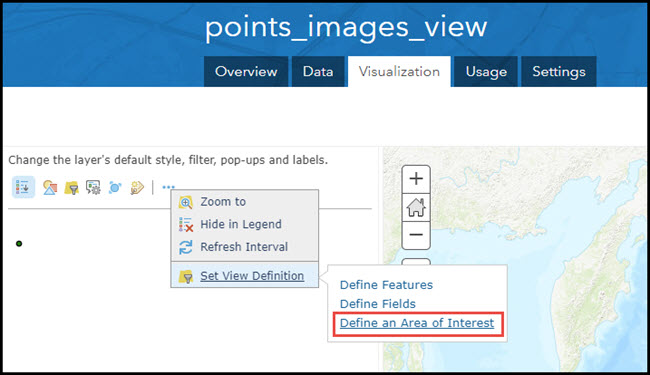
You can limit a hosted feature layer view to a specific area by defining a spatial extent. These definitions are saved with the hosted feature layer view and allow you more control over what content people see.
ArcGIS Online: Filter by Polygon Feature
http://doc.arcgis.com/en/arcgis-online/share-maps/manage-hosted-feature-layers.htm#ESRI_SECTION1_D6E1538242B24908B1472154696905D3
Organizations requiring more control over offline usage of ArcGIS Pro can prevent all ArcGIS Pro licenses in the organization from being taken offline.
Disable Authorize ArcGIS Pro to work offline
http://doc.arcgis.com/en/arcgis-online/administer/manage-licenses.htm#GUID-65008898-9751-4B23-97B2-0E931137E237
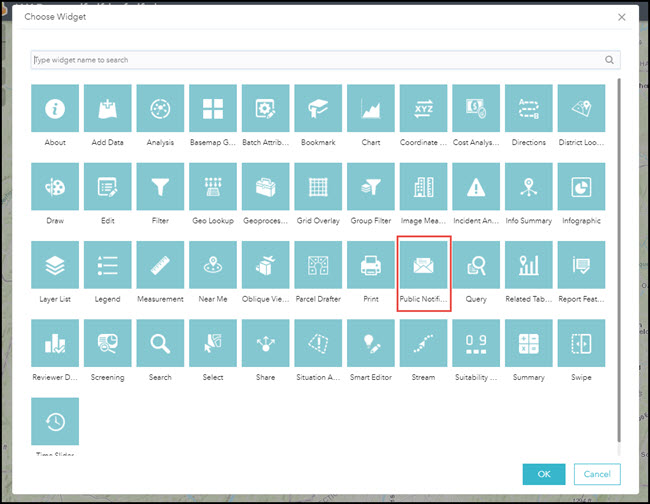
The new Public Notification widget enables you to identify a collection of properties and create mailing labels, or a structured text file, for owners and occupants.
Public Notification Widget in Web App Builder
http://doc.arcgis.com/en/web-appbuilder/create-apps/widget-public-notification.htm
You can also share the item page of any item in the website by copying the short URL provided on the item page Overview tab.
Provide shortened URL for apps
http://doc.arcgis.com/en/arcgis-online/share-maps/link-to-items.htm#GUID-96B0CFA7-FCFF-4C2F-A840-A5ADE3E17863
https://community.esri.com/community/arcgis-ideas/blog/2017/12/07/ideas-implemented-in-the-december-2017-arcgis-online-update
New Functionality Supported by Customer Ideas (December 2017) | ArcGIS Blog
You like us. You really, really do.
Signed in members can post, follow updates, and more. New here? Register a free account.
Find useful guides, FAQs, and documents to help you navigate and make the most of Esri Community.