Often there are urgent needs that require the immediate creation of hosted layers. Within this scenario, there are quick ways to have layers created immediately from "templates." How to do it?
1. The first step is to log in to our ArcGIS Online.
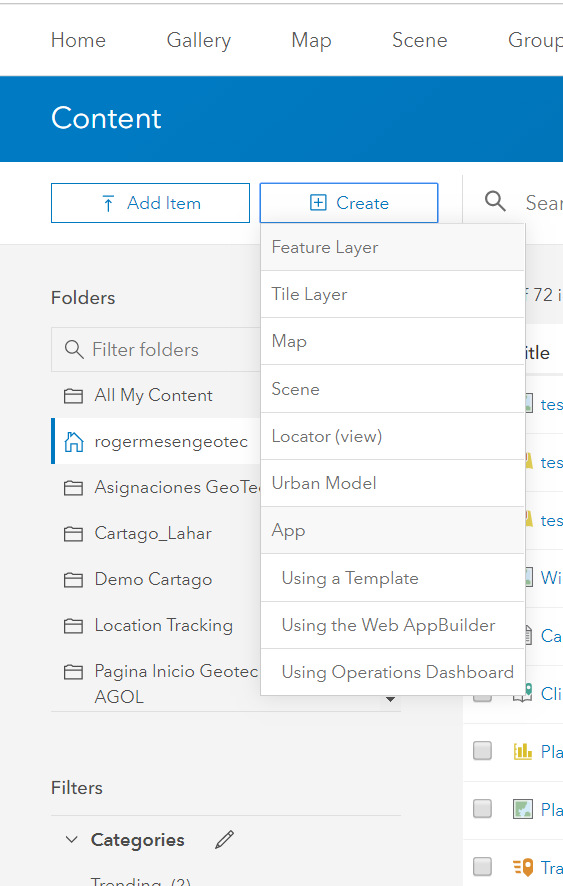
2. After this, we go to content and then click on the Create button. We select hosted layer. See the following figure.
3. A menu with all types of layers in the templates is displayed. Depending on the type of assignment we will make, it may be available to create; otherwise, we can modify the fields. 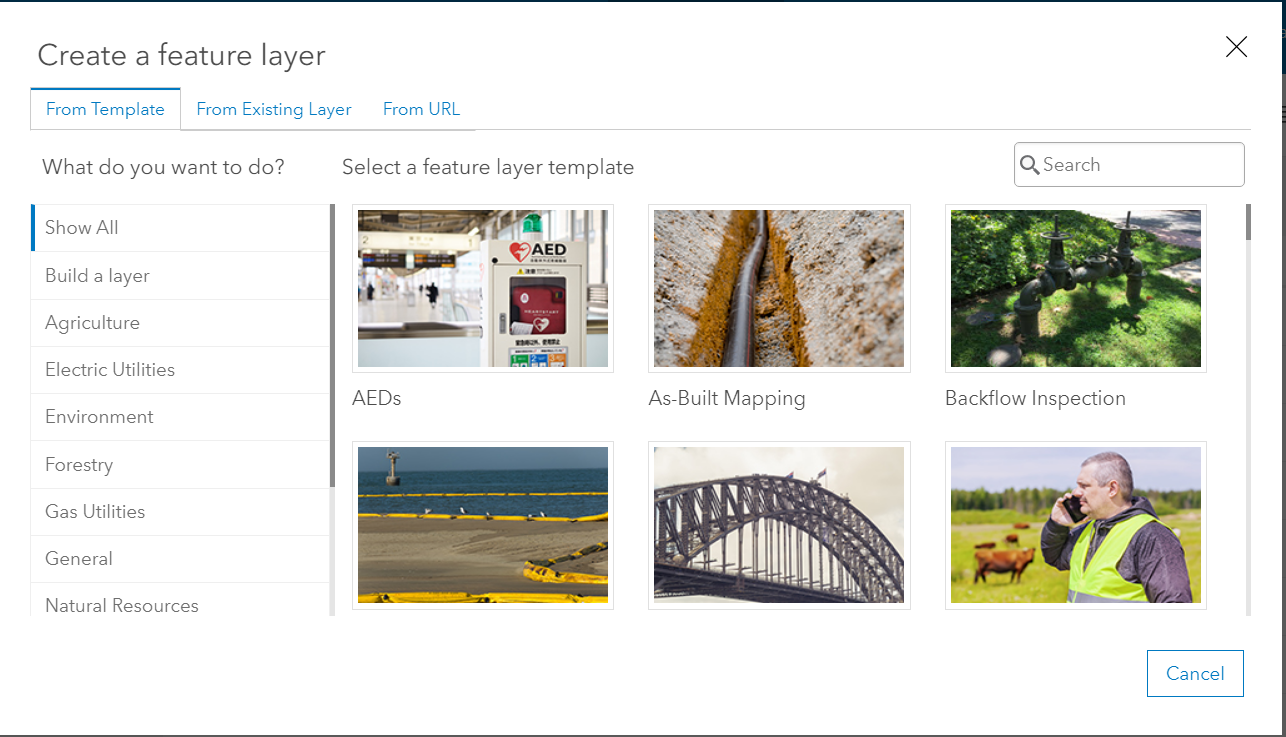
Note: Fields and lists can be modified. Likewise, they can be translated if they were in English.
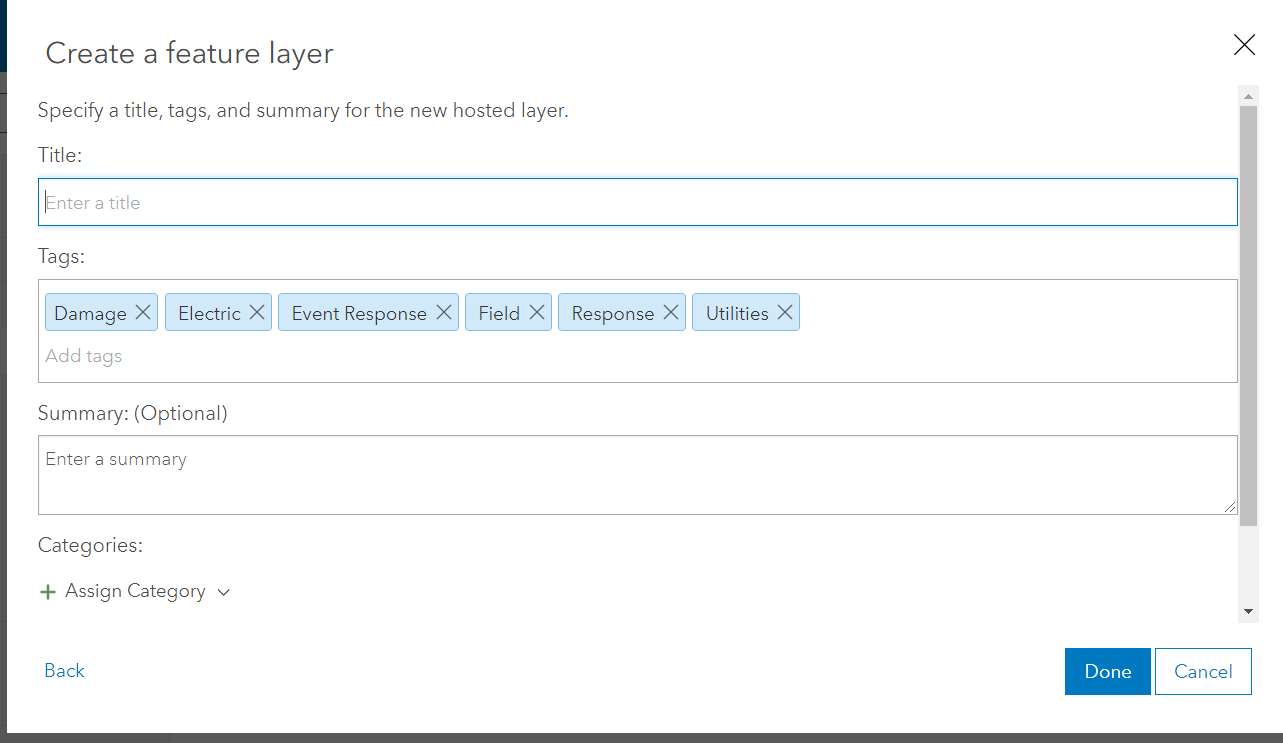
4. Once the desired one is selected, fill in the title and summary fields.
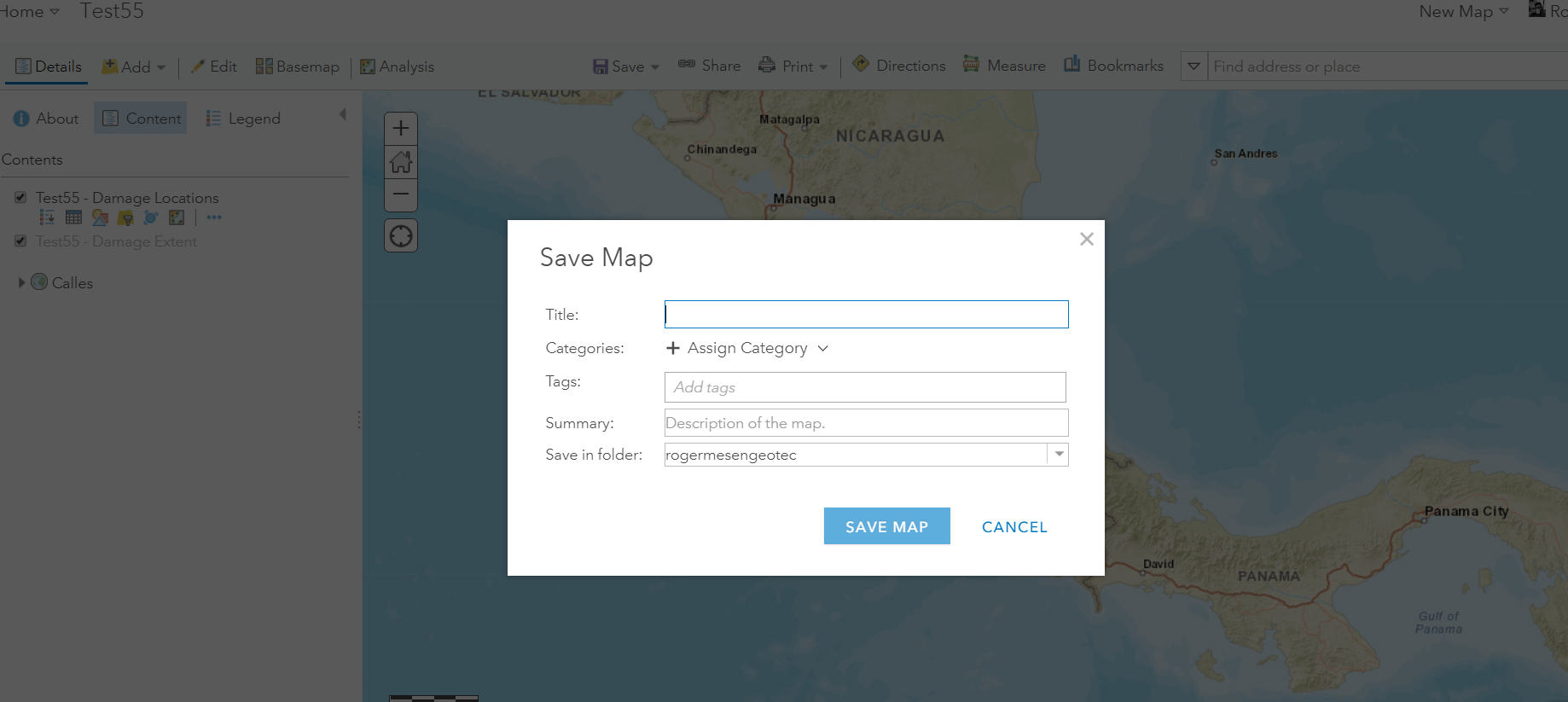
5. Once created, open it in a new map, then save the map.
This way we will have a layer ready to be filled from the field with the Collector app. It also allows us to save time when configuring symbologies.
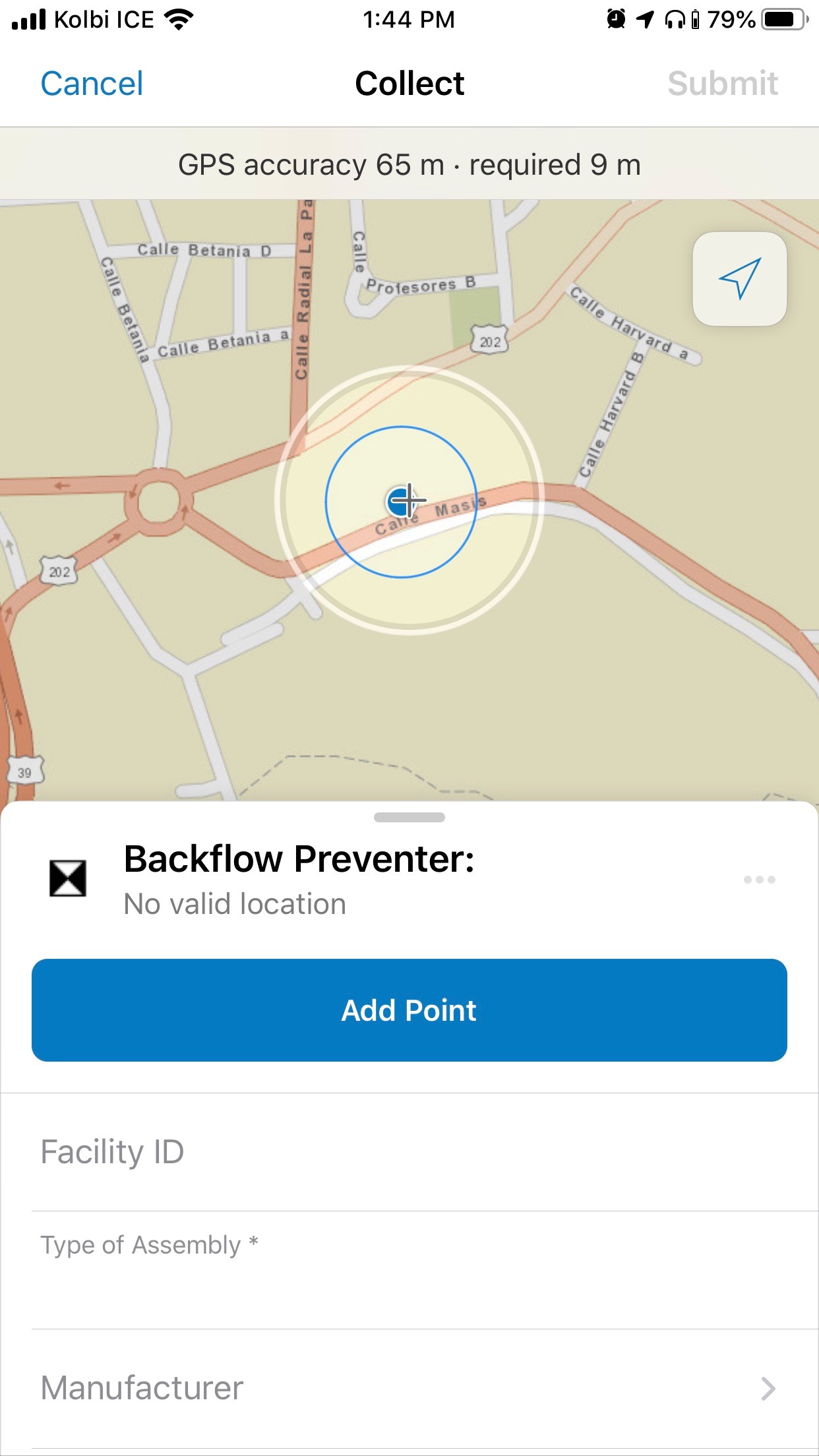
This is how in less than 5 minutes we have a layer ready to be filled in the field by anyone with a username and password.
This would be my last blog, due to the changes that the universe has brought about... I hope that the few I have published help someone at some point solve a doubt and assist them.