+
Step 5: Set the elevation surface for the 3D view
lesson states "In the Map Properties dialog box, in the left pane, click Elevation Surface."
But there is no "Elevation Surface" to click- see below
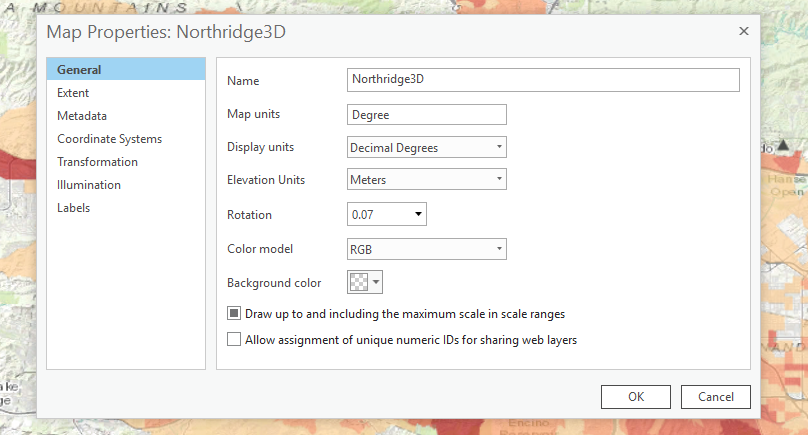
Please tell where I went wrong- I have backed up a few steps to make sure that I have been following the steps correctly-
Thanks


