Hi.
I'm trying to generate basic building blocks from complex footprints. This works in general (BasicShape_1), but I'd like to refine it a bit. I used convexify to remove smaller extrusions and now I'd like to use the leftover bulk with the cube function.. however, sometimes I end up with multiple parts (see image below, green blocks), meaning I can't use that method. Is there a way to combine them?
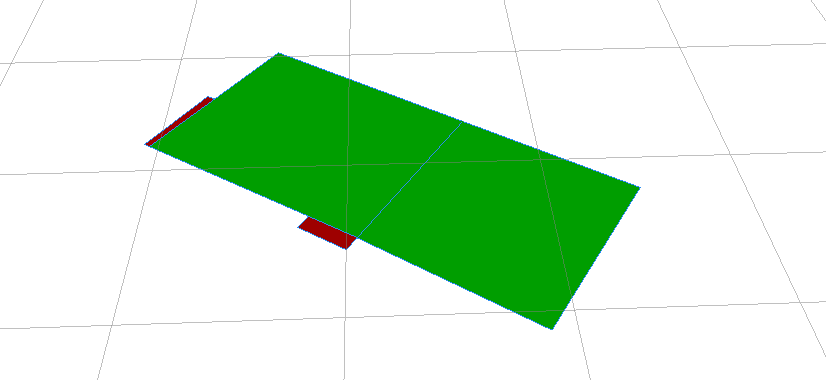
Also is there a way to force "normal" behavior after splitting? When I scale the cube on the splits, the x-axis points up. Rotating fixes that, but I expect this won't work the same everywhere.
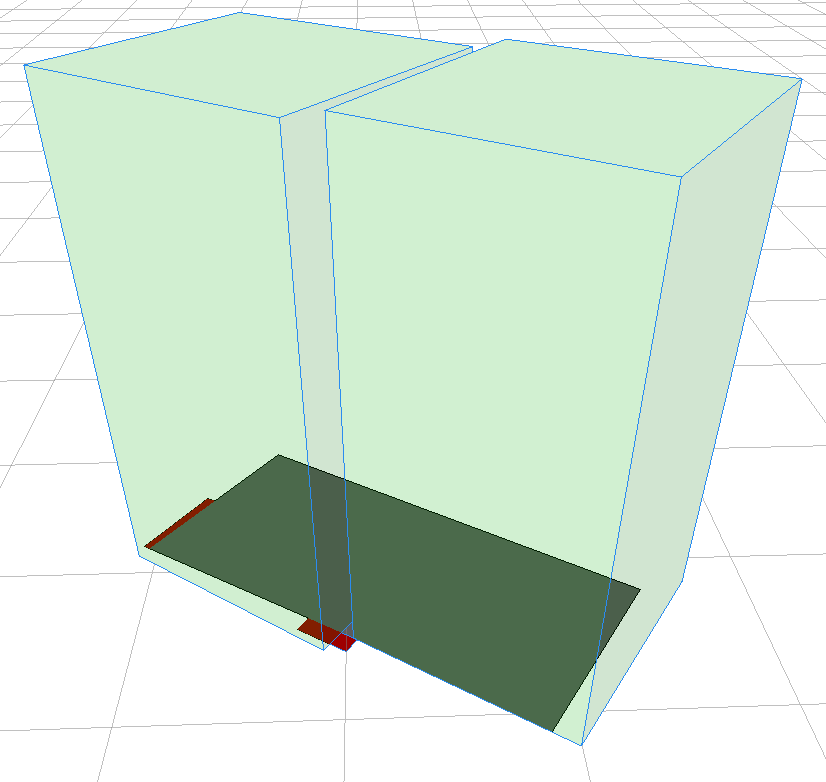
script:
version "2014.0"


// ADJUSTMENT ATTRIBUTES
attr Roof_Angle = 33
attr Ground_Height = 1.0
attr Floor_Height = 2.8
attr Building_Height = Ground_Height + (aog*Floor_Height)


// ATTRIBUTES
attr daf = 0
attr aog = 0
attr Building_Width = 0
attr Building_Depth = 0


Lot-->
  set(Building_Width, scope.sx)
  set(Building_Depth, scope.sz)
  BasicShape_2


BasicShape_1 -->
  i("builtin:cube")
  s(Building_Width,Building_Height,Building_Depth)
  color(0,0,1)
  set(material.opacity,0.15)

BasicShape_2 -->
  color(0,1,0)
  convexify(scope.sx)
  comp(f){all: SubShapes}

SubShapes -->
  case scope.sx <= 3:
  color(1,0,0)

  else:
  color(0,1,0)
  cleanupGeometry(all,1)
  BuildCube_

BuildCube -->
  i("builtin:cube")
  s(Building_Width,Building_Height,Building_Depth)
  set(material.opacity,0.18)
  print(Building_Width)

