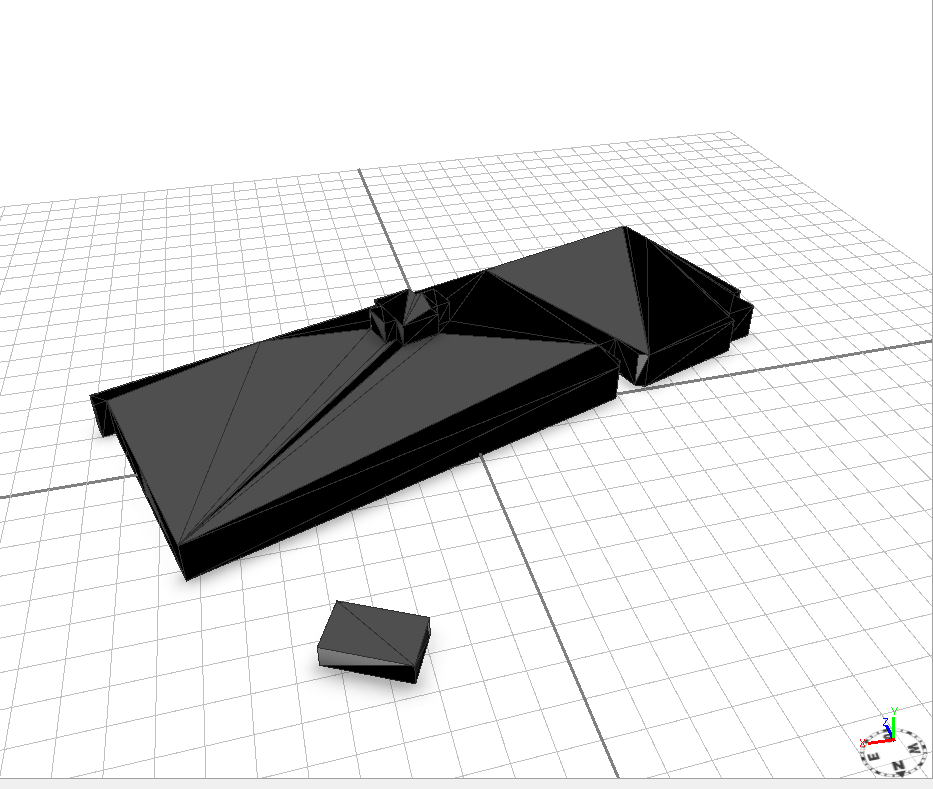
Before running conform normals function:
After running Conform Normals function
an
I expected all the normals to face away from the building centroid, but not all were corrected and some correct normals were flipped. (v 2016.0)
Can anyone help with this?Attached is the model in the image....
There are some cases where conforming the normals will not work as desired. In this particular case, the black face is a duplicate face. There are two faces in the same position. If you run cleanupGeometry(faces, 0.1) first, this will remove the duplicate faces. This works on this model, but the help page describes other cases where some preprocessing actions could help setNormals(conform) to work as desired. setNormals Operation
Signed in members can post, follow updates, and more. New here? Register a free account.
Find useful guides, FAQs, and documents to help you navigate and make the most of Esri Community.