When using an instance of SketchViewModel, I am having trouble getting the drawn rectangle graphic to work when querying the FeatureLayerView.
If you open this example and try to draw a rectangle that intersects with the point feature class, it doesn't seem to return the correct results. usually, 0 features are returned after using the queryFeatures function on the FeatureLayerView.
Simple JS Bin example
Here is the relevant code in the sample above that doesn't seem to be working properly:
sketchVM.on("create", function (e) {
if (e.state === "complete") {
flView.queryFeatures({
geometry: e.graphic.geometry
}).then(function(data){
if (data.features.length === 0) {
alert("0 features were selected????");
} else {
alert(data.features.length + 'points selected');
}
console.log(data);
})
}
})
UPDATE!!!
I figured out how to replicate the issue!
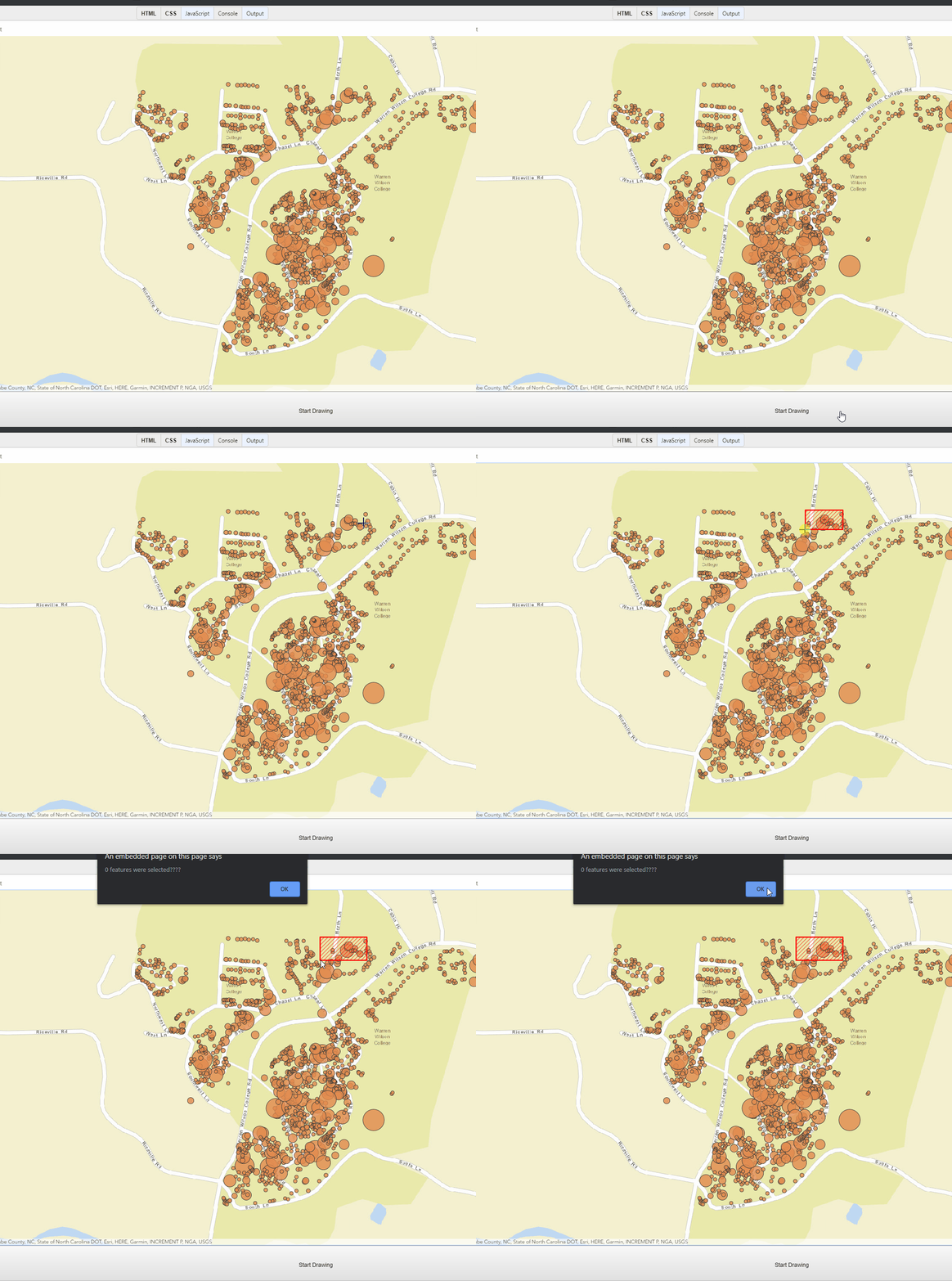
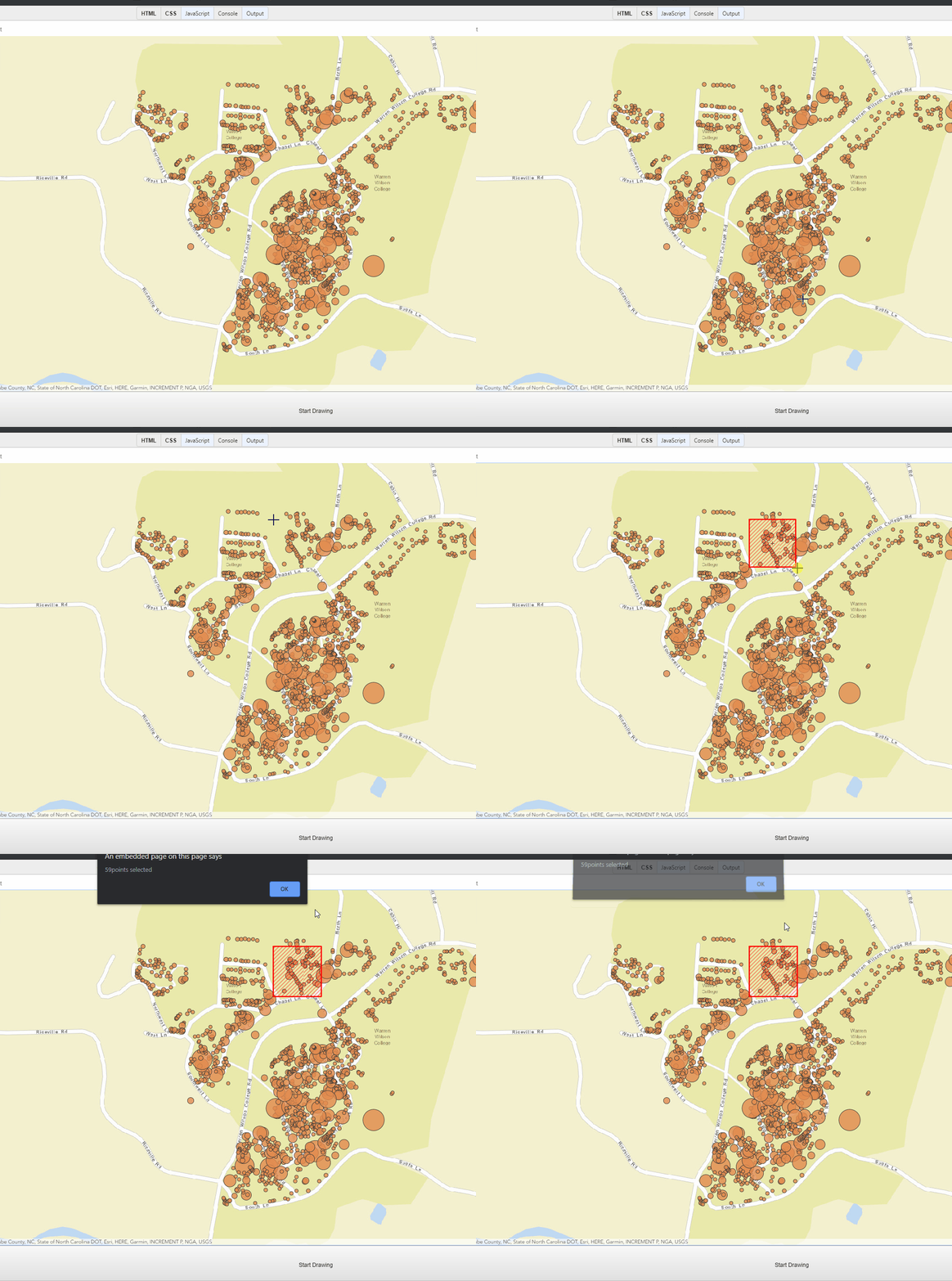
When drawing the rectangle, if you draw from right to left as shown in the gifs below, it will not work correctly. If you draw from left to right, it works as expected.
Right to left (NOT WORKING)
Left to right (WORKING)
FYI, this bug seems to be present in the SketchViewModel in all versions that I tested (4.12, 4.11, etc...)

