Below is my workflow with ArcGIS Online Experience Builder:
1. Users enter an address using a Search widget
2. Search widget location is passed to the NearMe widget
3. NearMe widget executes a Closest Feature analysis
4. NearMe widget has actions to: filter the map layer being used in the analysis (auto-bound), filter two other map layers using a common attribute.
Step 4 only works on the first execution. On any subsequent executions, the two map layers being filtered don't seem to return anything. The polygon being used in the NearMe analysis continues to be filtered as expected.
Below are examples:
First execution works as expected. The polygon (orange) is filtered and the animated layer shown as an orange halo (green arrow) is filtered and displayed.
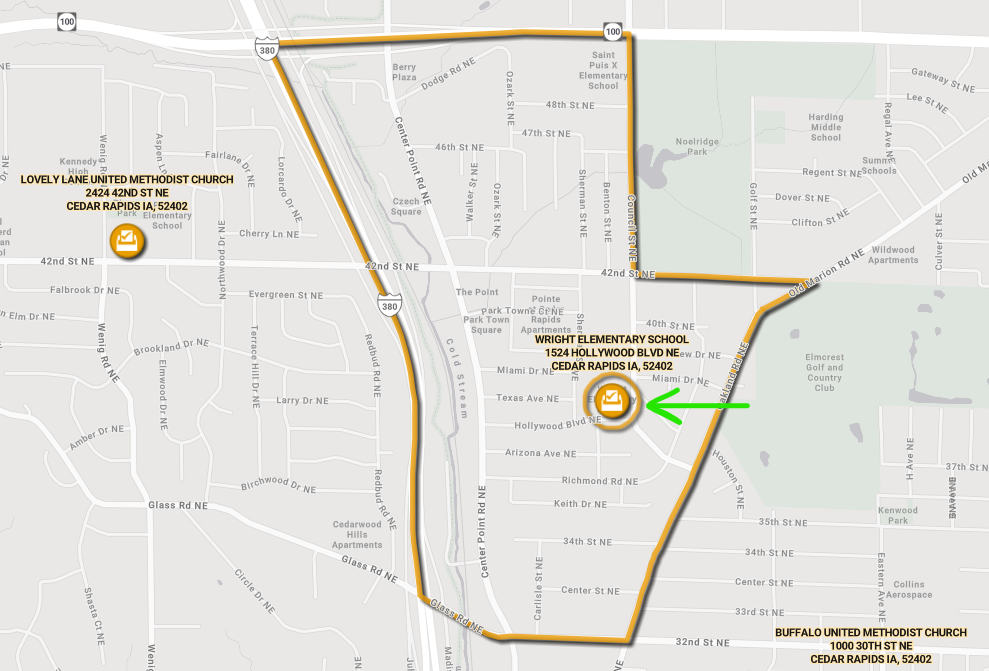
Subsequent executions do NOT work as expected. The polygon (orange) is filtered correctly as this the analysis layer in the NearMe widget. However, the point feature shown with a green arrow should have an animated symbol as it is the feature with same common attribute as the polygon, but nothing is shown.
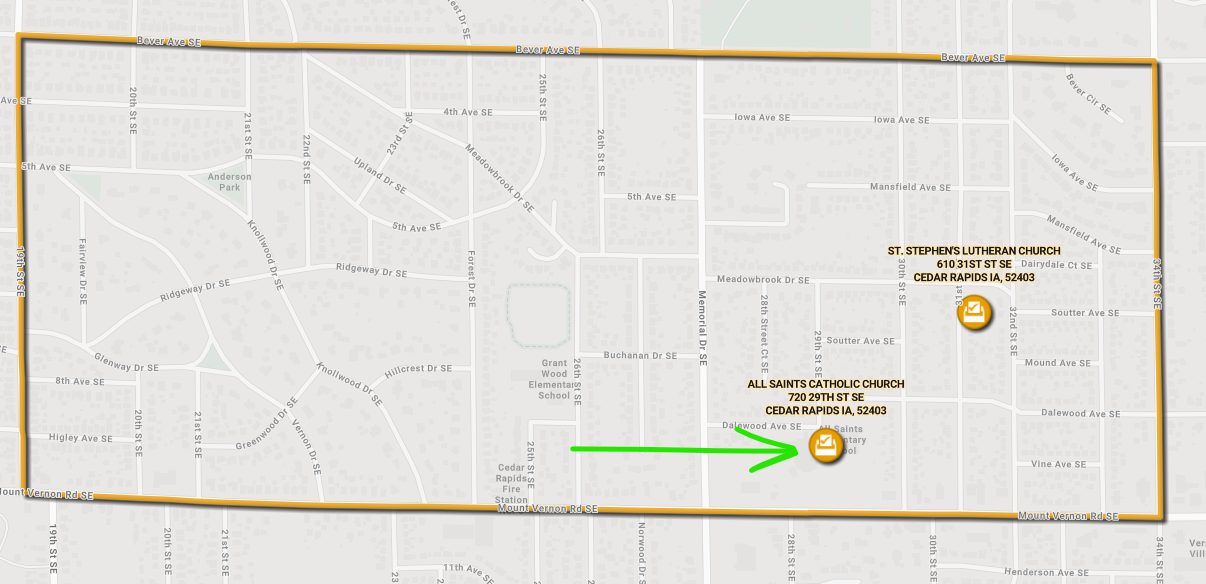
I have tried multiple different settings in the NearMe widget. Tried using "Data" as the target rather than the map, same result. Is this a known limitation of the NearMe widget? ... am I missing some setting somewhere? ... is this a bug?




