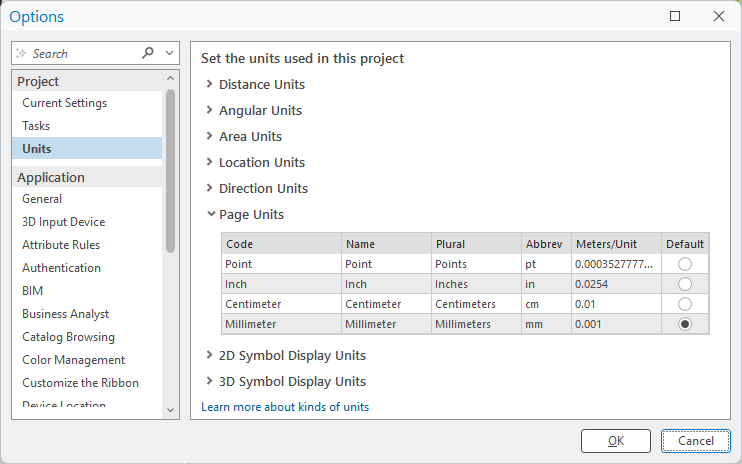
Hi Community, is there a way to get at a Pro project's default units programmatically? They can be set in Pro from Backstage > Options > Project > Units (see screenshot). I would have expected these settings to be exposed somewhere on ArcGIS.Desktop.Core.ApplicationOptions, but I can't find it there nor elsewhere. Or is this not exposed at all? A similar question has been asked some years ago but remained unanswered. Any hints are much appreciated.
See also:
https://github.com/esri/arcgis-pro-sdk/wiki/ProConcepts-Content-and-Items#project-units
Hi,
Take a look at the ArcGIS Pro SDK API reference. Code from reference below:
        protected override async void OnClick()
        {
            await QueuedTask.Run(() =>
            {
                var unit_formats = Enum.GetValues(typeof(UnitFormatType))
                                  .OfType<UnitFormatType>().ToList();
                System.Diagnostics.Debug.WriteLine("Default project units\r\n");

                foreach (var unit_format in unit_formats)
                {
                    var default_unit = DisplayUnitFormats.Instance.GetDefaultProjectUnitFormat(unit_format);
                    var line = $"{unit_format.ToString()}: {default_unit.DisplayName}, {default_unit.UnitCode}";
                    System.Diagnostics.Debug.WriteLine(line);
                }
                System.Diagnostics.Debug.WriteLine("");
            });


        }
Hi @GKmieliauskas and @CharlesMacleod, thanks a lot for your replies, these helped me to quickly work on.
Signed in members can post, follow updates, and more. New here? Register a free account.
Find useful guides, FAQs, and documents to help you navigate and make the most of Esri Community.