Hello,
I'm having an issue with regards to interaction between Workflow Manager and a custom ArcGIS Pro SDK addin. I have a wizard that I want to open when I run a workflow step. This wizard is opened through a button in the UI. When I execute the ArcGIS Pro Mapping Step in my workflow with the Run ArcGIS Pro Command option toggled, and provide the id of the button linked to the wizard, the step correctly runs and opens the wizard. The problem is, it also adds a "step failed" flag to the job, even on successfully opening the wizard. This causes issues because a user could be confused and think the step had not properly completed.
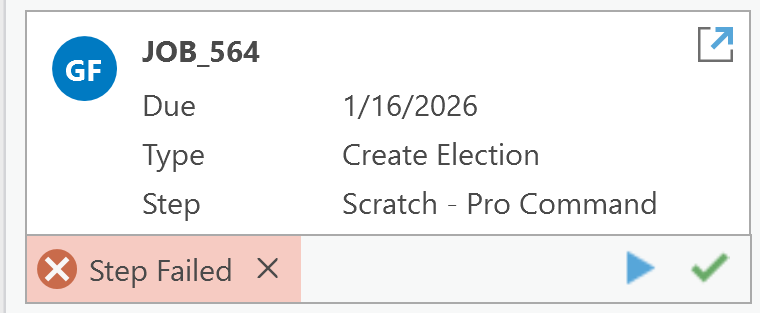
I've already referenced and implemented suggestions from these threads (here and here ), and they don't seem to help with this particular issue, although they did help with getting the wizard to open. Is there some setting in Workflow Manager I'm missing, some other method I should be extending in Module, or anything else I could try to resolve the issue? Insight as to why Workflow Manager could flag a step to fail would also help.
Thanks in advance for any help.

